For anyone evaluating a 3d ai maker, this piece shows how Meshy 3D Agent performs when its generated drone model is exported as an STL and checked for print readiness, file size, repair needs, and workflow cost.
Meshy 3D Agent handed me a scout drone STL of 158.2 MB with 3,163,166 faces. Snapshapy's 3D Agent handed me the same kind of prop as a 2.5 MB STL with 49,884 faces, 63.3× lighter. My mesh check could not tell the two apart on print validity: both watertight, both one body, both 0 non-manifold edges. So this review opens the Meshy file and counts what the extra 155.7 MB is made of.
My verdict in 60 seconds — Meshy 3D Agent 61/100, Snapshapy 89/100
Meshy 3D Agent produces a valid print file that still carries almost every triangle of its 115.5 MB textured model, while Snapshapy (https://snapshapy.com) cuts the drone to a 50k-face print mesh that passes the same checks.
- Print validity — Meshy 9/10 · Snapshapy 9/10 — both STLs watertight, 1 body, 0 non-manifold edges
- STL weight — Meshy 2/10 · Snapshapy 9/10 — 158.2 MB vs 2.5 MB, 63.3× the bytes
- Faces per mm of longest side — Meshy 3/10 · Snapshapy 9/10 — about 21,088 vs 333 faces per mm, both drones 150.0 mm on their longest side
- Textured model to print file — Meshy 3/10 · Snapshapy 9/10 — Meshy's STL is 1.37× its own 115.5 MB GLB; Snapshapy's is 36.2× lighter than its 90.5 MB GLB
- Print repair — Meshy 5/10 · Snapshapy 9/10 — free check, then 10 credits ($0.20) and ≈100 s to keep 3,163,166 faces
- Ten-prop library — Meshy 2/10 · Snapshapy 9/10 — 1,582 MB vs 25 MB of STL for 10 drones
- Width as asked — Meshy 5/10 · Snapshapy 10/10 — 118.85 mm vs 150.0 mm against a 150 mm request
- Credits and clicks — Meshy 4/10 · Snapshapy 9/10 — 49 vs 11 credits, ≈13 vs 2 clicks beyond the 3 messages
The concrete problems inside the Meshy print file:
- Meshy's free check found 1,585,373 degenerate faces on a 3,163,194-triangle model, about 50.1% of it.
- The Meshy repair cost 10 credits and the STL still carried 3,163,166 faces, against 3,163,194 triangles in the textured model.
- With textures dropped, the Meshy STL still weighs 42.7 MB more than the textured GLB it came from.
- The Meshy download arrived as a zip holding one STL, sized by a Height field only, so the drone came out 118.85 mm wide.
For a printed prop that has to come out at a set size, I would use Snapshapy.
One orb drone, three messages, a 150 mm width
I tested Meshy 3D Agent at meshy.ai on a paid Pro plan ($20 for 1,000 credits) and Snapshapy's 3D Agent on my own paid account. Both got the same three messages, typed verbatim: "Give me 4 concepts for a sci-fi scout drone prop.", then "Go with option 1 and make it a textured 3D model.", then "Prepare it for FDM printing at 15 cm wide." On every choice card I picked the first option.
I ran Meshy on 2026-11-03. On Snapshapy, messages 1 and 2 ran the same day; I re-sent message 3 in the same chat on 2026-11-04, after Snapshapy shipped an update.
Option 1 was a different drone on each side. Meshy built an Anti-Grav Sensor Orb, a sphere with gimbal rings and a top antenna. Snapshapy built a teardrop hover drone. Shape aside, the question here is narrow: what does each agent put into the file I send to a slicer?
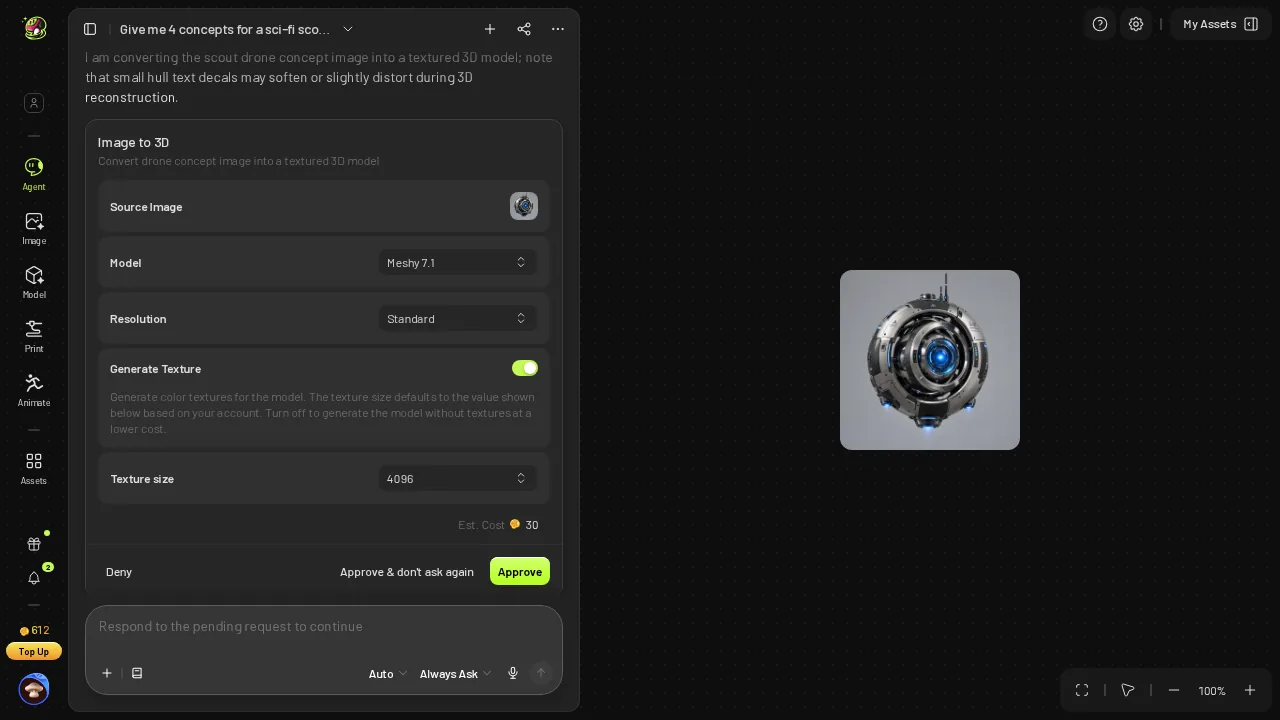 Meshy's image-to-3D approval card: Meshy 7.1, Standard, texture 4096, Est. Cost 30.
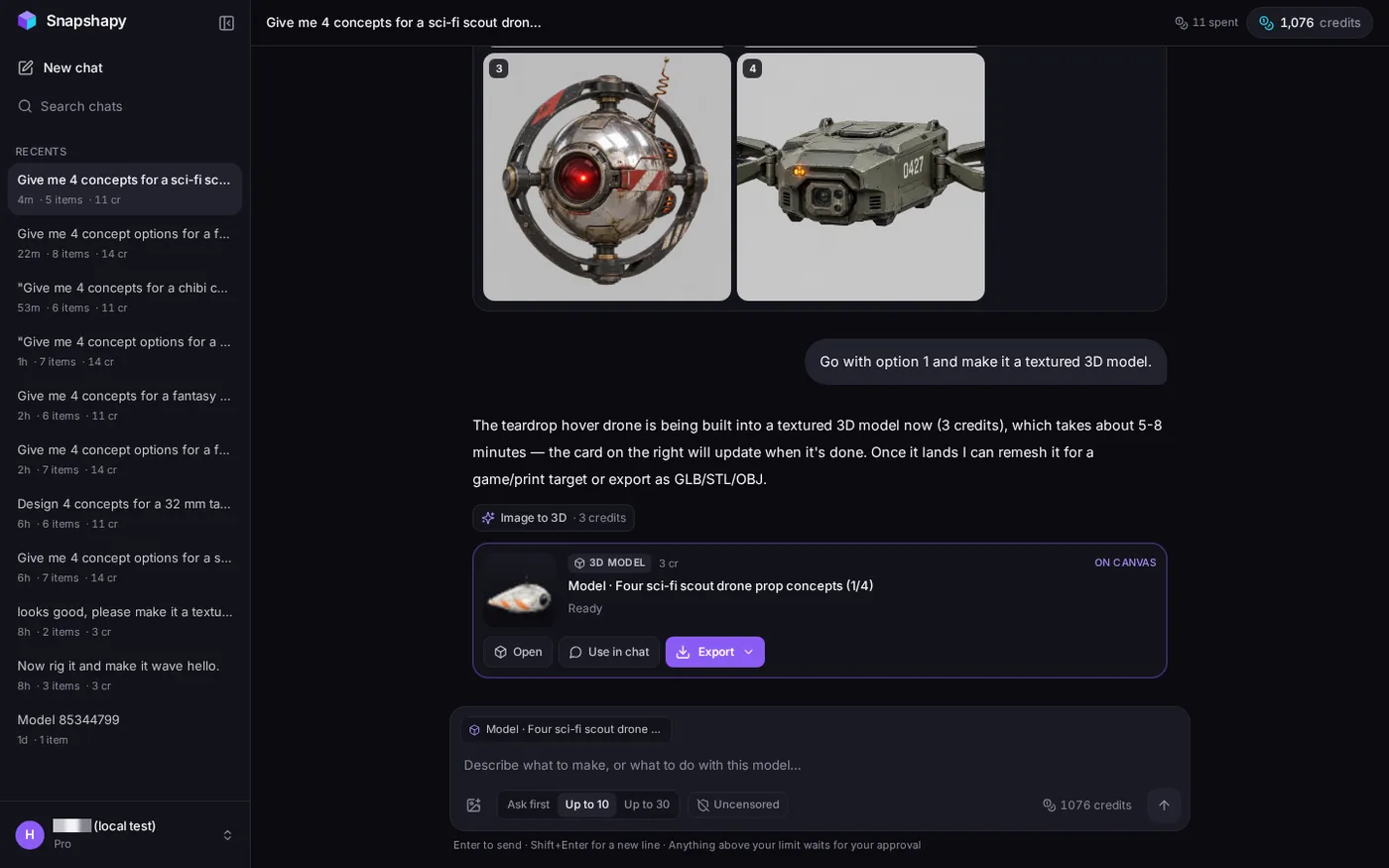 Snapshapy's textured model card for the teardrop hover drone, ready after message 2.
3,163,194 triangles in the textured Meshy orb
Every print file starts from the textured model, so I measured those first. The Meshy orb came out of a 30-credit image-to-3D job as a 115.5 MB GLB with 3,163,194 triangles and 3 textures. Snapshapy's drone came out as a 90.5 MB GLB with 1,500,000 triangles and 3 textures.
- Textured GLB — Meshy 115.5 MB · Snapshapy 90.5 MB · 1.28×
- Triangles — Meshy 3,163,194 · Snapshapy 1,500,000 · 2.11×
- Textures — Meshy 3 · Snapshapy 3
At this stage the gap is modest. Meshy has about twice the triangles and 25 MB more file. The interesting part is what each agent did with those triangles once I asked for a printer file, because textures stop mattering on a single-color FDM print.
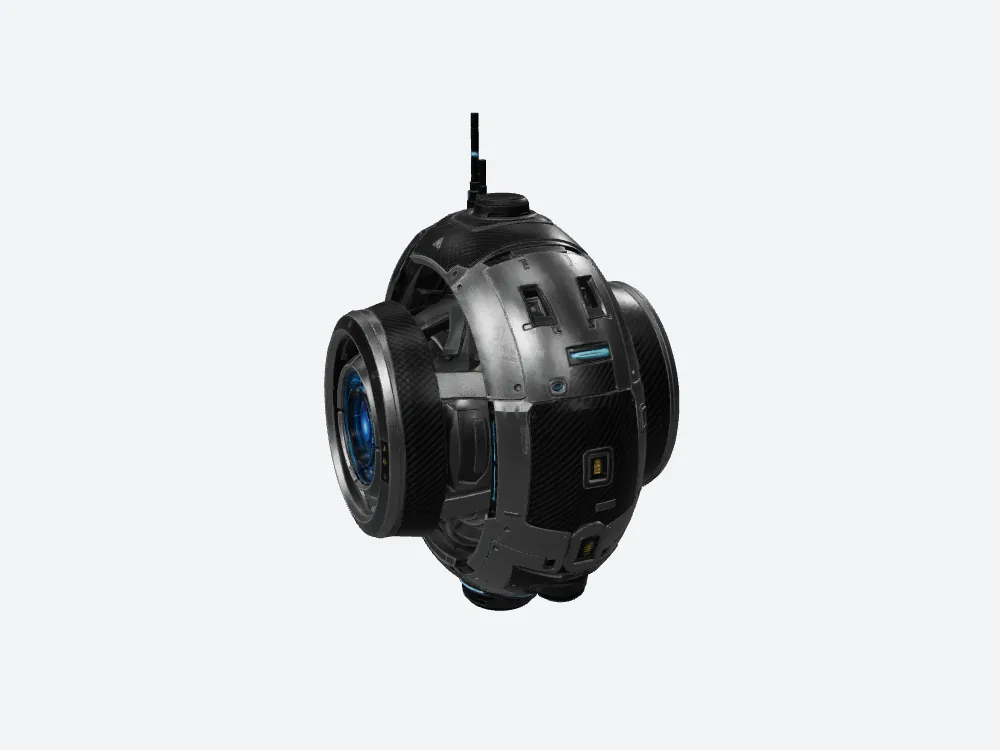 My offline render of Meshy's textured orb: 3,163,194 triangles, 115.5 MB.
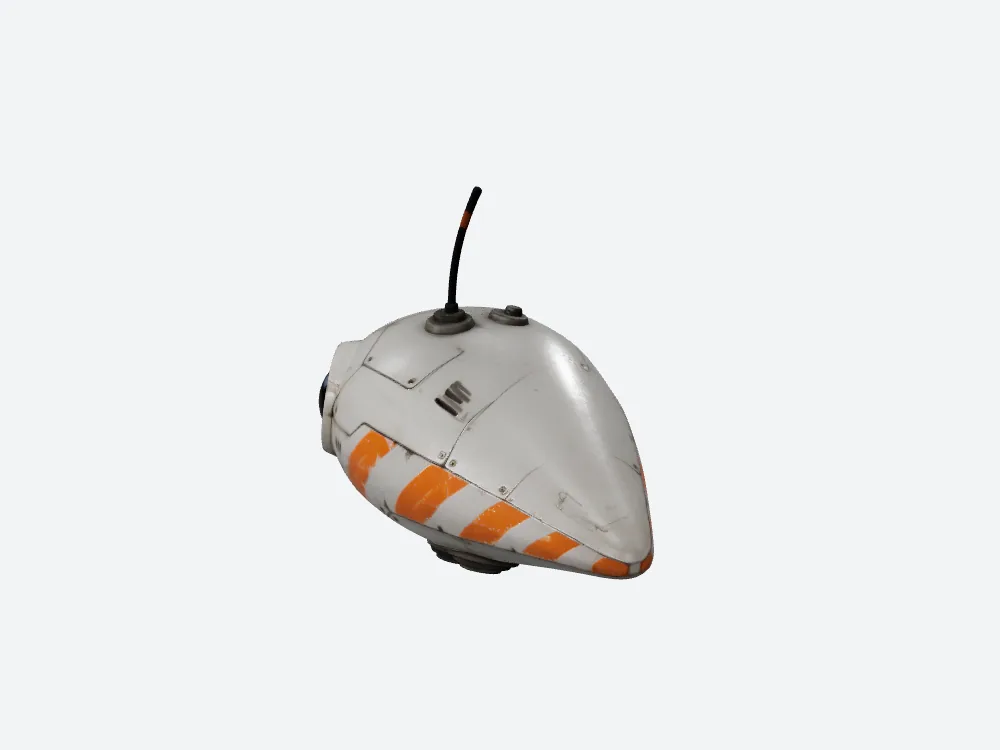 My offline render of Snapshapy's textured drone: 1,500,000 triangles, 90.5 MB.
1,585,373 degenerate faces in a free Meshy check
Message 3 on Meshy started with a printability check that cost 0 credits and took about 18 seconds. It reported "Watertight: Yes (0 holes, 0 non-manifold edges)" and "1,585,373 degenerate faces detected." Against 3,163,194 triangles, that means about 50.1% of the Meshy orb was flagged as degenerate before anything else happened.
Meshy's free check also gave the most useful text in this whole test: specific FDM settings for 150 mm, with PLA, 0.12–0.16 mm layers, 3 walls, 10–15% gyroid, tree supports and a 5–8 mm brim, where Snapshapy gave none.
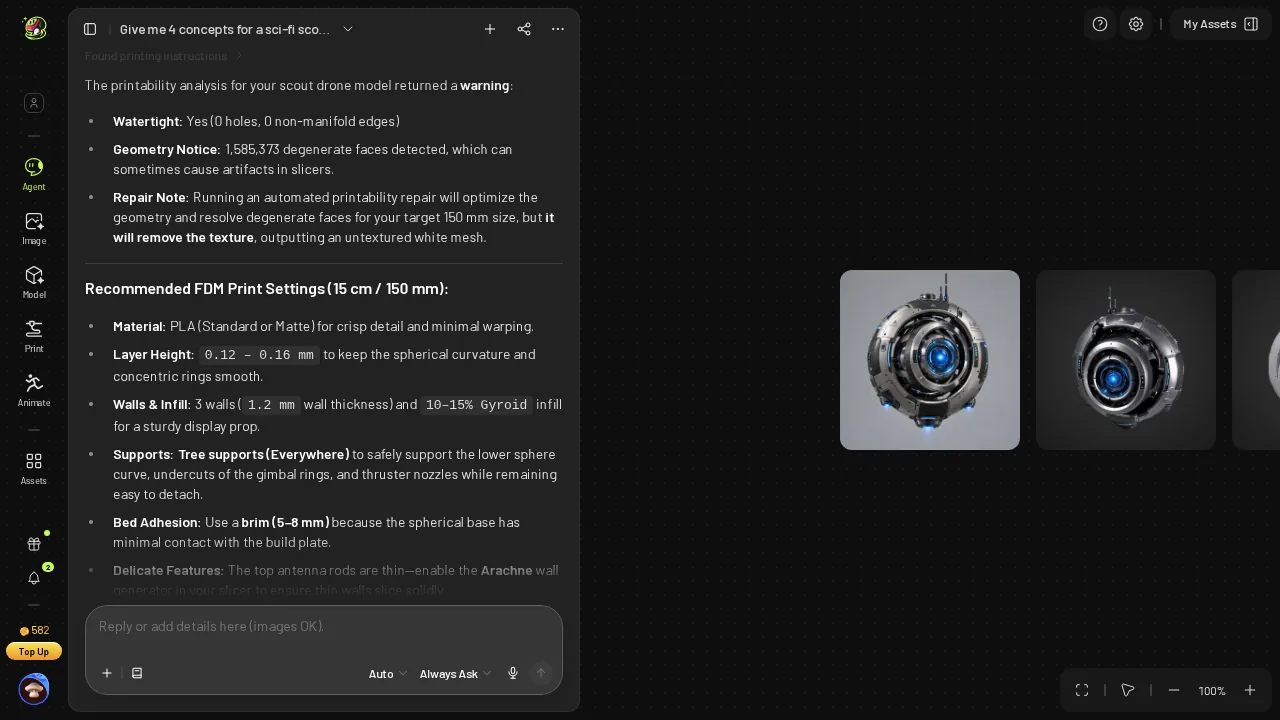 Meshy's free printability check: watertight, 1,585,373 degenerate faces, FDM settings for 150 mm.
The check result shapes everything after it. A model that is already watertight but half degenerate needs cleanup, not a rebuild. The Meshy agent offered a choice card titled "Repair Geometry (Drops Texture)", and I picked it.
10 credits for a Meshy repair that kept 3,163,166 faces
The repair went through an approval card at Est. Cost 10, then ran for about 100 seconds and ended with "verified watertight geometry". My balance went from 582 to 572. On Meshy Pro at $0.02 per credit, that is $0.20 per drone, or $2.00 for ten.
Here is what the 10 credits bought in face count:
- Before repair — 3,163,194 triangles, 1,585,373 of them degenerate
- After repair — 3,163,166 faces, 0 degenerate faces in my own check
So the Meshy repair cleaned up the degenerate faces without making the mesh any lighter. The orb went in with 3.16 million triangles and came out with 3.16 million faces. Nothing in the Meshy flow offered a lower face count for printing, so that whole budget went into the STL.
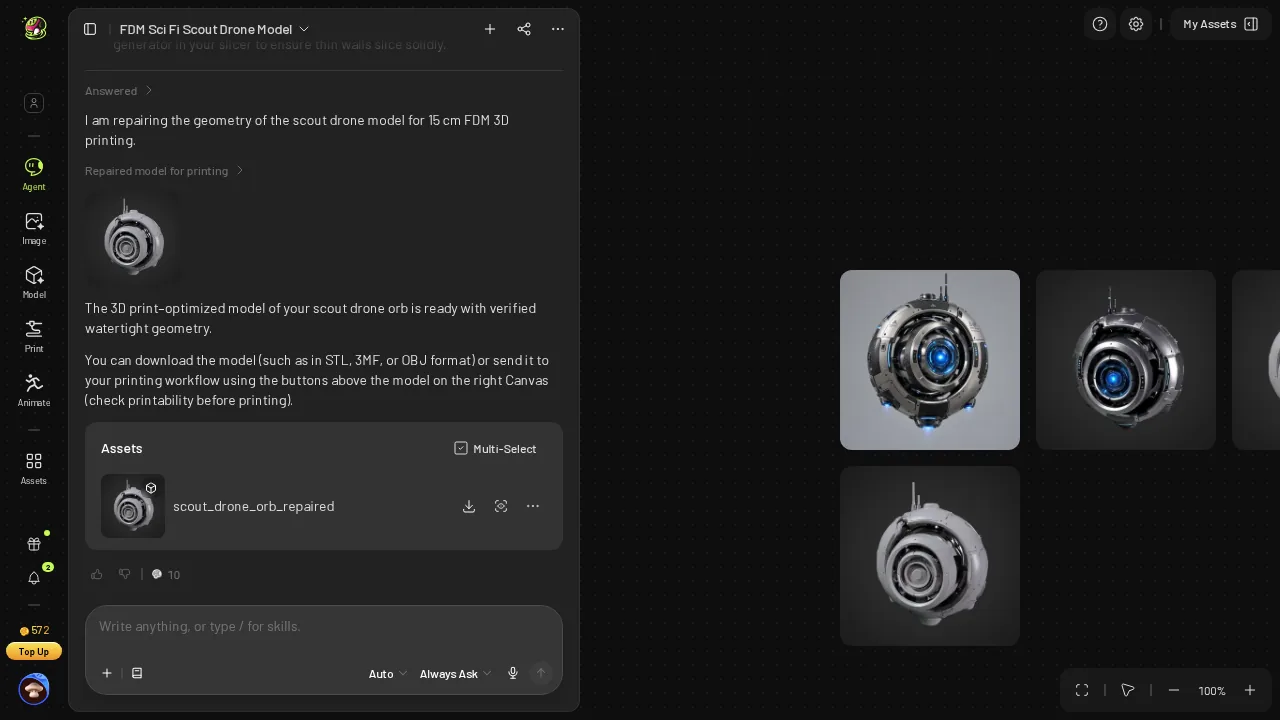 Meshy's repaired orb "with verified watertight geometry"; balance 572.
What 158.2 MB holds: 21,088 faces per millimeter
Both drones are 150.0 mm on their longest side. On the Meshy orb that side is the height; on Snapshapy's drone it is the width. That makes a fair ruler for the face budget.
- STL size — Meshy 158.2 MB · Snapshapy 2.5 MB · 63.3×
- STL faces — Meshy 3,163,166 · Snapshapy 49,884 · 63.4×
- Faces per mm of longest side — Meshy about 21,088 · Snapshapy about 333
- MB per cm of longest side — Meshy about 10.5 MB · Snapshapy about 0.17 MB
The file size tracks the face count almost exactly, 63.3× against 63.4×. The Meshy STL is heavy for one reason: it spends 21,088 faces on every millimeter of a 15 cm prop.
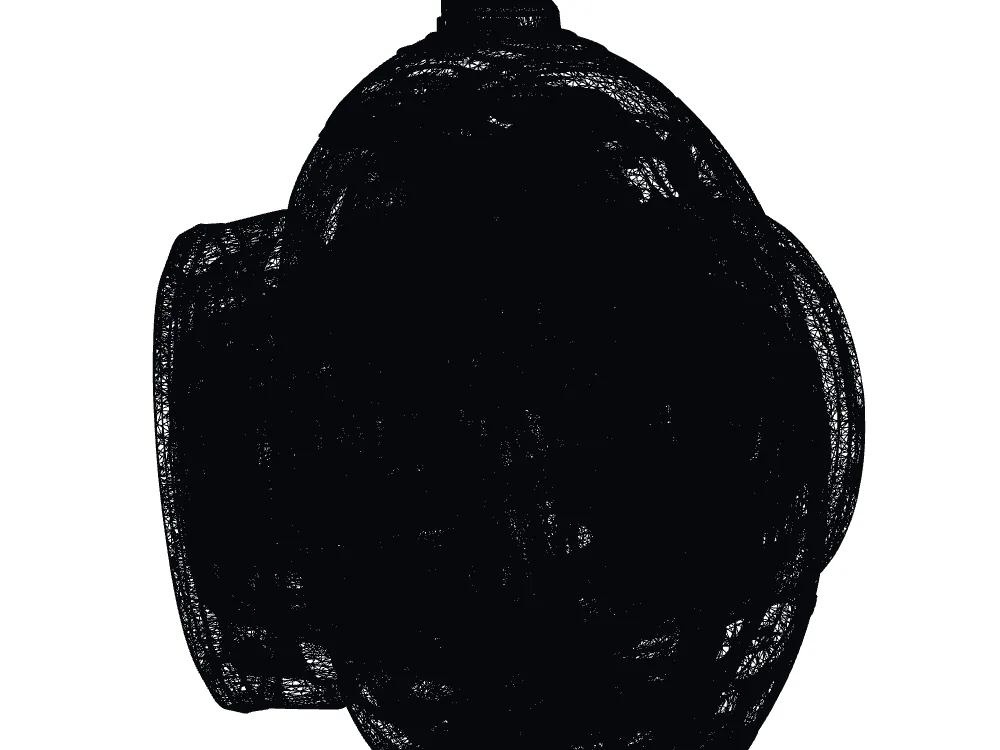 Meshy's STL wireframe close-up: 3,163,166 faces.
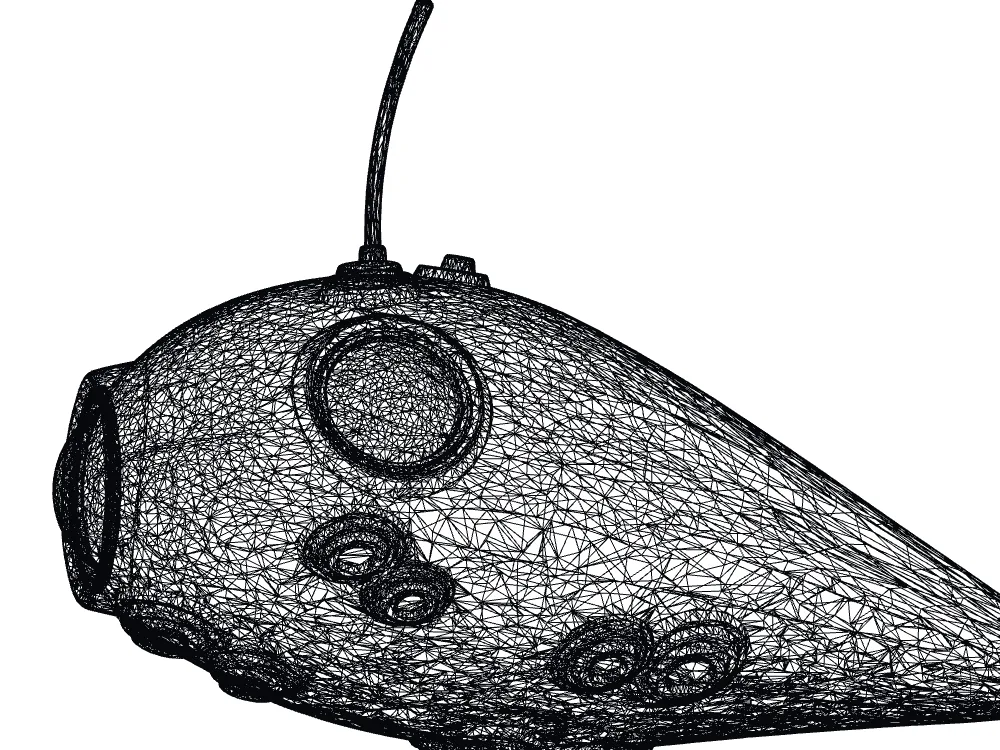 Snapshapy's STL wireframe close-up: 49,884 faces.
Those faces are real density: Meshy's mesh is much finer, with a mean triangle edge of 0.287 mm against 1.167 mm on Snapshapy. The cost of that density is the file itself, 158.2 MB for one drone and 63.3 s of transfer on a 20 Mbps line, which is my assumption for a typical upload, against 1.0 s for Snapshapy's 2.5 MB.
Snapshapy's print card: from 1.5M to 50k, textures dropped
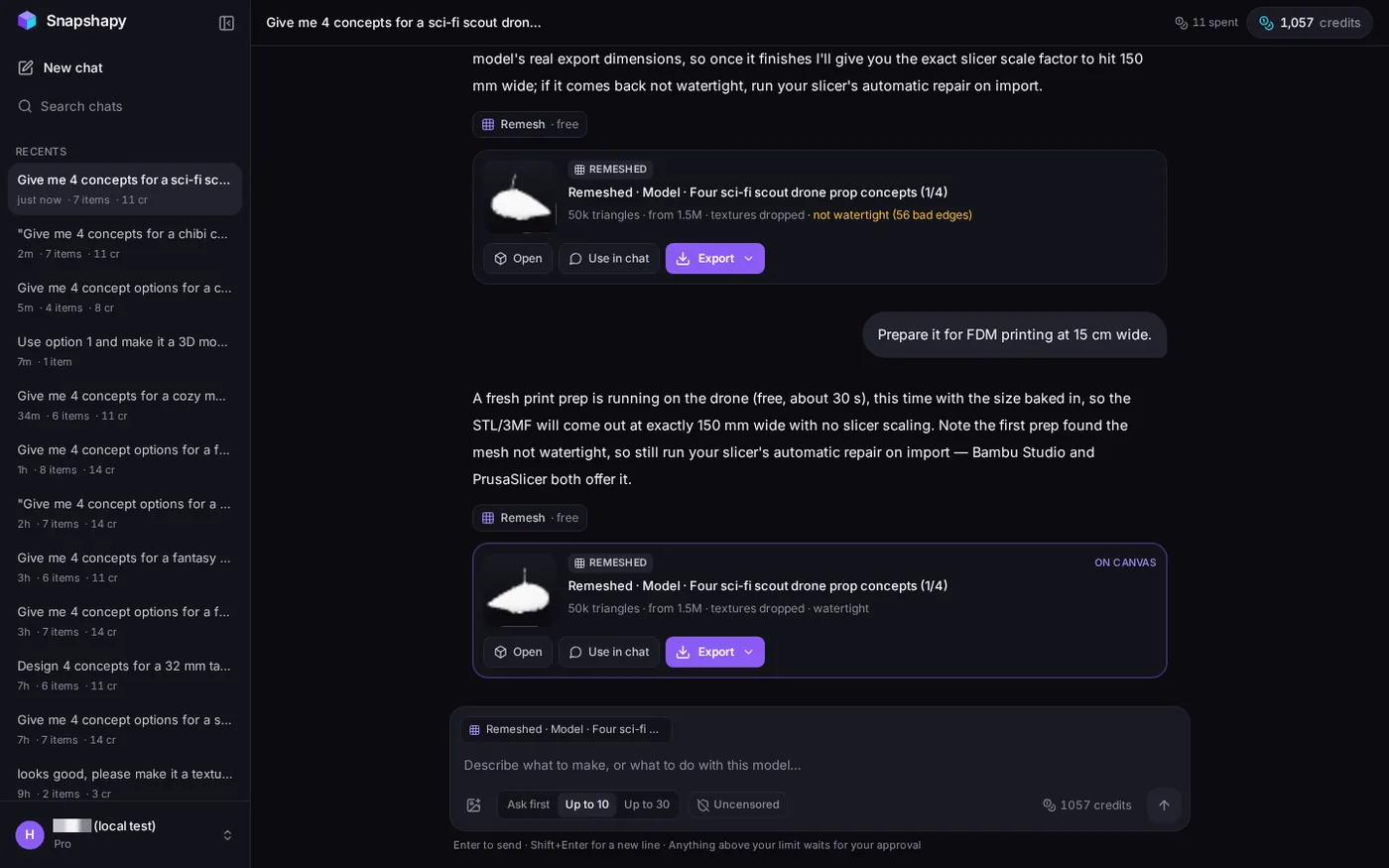
Snapshapy answered message 3 with a free print prep and this line: "this time with the size baked in, so the STL/3MF will come out at exactly 150 mm wide with no slicer scaling." The remesh finished in 6.5 seconds. The card read "50k triangles · from 1.5M · textures dropped · watertight", and the balance stayed at 1,057 before and after.
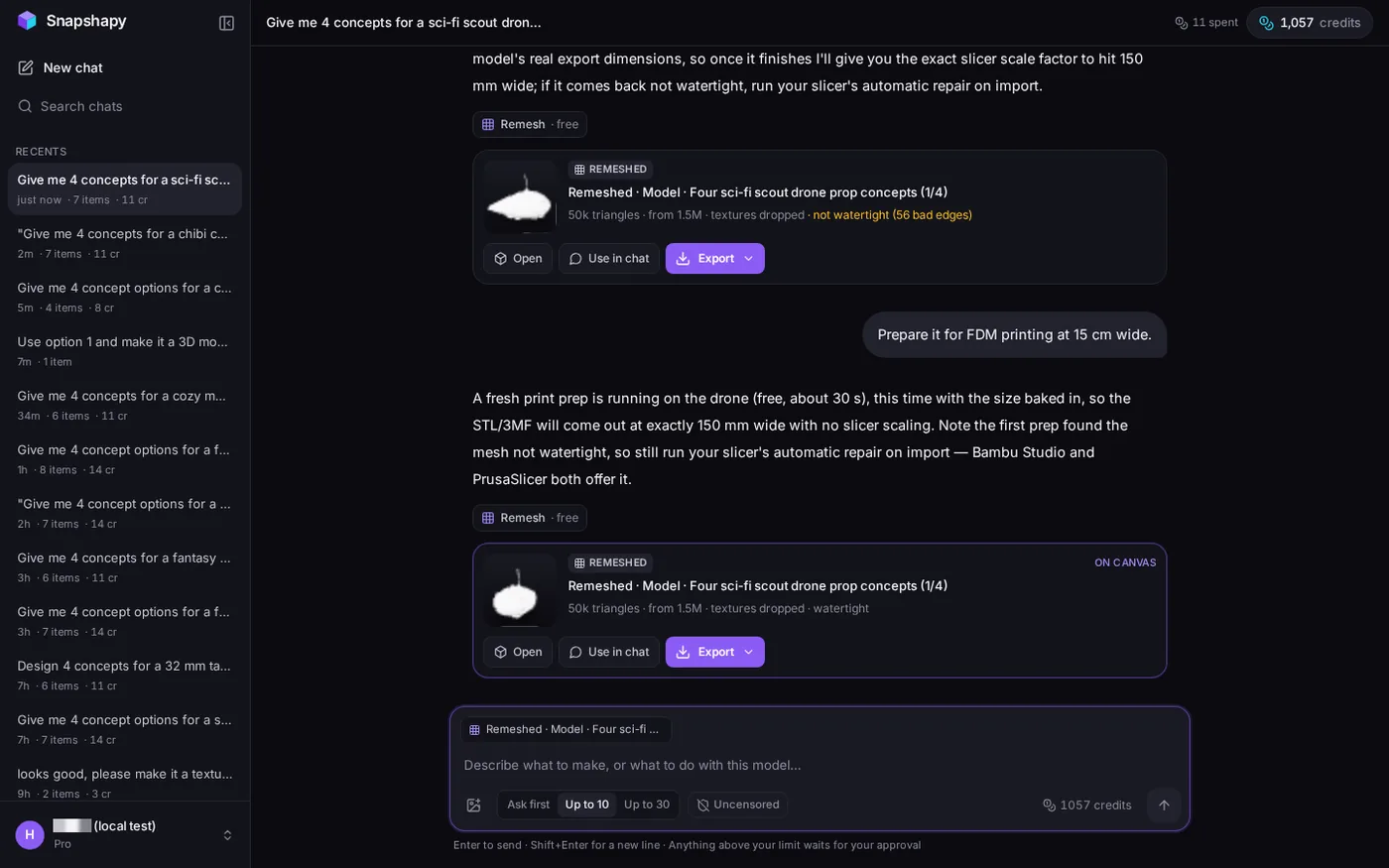 The new Snapshapy print card: "50k triangles · from 1.5M · textures dropped · watertight"; header "11 spent". The upper card is the 11-03 attempt.
The card's numbers match the file. 1,500,000 triangles went down to 49,884 faces, 3.3% of the textured model, a 30.1× cut. Where the Meshy STL ended up 1.37× heavier than its own textured GLB, Snapshapy's STL is 36.2× lighter than its 90.5 MB GLB.
- Textured model → STL — Meshy 115.5 MB → 158.2 MB · Snapshapy 90.5 MB → 2.5 MB
- Triangles kept for print — Meshy 3,163,166 of 3,163,194 · Snapshapy 49,884 of 1,500,000
- Credits for the print step — Meshy 10 · Snapshapy 0
Snapshapy's reply still told me to run my slicer's automatic repair on import, so the watertight result here comes from the card and my own check, not from that reply. My first Snapshapy print attempt on 2026-11-03, before the update, gave a non-watertight 100 mm file; that is the upper card in the screenshot.
My mesh check: a tie on every validity test
I loaded both STLs into a mesh tool before comparing anything else. On the tests a slicer cares about, the two files are equal.
- Watertight — Meshy yes · Snapshapy yes
- Bodies — Meshy 1 · Snapshapy 1
- Non-manifold edges — Meshy 0 · Snapshapy 0
- Boundary edges — Snapshapy 0
- Degenerate faces after repair — Meshy 0
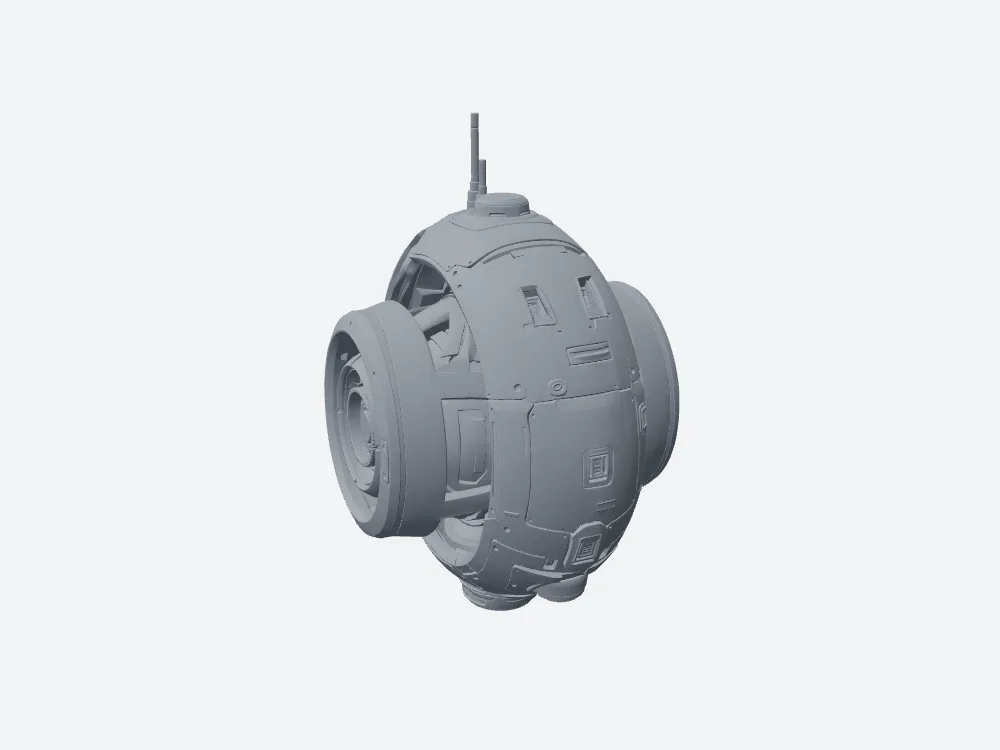 My grey render of Meshy's STL: watertight, 118.85 × 93.14 × 150.0 mm.
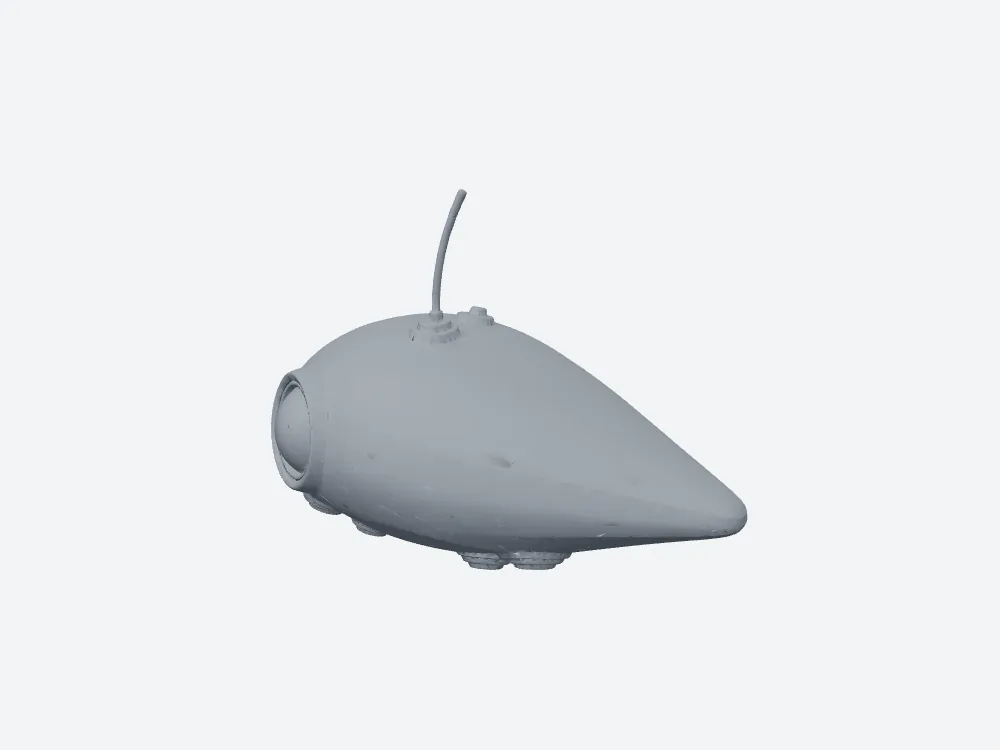 My grey render of Snapshapy's STL: watertight, 150.0 × 84.53 × 102.39 mm.
So I am not arguing that the Meshy file prints worse. It is a valid file. The argument is that the same validity costs Meshy 3,163,166 faces, 10 credits and 158.2 MB, and costs Snapshapy 49,884 faces, 0 credits and 2.5 MB. A slicer has to read 63.4× more triangles from the Meshy file before it can start slicing.
A Meshy zip with one STL and a Height field
The Meshy download dialog opened at Resize off, Height 12.0 cm, format glb. I turned Resize on, typed 15 cm into Height, chose STL and clicked Download. Meshy sent a zip containing one STL, which means one more unpack before the slicer. The dialog took 6 of my ≈13 Meshy clicks and about 3 seconds to deliver.
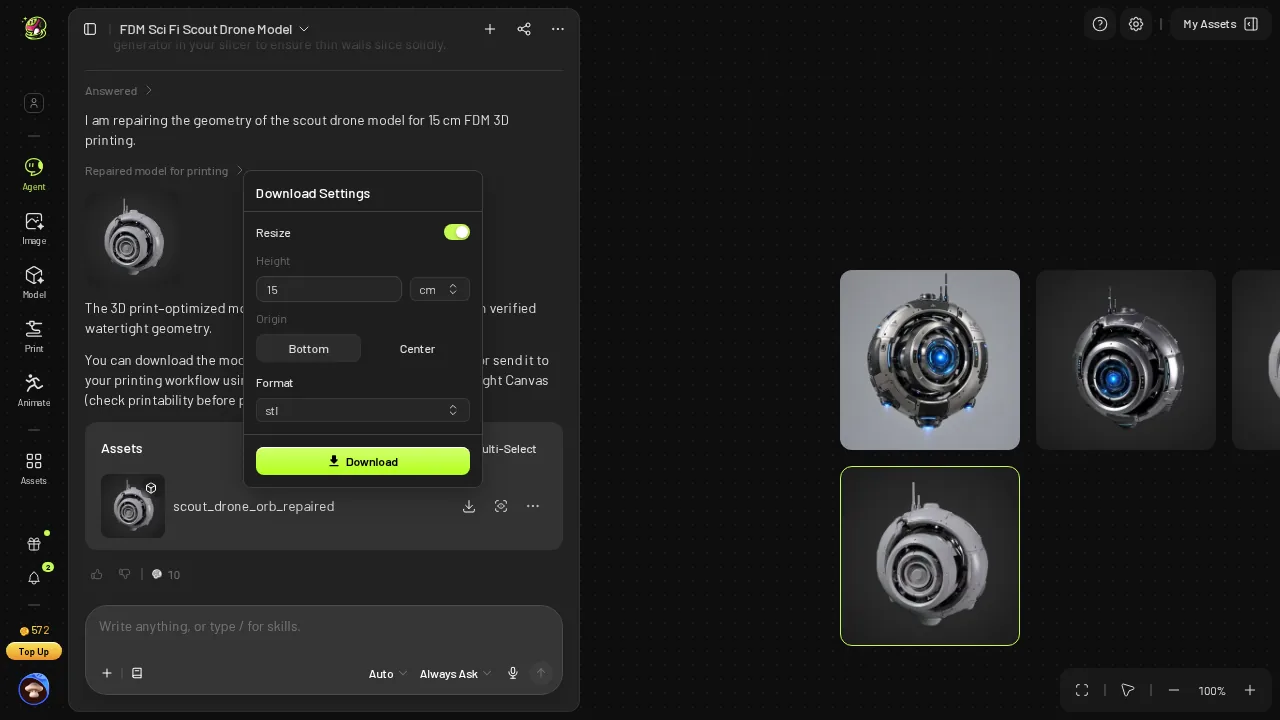 Meshy's download dialog after I set Resize on, Height 15 cm, STL: height is the only size field.
Because the field is a height, my 15 cm went onto the orb's height, and the Meshy STL measured 118.85 mm wide, 31.15 mm short; for 150 mm wide I would have to type about 189.3 mm myself. On Snapshapy, Export → STL took 2 clicks and 3.8 seconds in the browser, and the file measured 150.0 mm wide.
 Snapshapy after Export → STL, 3.8 s in the browser.
Over the whole run Meshy was the quicker of the two, with image-to-3D at ≈170 s against 291 s and ≈318 s against ≈339.3 s in total.
Ten drone props on disk: 1,582 MB against 25 MB
A prop maker rarely prints one drone. Ten variants for a set or a convention table is a normal batch, and the file arithmetic scales straight from the brief numbers.
- STL for 10 props — Meshy 1,582 MB · Snapshapy 25 MB · 63.3×
- GLB plus STL for 10 props — Meshy 2,737 MB · Snapshapy 930 MB · 2.9×
- Triangles the slicer loads for 10 props — Meshy 31,631,660 · Snapshapy 498,840
- Transfer of 10 STLs at 20 Mbps (my assumption) — Meshy about 633 s · Snapshapy about 10 s
- Repair credits for 10 props — Meshy 100 ($2.00) · Snapshapy 0
- Height conversions for 10 props — Meshy 10 · Snapshapy 0
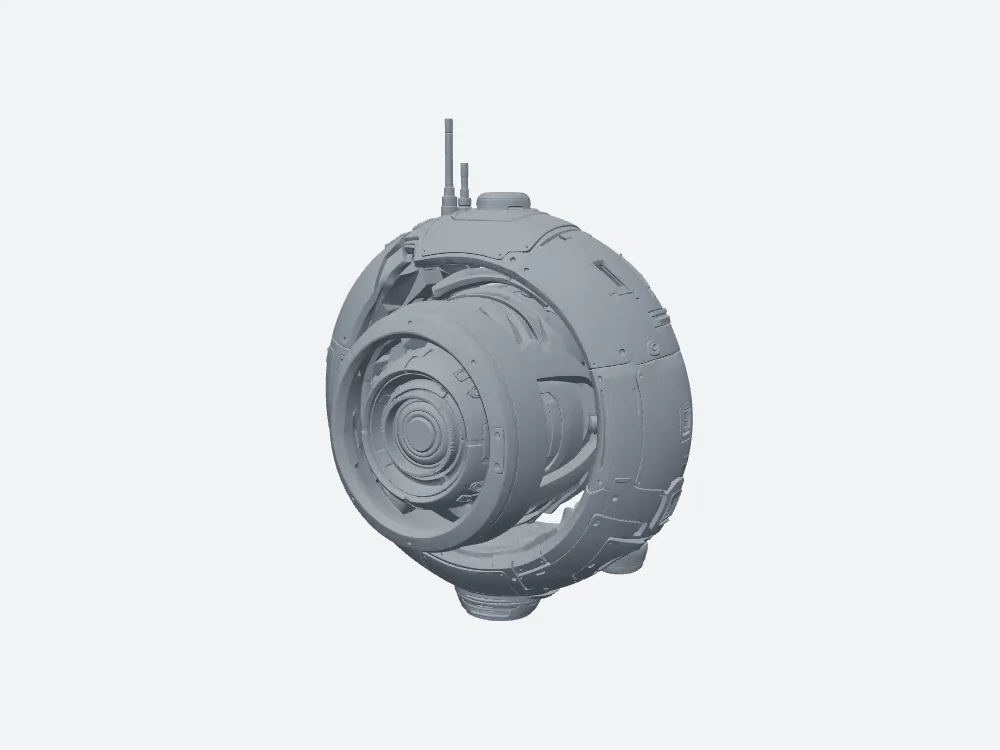 Meshy's STL, front view: 158.2 MB.
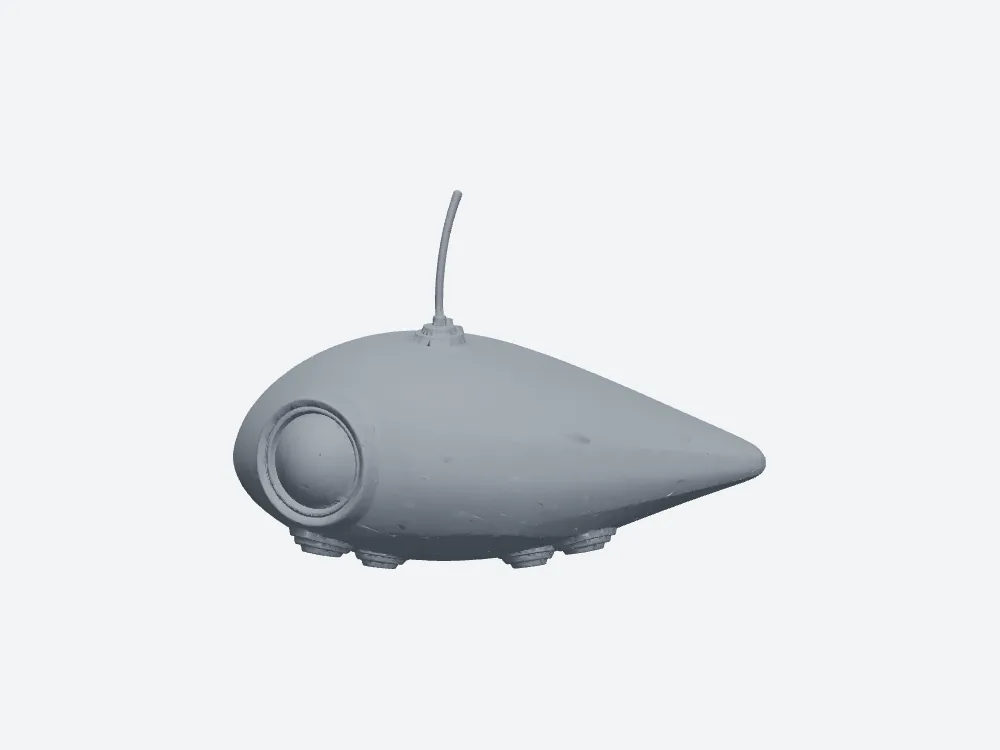 Snapshapy's STL, front view: 2.5 MB.
Ten Meshy STLs fill 1.58 GB, more than ten minutes of upload at 20 Mbps to a print shop or a shared drive. Ten Snapshapy STLs fit in 25 MB and move in about 10 seconds. For the whole run, Meshy also billed 49 credits per drone against 11, $0.98 against $0.52, so ten drones come to 490 credits on Meshy and 110 on Snapshapy.
Final verdict: Meshy 3D Agent scores 56/100 for a 15 cm printed prop
Meshy 3D Agent gets the print validity right. After a free check flagged 1,585,373 degenerate faces, a 10-credit repair returned a watertight, one-body orb with 0 non-manifold edges and 0 degenerate faces. The STL still carries 3,163,166 faces, so it weighs 158.2 MB, 1.37× the textured GLB it came from and 63.3× Snapshapy's 2.5 MB file, which passes the same checks with 49,884 faces. Meshy then shipped that file in a zip, sized by height, at 118.85 mm wide. Ten Meshy drones mean 1,582 MB of STL, 100 repair credits and 10 height conversions; ten Snapshapy drones mean 25 MB and none of the extra steps.
Which one I would use for this job
For a 15 cm drone prop that has to print at the width I typed, I would use Snapshapy: a free 50k-face print mesh, a 2.5 MB STL at exactly 150.0 mm wide, and a mesh check that ties Meshy's on every validity test. Send the same three drone messages to snapshapy.com and open both STLs side by side.