Readers comparing a 3d ai maker can use this Meshy 3D Agent review to assess how its STL output compares with Snapshapy for practical home 3D printing.
I asked the Meshy 3D Agent to prepare a chibi fox for a 10 cm print. It spent 10 credits and about 155 seconds on a repair, then handed me a 190.3 MB STL with 3.8 million faces. Snapshapy's 3D Agent answered the same message with a free 7.5 MB STL: 7.9 seconds of print prep, 3.3 seconds of export, watertight as downloaded and exactly 100.0 mm tall. Same 10 cm fox, 25× the bytes on the Meshy side.
Independent review: both tools were run on my own paid accounts, Meshy Pro and Snapshapy Pro, with no vendor-provided access. I ran the Snapshapy side again two days later, after an update; the Meshy numbers are from the first run.
My verdict in 60 seconds — Meshy 3D Agent 60/100, Snapshapy 90/100
For one 10 cm figurine on a home FDM printer, Meshy 3D Agent sells a heavy file behind a paid repair, while Snapshapy (https://snapshapy.com) hands over a free, watertight, correctly scaled STL that a slicer opens in seconds.
- Print file — Meshy 7/10 · Snapshapy 9/10 — both meshes print; Snapshapy's downloaded STL is watertight and 25× smaller (7.5 vs 190.3 MB), Meshy's is finer (0.109 vs 0.516 mm edges)
- Download time — Meshy 3/10 · Snapshapy 10/10 — 126.9 s vs 5.0 s on 12 Mbps; 15.2 s vs 0.6 s on 100 Mbps
- Print-prep cost — Meshy 5/10 · Snapshapy 10/10 — the Meshy repair costs 10 credits ($0.20 on Pro); the Snapshapy print prep is 0 credits
- Print-prep time — Meshy 4/10 · Snapshapy 10/10 — Meshy check + repair ≈155 s vs a 7.9 s print step, about 20× longer
- Scale out of the box — Meshy 8/10 · Snapshapy 10/10 — Meshy pre-fills Height 10 cm in its dialog; Snapshapy's STL measured 100.0 mm with no dialog
- Support material — Meshy 7/10 · Snapshapy 9/10 — overhang area 2,383 mm² vs 1,950 mm², 433 mm² (18%) less on Snapshapy
- Speed — Meshy 8/10 · Snapshapy 5/10 — image-to-3D 234 s vs 536 s, total job ≈623 s vs ≈690.9 s
- Extra clicks, whole run — Meshy 4/10 · Snapshapy 10/10 — 5 approvals, 2 choice cards and a 13-marker rig wizard vs 0
The concrete problems on Meshy for printing:
- Meshy recommends "the original high-resolution model", the same 3.8M-triangle mesh that Meshy's own rigger rejected at a 300,000-face limit.
- The free Meshy printability check is only step one; the repair is 10 credits behind an extra choice card.
- The Meshy STL lands at 190.3 MB, which is 126.9 s on a 12 Mbps connection before the slicer even opens it.
- The STL that the Meshy download menu converts carries 30 non-manifold edges and 10 degenerate faces.
For printing one 10 cm figurine on an FDM printer, I would use Snapshapy.
The test: one chibi fox, four messages, a 10 cm print at the end
Both agents got the same four messages, typed verbatim, one conversation each: the Meshy 3D Agent at meshy.ai and Snapshapy's 3D Agent. Messages 1 to 3 asked for four concepts, a textured 3D model and a rigged wave. This article is about message 4:
"I also want to 3D print it about 10 cm tall. Which file should I use, and can you prepare it for me?"
The answer decides how many credits, seconds and megabytes stand between the chat and a sliced file. On Meshy, the starting point was the static model from message 2: 3,805,518 triangles in a 139.9 MB GLB. On Snapshapy, it was a 1,498,296-triangle model in a 78.3 MB GLB.
 Meshy's concept option 1, the one I picked: furry fox, green scarf, satchel, no outfit.
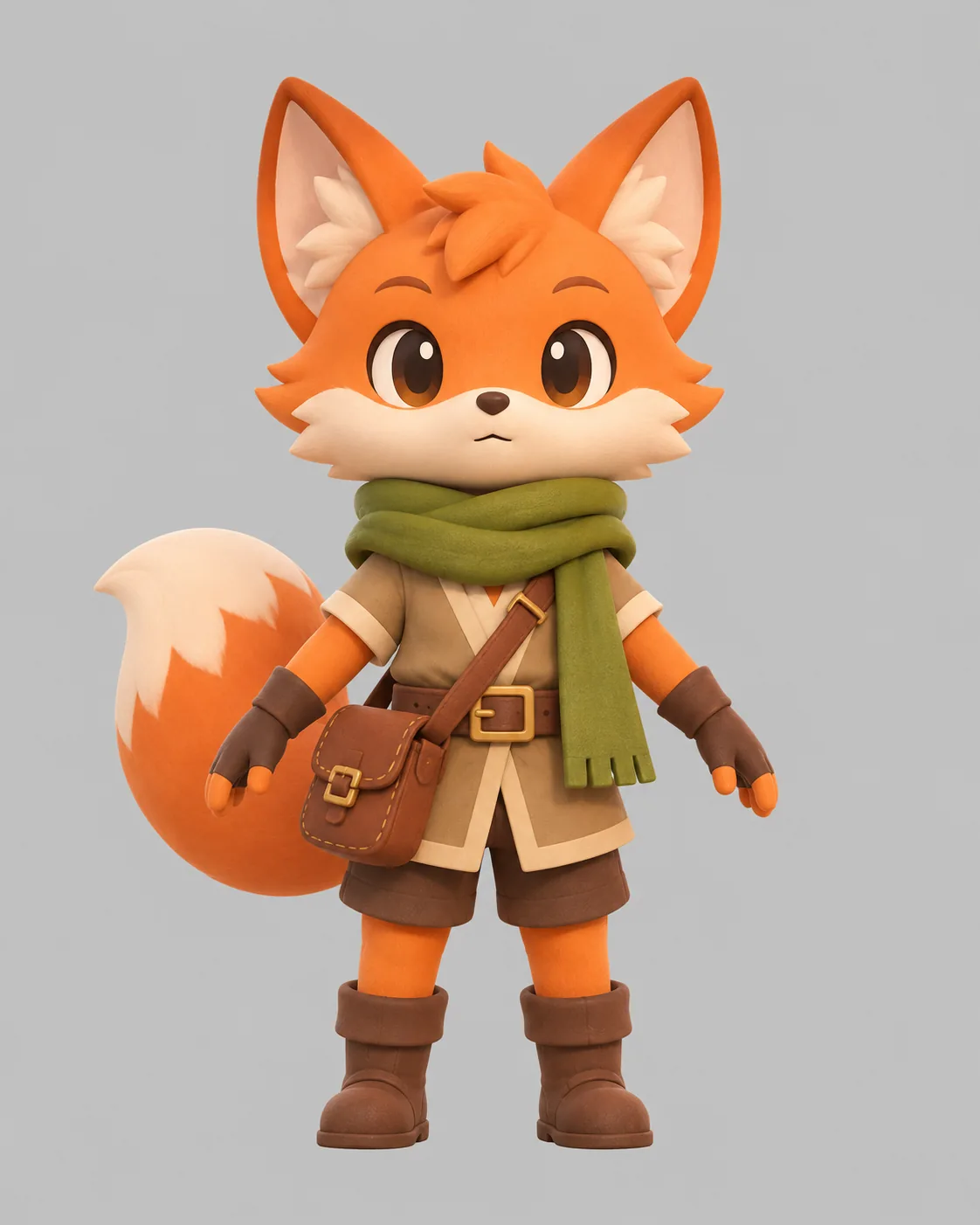 Snapshapy's concept option 1: tunic, buckled belt, shorts, boots, gloves, green scarf and satchel.
Message 4 on Meshy: "the original high-resolution model"
The Meshy agent gave a reasonable first answer: print the original high-resolution model, not the rigged one, and run a free printability check. That is the right call, since the rigged Meshy model had been remeshed down to 10,182 triangles.
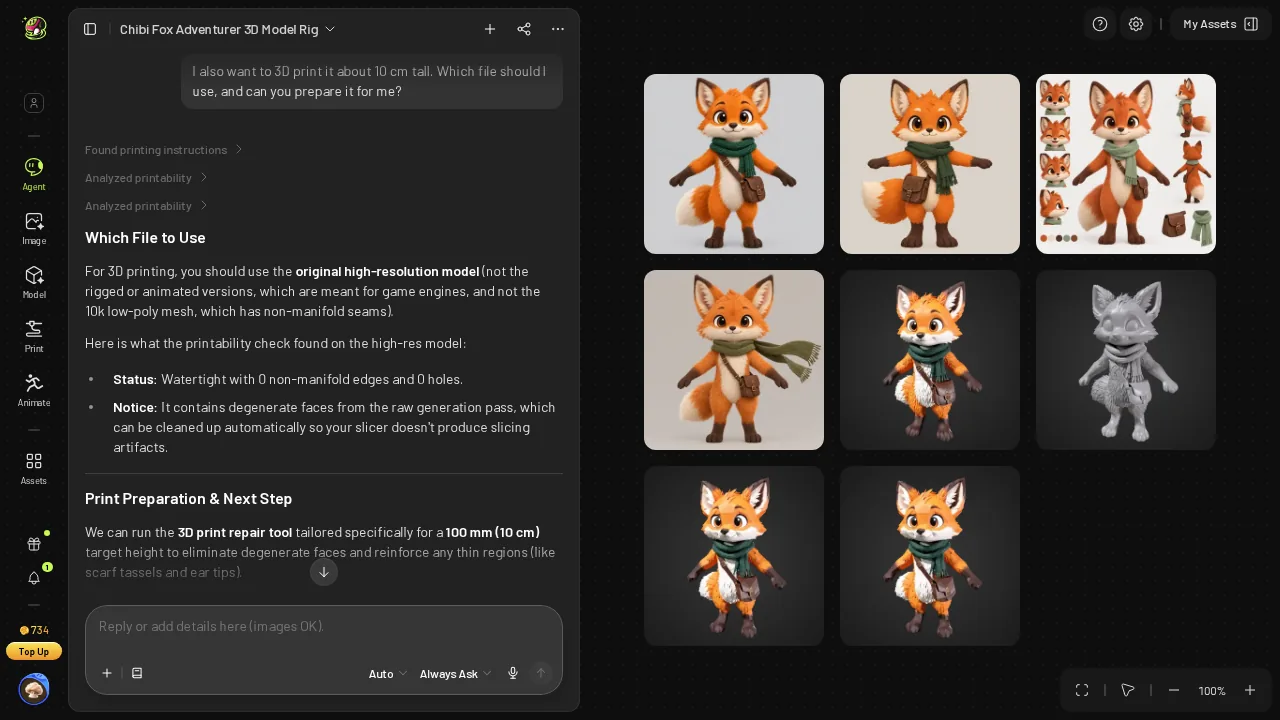 Meshy's print answer: use the original high-res model, with a free printability check.
The catch is which model that is. In message 2, the Meshy settings card offered no polygon-count option, so the high-resolution model is 3.8M triangles whether you want them or not, and the print file inherits every one.
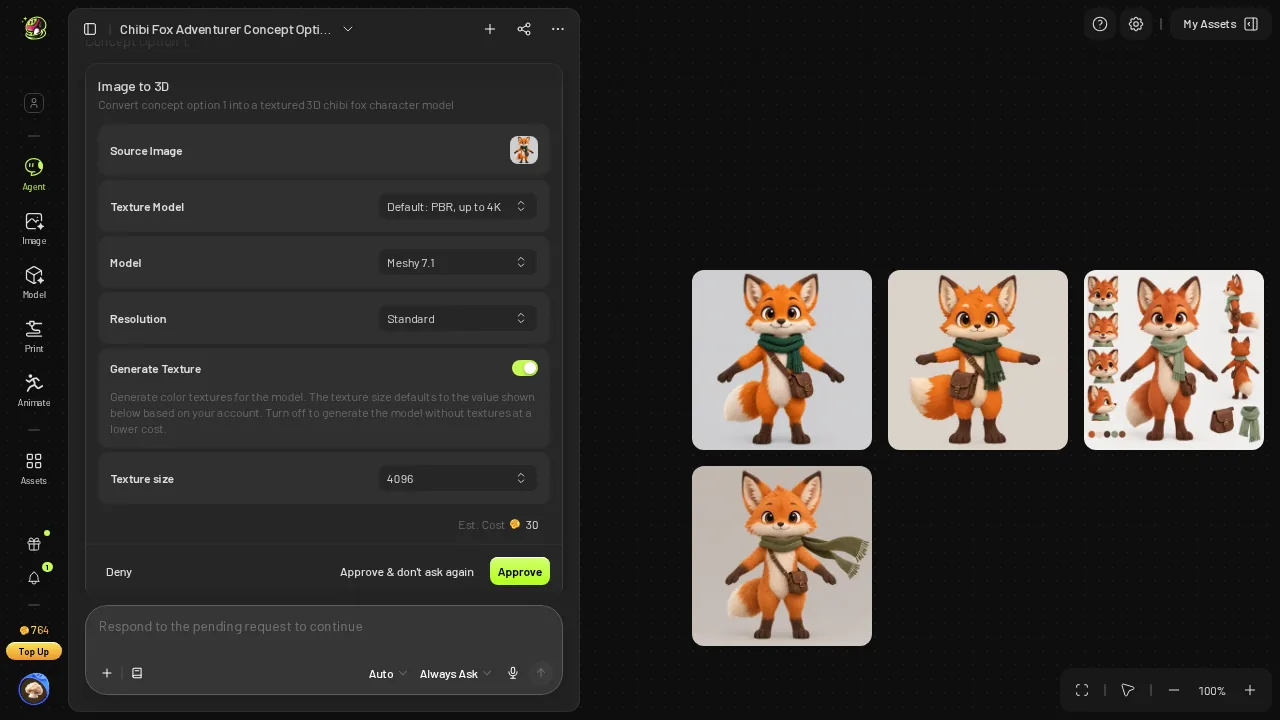 The Meshy 3D settings card from message 2: Meshy 7.1, Standard, Texture ON, 4096 PBR, 30 credits, no polycount option.
The Meshy repair: 10 credits, ≈155 seconds, one more click
After the free check, Meshy offered a print repair for 10 credits as a choice card. I accepted. Check plus repair took about 155 seconds, and my Meshy balance went from 734 to 724.
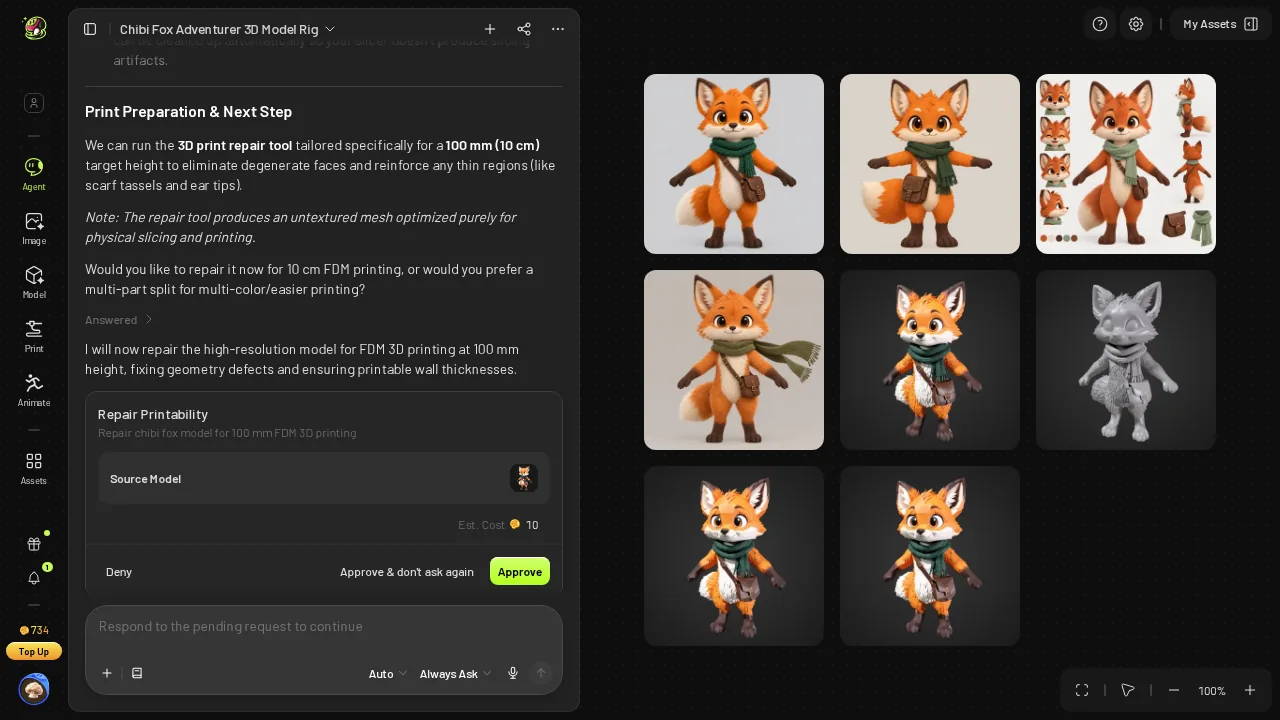 Meshy offering a print repair for 10 credits.
At $0.02 per credit on Pro, the repair is $0.20 per figurine, or $2.40 for a shelf of 12. Small money for one fox, but it is a step Snapshapy does not charge for, and one more card to answer.
- Print prep price — Meshy 10 credits ($0.20) · Snapshapy 0 credits
- Print prep time — Meshy ≈155 s · Snapshapy 7.9 s · about 20×
Message 4 on Snapshapy: watertight, 100 mm, 0 credits
Snapshapy answered the same message with a file choice and a job in one reply: "Use STL (or 3MF) from the Export menu on the new print model's card — not the rigged one … I've started a free print prep on the base model with the height set to exactly 100 mm, so the export comes out 10 cm tall with no slicer scaling, and it also repairs the mesh into a solid."
The print card read "150k triangles · from 1.5M · textures dropped · watertight". It finished in 7.9 seconds, the balance stayed at 968, and Export → STL took another 3.3 seconds. That is 11.2 seconds of job time before the download starts, without a card to approve.
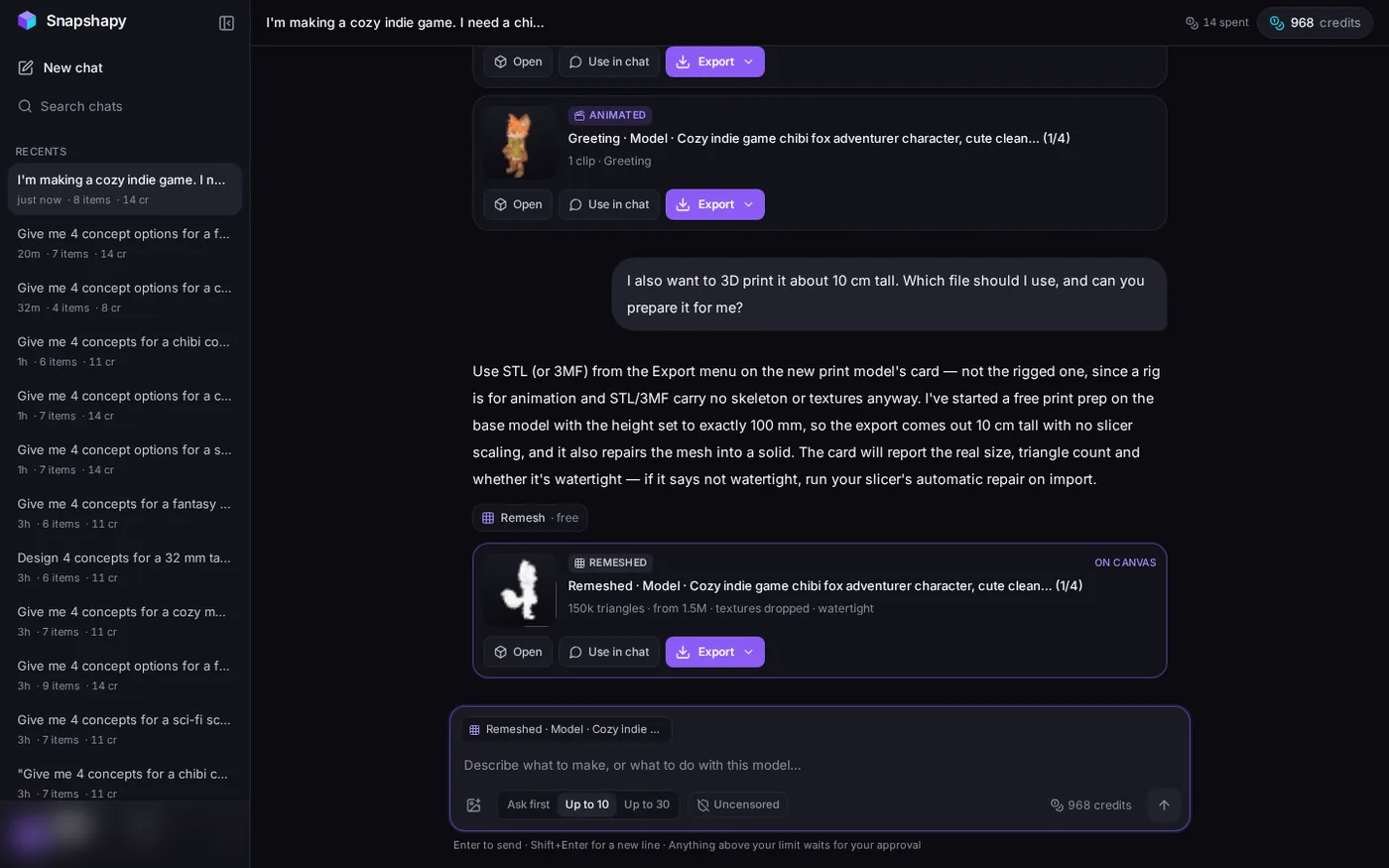 Snapshapy's print answer (STL or 3MF, exactly 100 mm, no slicer scaling) and the print card: "150k triangles · textures dropped · watertight".
I opened the STL in my mesh tool: 149,740 faces, watertight, 1 body, 0 non-manifold edges, 63.9 × 61.8 × 100.0 mm, 7.5 MB. The card's claim held up on the file I actually downloaded.
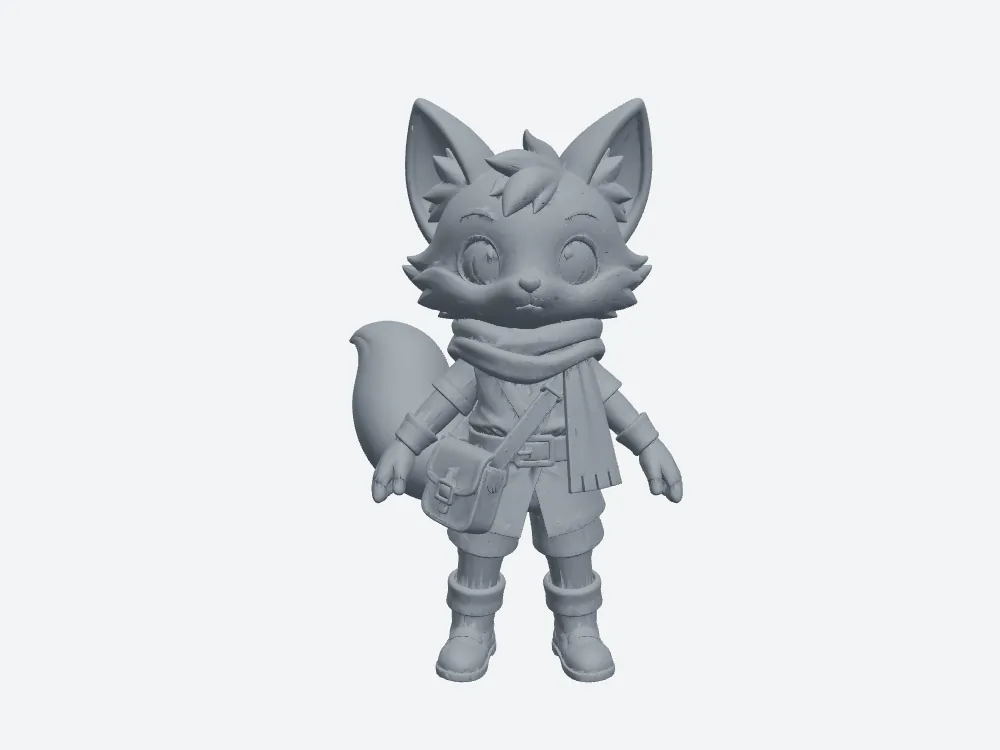 My render of Snapshapy's downloaded STL, front: 149,740 faces, 100.0 mm, watertight.
190.3 MB vs 7.5 MB: the same 10 cm fox at 25× the bytes
Both files describe a fox that stands 100.0 mm tall on the build plate. The difference is how many triangles each one spends getting there.
- Print file (STL, 10 cm tall) — Meshy 190.3 MB · Snapshapy 7.5 MB · 25×
- Faces in the STL — Meshy 3,805,512 · Snapshapy 149,740 · 25×
- Download on 12 Mbps — Meshy 126.9 s · Snapshapy 5.0 s
- Download on 100 Mbps — Meshy 15.2 s · Snapshapy 0.6 s
On 12 Mbps that is over two minutes for one figurine, and the slicer then loads 3.8 million faces. Add the Meshy repair and the print step runs about 282 seconds from "prepare it" to a file on disk. Snapshapy's path is 7.9 s of prep, 3.3 s of export and 5.0 s of download, 16.2 seconds in all.
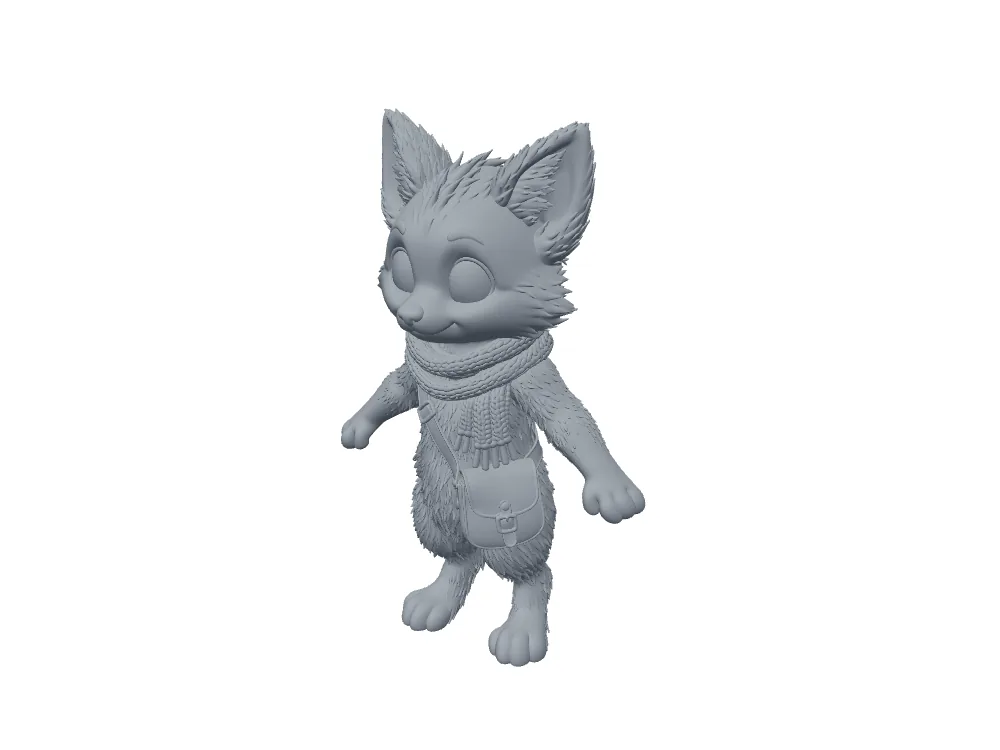 The Meshy static model in grey clay: 3.8M triangles of geometry detail, all of it carried into the STL.
The mesh check: watertight as downloaded
Before measuring, I merged vertices on both files. The repaired mesh Meshy returns is watertight with 0 non-manifold edges, so the "Watertight: Yes" on its card is true for that mesh. The STL the Meshy download menu converts in the browser is a slightly different file: 30 non-manifold edges and 10 degenerate faces. That is a minor note a slicer cleans on import, not a failed repair.
Snapshapy's downloaded STL needed no such note: watertight, 1 body, 0 open edges, 0 non-manifold edges, 4 degenerate faces.
- Non-manifold edges, STL as downloaded — Meshy 30 · Snapshapy 0
- Degenerate faces, STL as downloaded — Meshy 10 · Snapshapy 4
Meshy's print mesh is finer, 0.109 mm average edge against 0.516 mm at 10 cm, and that finer surface costs 10 credits, ≈155 seconds and 25× the bytes.
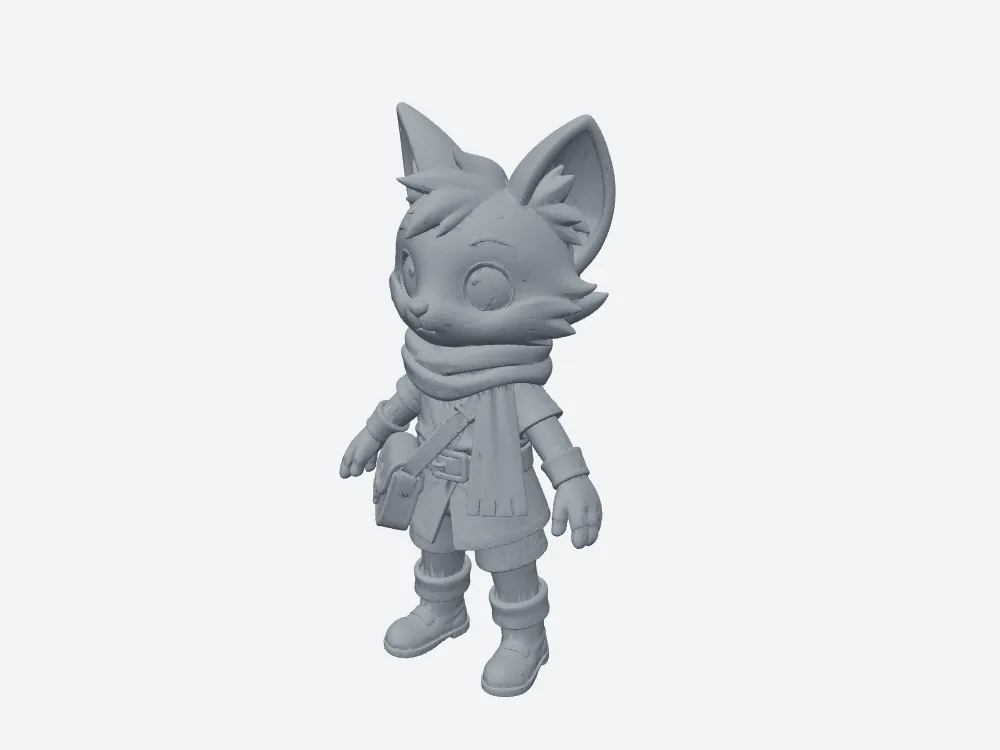 Snapshapy's STL in a three-quarter view, single color, as the slicer sees it.
Scale: Meshy pre-fills 10 cm, Snapshapy's reply set exactly 100 mm
The Meshy download dialog does this part well. With STL selected, it pre-filled Height 10 cm and Origin Bottom, and the file measured 72.5 × 61.0 × 100.0 mm. I still had to check the field.
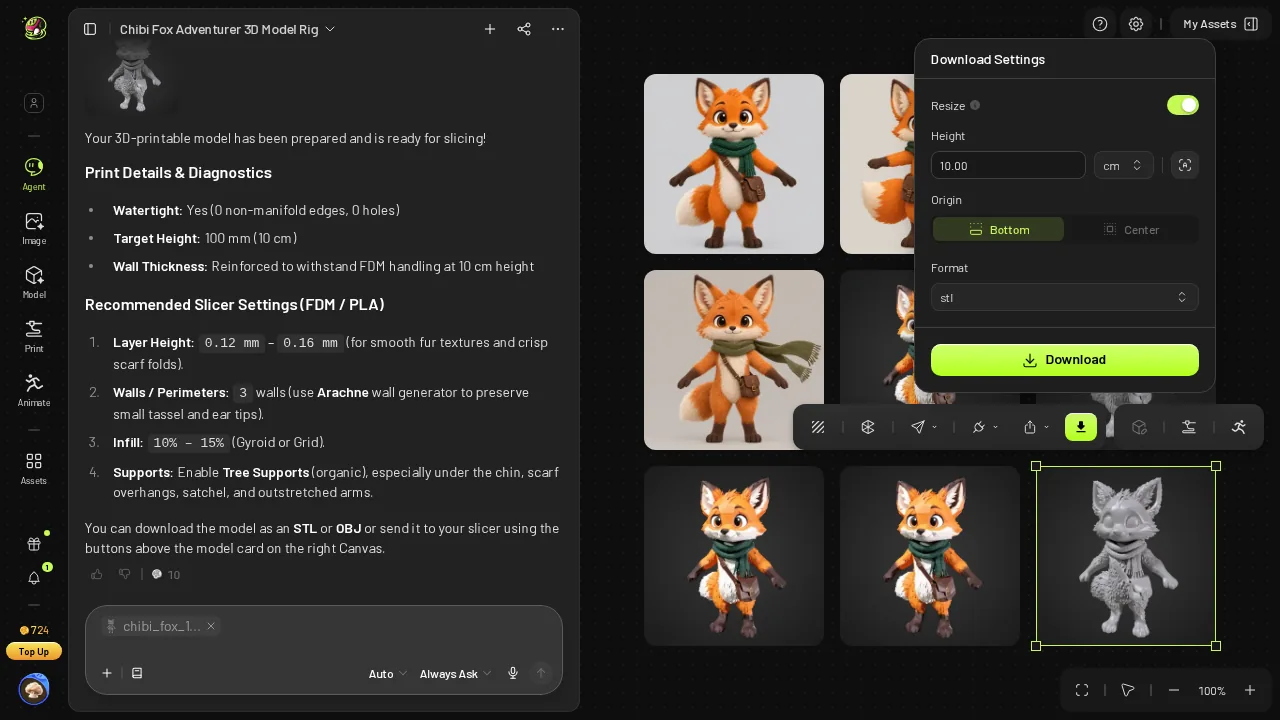 Meshy download dialog: STL selected, Height 10 cm, Origin Bottom pre-filled.
Snapshapy's reply said the height was set to exactly 100 mm with no slicer scaling, and my measurement agreed: 63.9 × 61.8 × 100.0 mm. Both land at the right height; Snapshapy gets there with zero fields to confirm.
- Height as exported — Meshy 100.0 mm (pre-filled 10 cm field) · Snapshapy 100.0 mm (no dialog)
- Footprint on the build plate — Meshy 72.5 × 61.0 mm · Snapshapy 63.9 × 61.8 mm
- Footprint area — Meshy about 4,423 mm² · Snapshapy about 3,949 mm² · 11% smaller
Support material: 433 mm² less overhang on Snapshapy
Overhangs steeper than 45° need support on FDM. I measured them on both STL files at 10 cm.
- Overhang >45° (share of surface) — Meshy 12.3% · Snapshapy 11.3%
- Overhang >45° (area) — Meshy 2,383 mm² · Snapshapy 1,950 mm² · 18% less on Snapshapy
A lower share and 433 mm² less area to hold up, which is what costs filament and cleanup time. The outfit on Snapshapy's fox is real geometry, and it still needs less support than the furry Meshy silhouette.
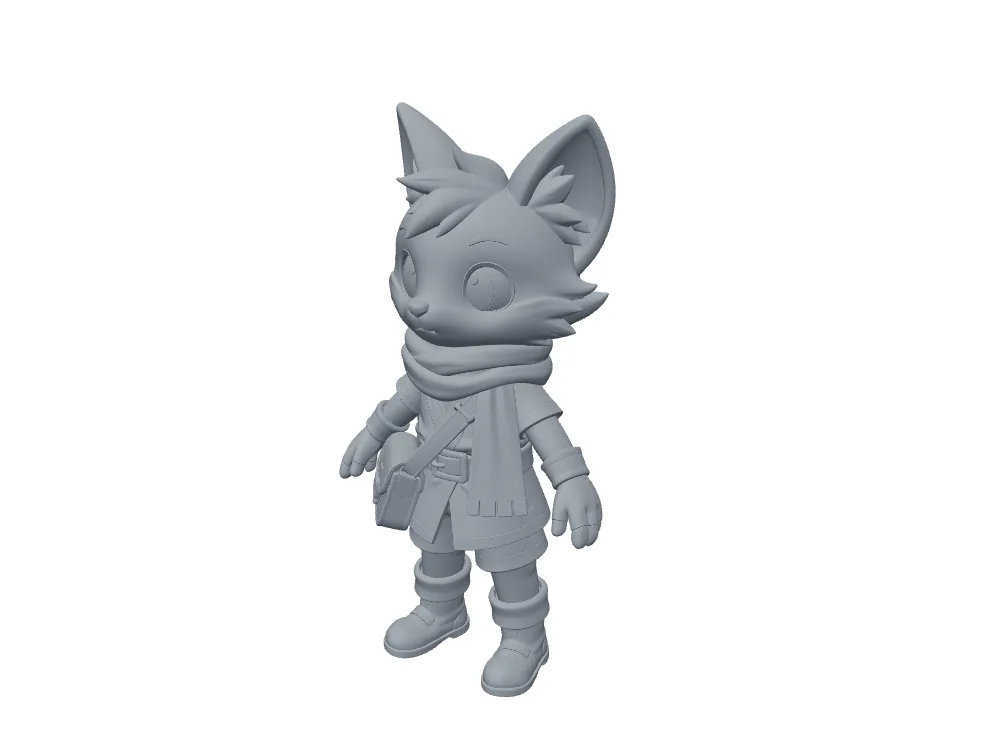 Snapshapy's static model in grey clay: scarf folds, buckle, satchel and boots are real geometry.
Use case: sending the file to a print shop on a slow connection
Not everyone owns a printer. If you upload to a print shop or a print-on-demand form, the file size is the job.
- Upload on 12 Mbps — Meshy STL 126.9 s · Snapshapy STL 5.0 s
- Upload on 100 Mbps — Meshy STL 15.2 s · Snapshapy STL 0.6 s
- A shelf of 12 figurines — Meshy about 2,284 MB and 120 repair credits ($2.40) · Snapshapy 90 MB and 0 credits
For twelve figurines that is about 25 minutes of Meshy progress bar on a slow line. Shrinking the Meshy file in a mesh tool would be a third step after the check and repair.
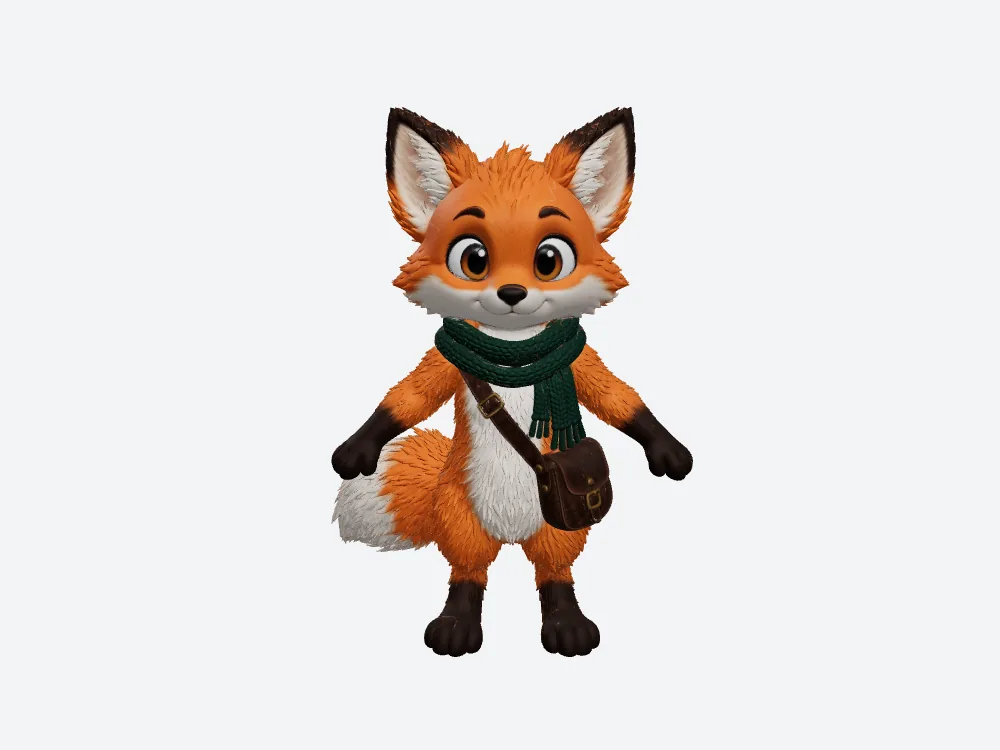 The Meshy static model, front view: fur and scarf detail at 3.8M triangles.
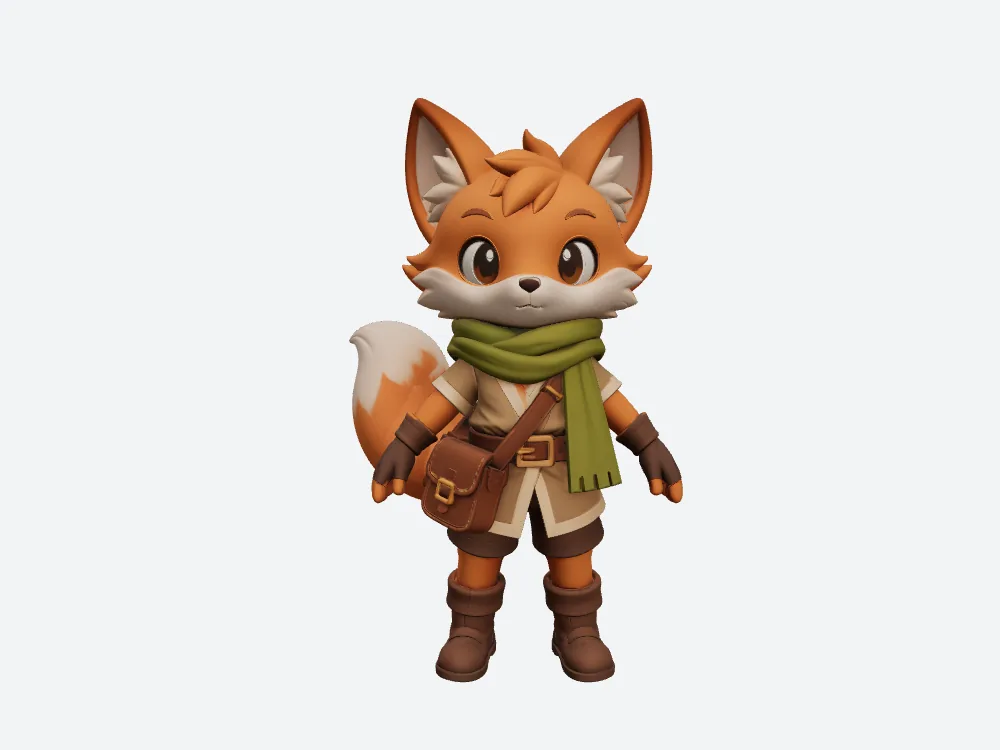 The Snapshapy static model, front view: tunic, belt, satchel and scarf.
Before the print: concepts, credits, speed and the rig
Snapshapy's four concepts were four distinct single foxes, and option 1 became a fox with 5 garments (tunic, buckled belt, shorts, boots, fingerless gloves) plus scarf and satchel. Meshy's fox has fur, scarf and satchel, 0 garments.
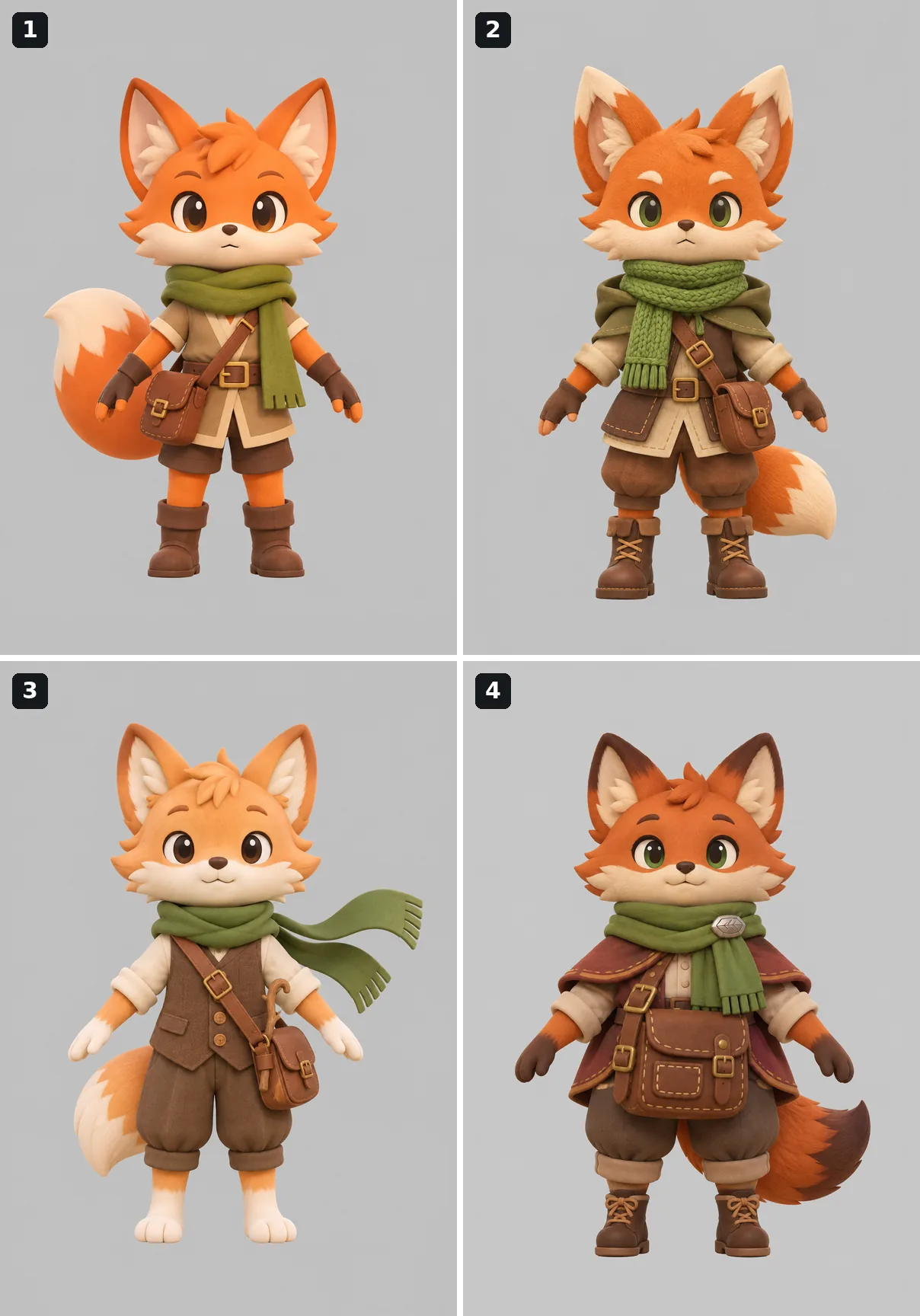 Snapshapy's four concepts: tunic + scarf (option 1), hooded traveller, waistcoat + long scarf, plump fox with a cape.
Credits for the whole character: Meshy used 76 from concepts to print file, Snapshapy 14, which is 5.4×. That is $1.52 per finished character on Meshy Pro against $0.67 on Snapshapy, a 2.3× gap. The first article in this series covers the money.
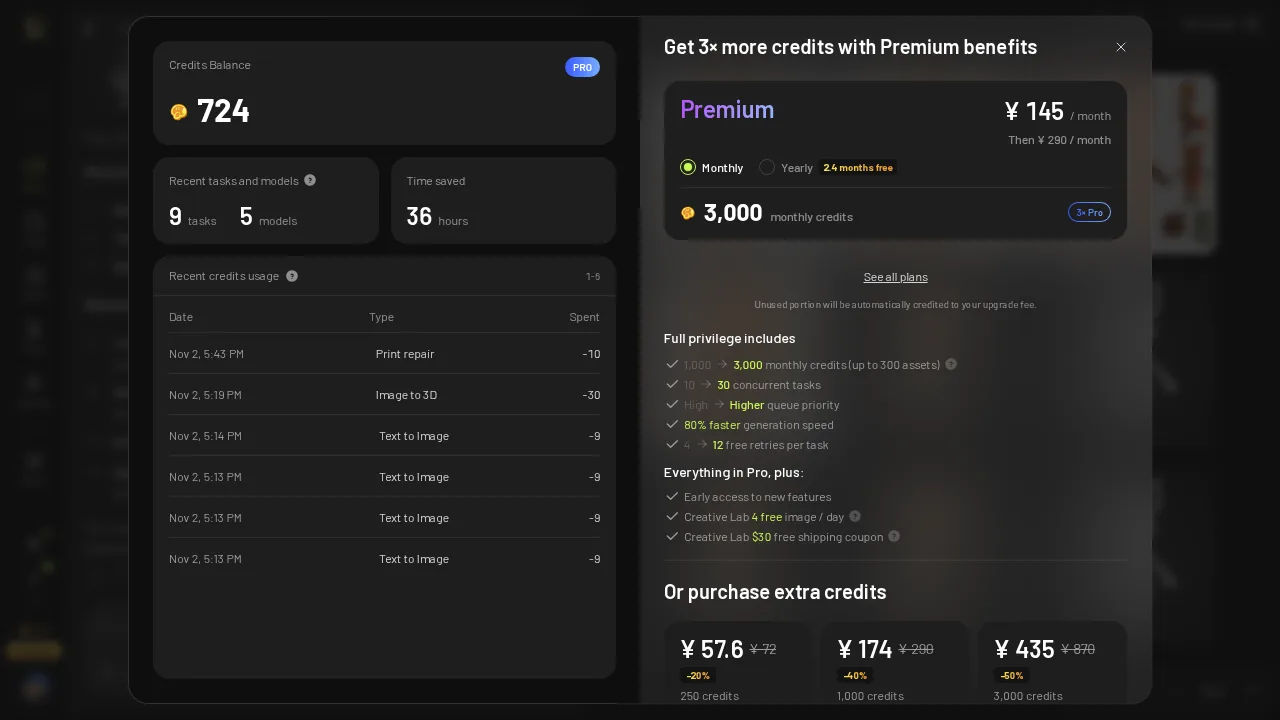 Meshy credit history after the run: 724 left, including the -10 print repair.
Meshy was faster at building the model: 234 s for image-to-3D against Snapshapy's 536 s, 56 s past Snapshapy's own "roughly 5–8 minutes", and ≈623 s against ≈690.9 s for the whole job.
On the rig, the same 3.8M-triangle Meshy model that became a 190.3 MB STL failed Meshy's rigger in 17 seconds ("3.8M polygons exceeds the 300,000 face limit"). After a remesh, Meshy opened a wizard with 13 markers, and I moved 5 by hand. Snapshapy's rig job reduced the model to 100k on its own, rigged it in 101.9 s, and attached the Greeting clip 6.4 s later. Each wave file holds one clip: Wave_One_Hand at 4.13 s on Meshy, Greeting at 4.83 s on Snapshapy.
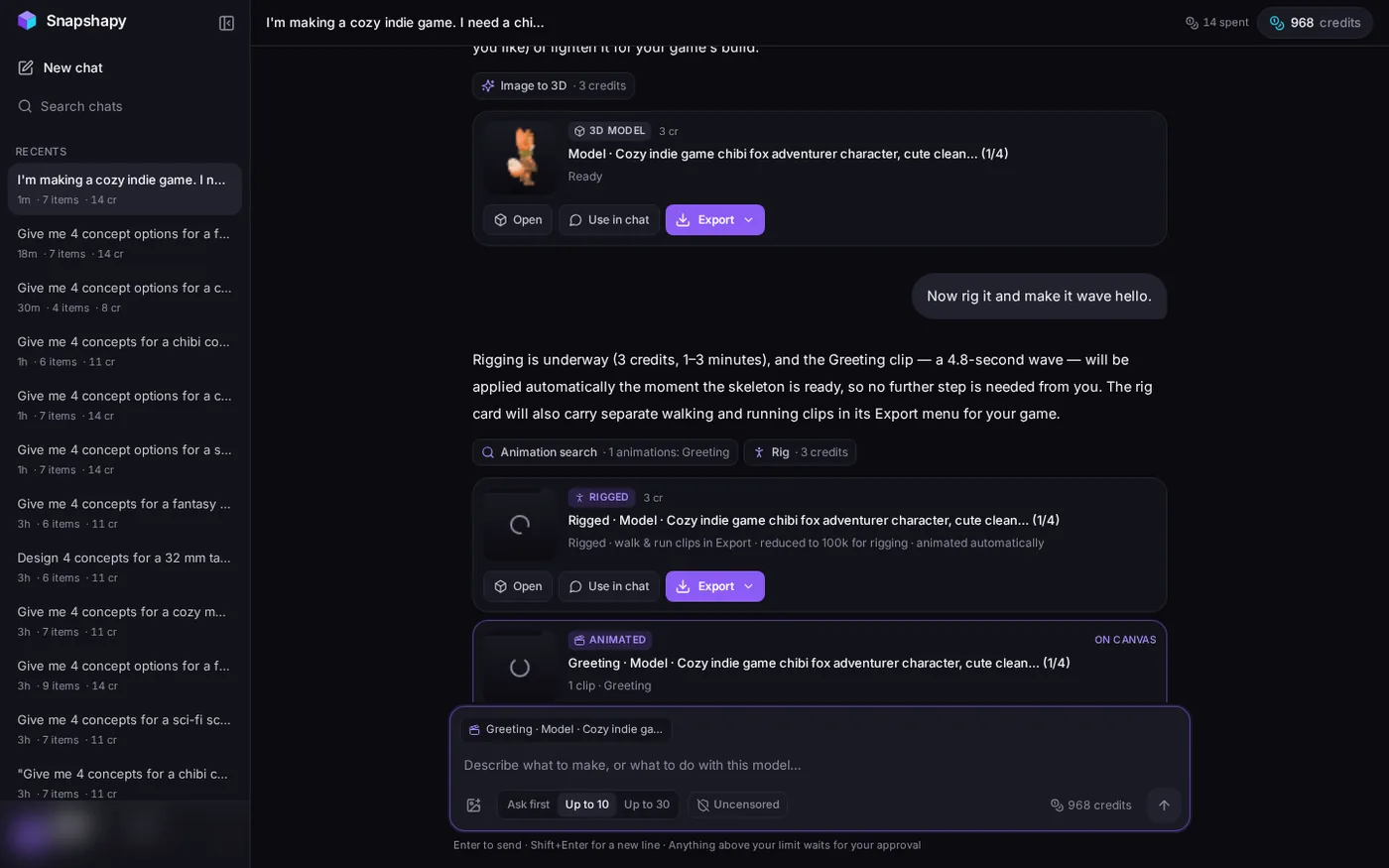 Snapshapy's rig card, "reduced to 100k for rigging · animated automatically", and the Greeting card; header "14 spent".
Final verdict: Meshy 3D Agent scores 55/100 for printing one 10 cm figurine
Meshy 3D Agent gives the right advice and the finer surface in this test, 0.109 mm edges, and it builds the model in 234 seconds. Then it charges for the print file in every unit a hobbyist feels. The print step takes ≈155 seconds instead of 7.9, costs $0.20 instead of nothing, and produces a 190.3 MB STL that is 25× the 7.5 MB Snapshapy file, 126.9 seconds instead of 5.0 on 12 Mbps. The STL the Meshy download menu hands over carries 30 non-manifold edges; Snapshapy's has 0, and its fox needs 433 mm² less support. Meshy keeps its points for model speed, mesh fineness and the pre-filled 10 cm field, and loses them on file size, print-step time, cost and support.
Which one I would use for this job
For printing one 10 cm figurine on an FDM printer, or sending it to a print shop over a slow connection, I would use Snapshapy: 0 credits for print prep, 7.9 seconds plus a 3.3-second export, a watertight 7.5 MB STL that measured exactly 100.0 mm, with 18% less support area. Try the same fox prompt at snapshapy.com and compare the file it hands you against the Meshy STL.