Looking for a 3d ai maker that delivers a print-ready file at the requested size? This test compares how Meshy 3D Agent and Snapshapy handled a 15 cm print request, including repair, credits, and STL export.
My fourth message to Meshy 3D Agent was "Now give me a file I can print at about 15 cm." Meshy found 192 non-manifold edges for free, repaired them for 10 credits, and told me the explorer was "scaled for ~15 cm." Then its download dialog opened at 12.00 cm with Resize off. Six clicks later I had a valid 50.0 MB STL. Snapshapy's 3D Agent answered the same sentence with a free print mesh set to exactly 150 mm and a 7.5 MB STL two clicks away.
My verdict in 60 seconds — Meshy 3D Agent 61/100, Snapshapy 89/100
Meshy 3D Agent gets a platformer explorer to a correct 15 cm STL, but only after a paid repair and a dialog I had to correct by hand, while Snapshapy (https://snapshapy.com) set the height itself and handed over a lighter file for 0 credits.
- Asked for 4 concepts — Meshy 3/10 · Snapshapy 10/10 — 1 character sheet that needed a 12-credit cut-out vs 4 separate explorers
- Extra clicks for the whole run — Meshy 2/10 · Snapshapy 10/10 — ≈21 clicks beyond my 4 messages vs 2
- Credits for the whole run — Meshy 4/10 · Snapshapy 9/10 — 61 vs 14, $1.22 vs $0.67 per finished character
- Rig on the tool's own model — Meshy 3/10 · Snapshapy 9/10 — refused at 1.86 million faces against a 300,000 limit vs rigged first time
- Print prep — Meshy 5/10 · Snapshapy 10/10 — 10 credits ($0.20) and ≈75 s of repair vs 0 credits and a 7.5 s job
- Size at the handoff — Meshy 5/10 · Snapshapy 10/10 — dialog opened at 12.00 cm with Resize off vs an STL already at 150 mm
- Print file — Meshy 8/10 · Snapshapy 9/10 — both watertight, 1 body, 150.0 mm tall; 50.0 MB vs 7.5 MB
- Run and jump — Meshy 6/10 · Snapshapy 9/10 — Running plus a 2.03 s Jump Run vs a run plus a 3-part jump (1.67 / 3.12 / 1.58 s)
The concrete problems on Meshy for this job:
- Meshy's chat said "scaled for ~15 cm", but its download dialog opened at 12.00 cm, 3 cm short of what I asked for, with Resize switched off.
- The repair is a paid step behind a choice card: 10 credits, more than Snapshapy spent on rig, motions and print together (3).
- The Meshy STL is 50.0 MB, 6.7× the Snapshapy file at the same 150.0 mm height.
- Across four messages, Meshy needed ≈21 extra clicks: 3 choice cards, 5 Approve buttons, a 4-step rig flow and 6 dialog clicks.
For a platformer character you also want to print, I would use Snapshapy.
Message 4 on Meshy: a free check that found 192 non-manifold edges
The test was four messages, typed verbatim into Meshy 3D Agent at meshy.ai and into Snapshapy's 3D Agent: four concepts for a female explorer for a 3D platformer, option 1 as a textured model, a rig with run and jump, and then "Now give me a file I can print at about 15 cm." Both accounts were paid tiers, Meshy Pro at $20 a month and Snapshapy Pro. Whenever an agent showed a choice card, I picked the first option. I ran the print step on Snapshapy again the next day, after an update; the Meshy numbers are from the first day.
The first move on message 4 was good. Before charging anything, the agent ran a printability check on its static model and reported "192 non-manifold edges" and "not watertight." The check cost 0 credits.
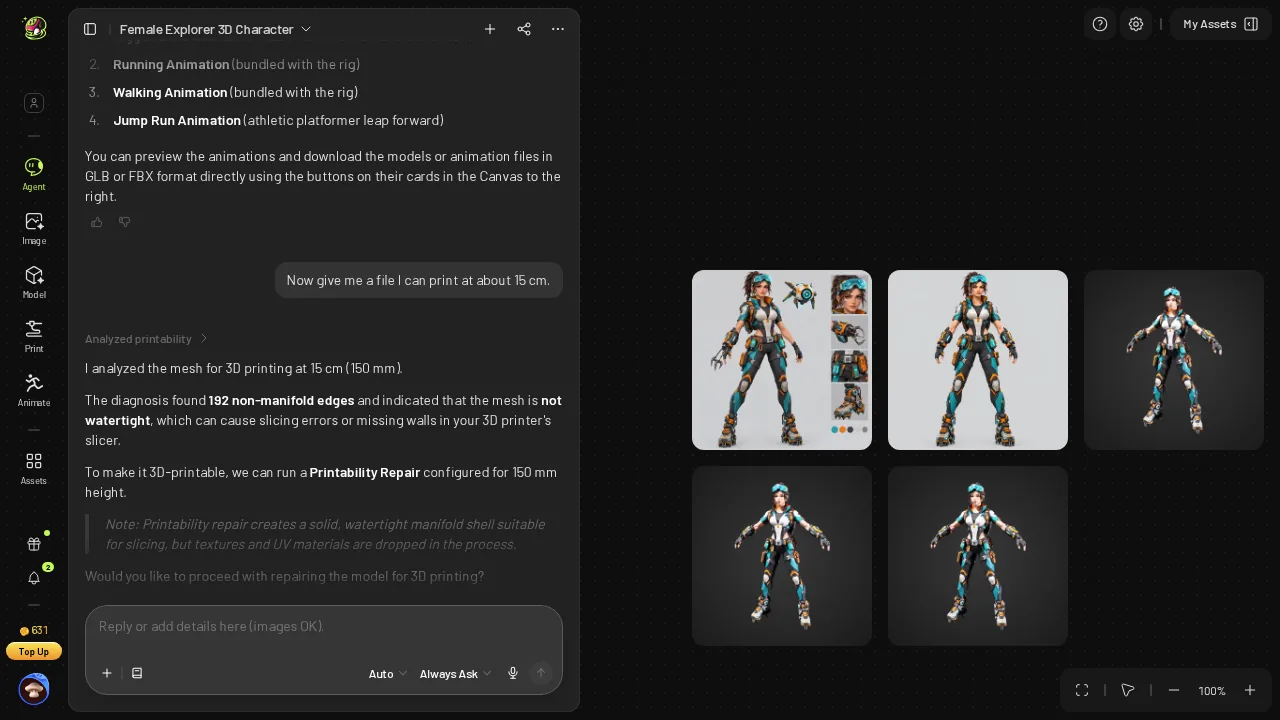 Meshy's free print diagnosis: 192 non-manifold edges, not watertight.
The diagnosis came as a choice card, not as a file. To move toward an STL, I had to pick the repair option and submit it: 2 more clicks on top of my message, and the third choice card of the run.
10 credits and ≈75 seconds for "Watertight: Yes"
Next, Meshy showed an approval card for the repair with an Est. Cost of 10. I clicked Approve, the fifth Approve of the run. At Meshy Pro's $0.02 per credit, that is $0.20 for one explorer.
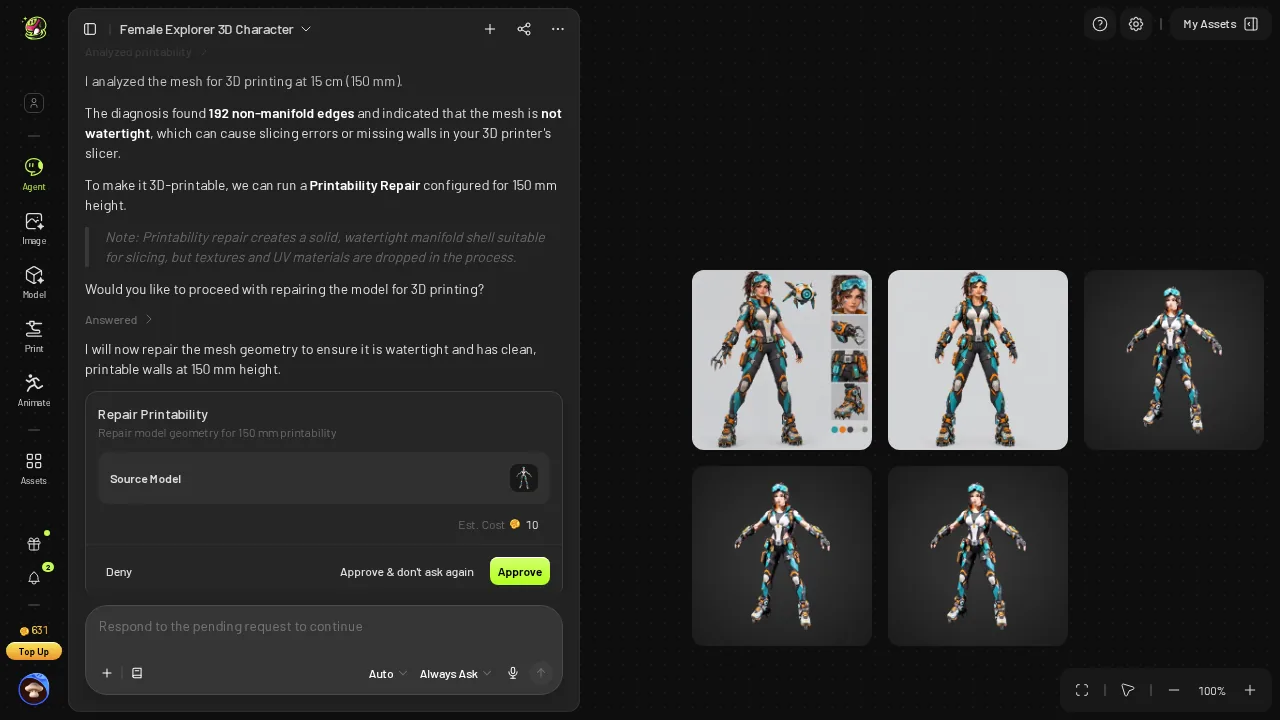 Meshy's approval card for the print repair, Est. Cost 10.
The repair took ≈75 s. Meshy's summary afterwards read "Watertight: Yes", "Non-manifold edges: 0" and "Target Height: 150 mm." On paper, the job was done: clean mesh, right height, ready to export.
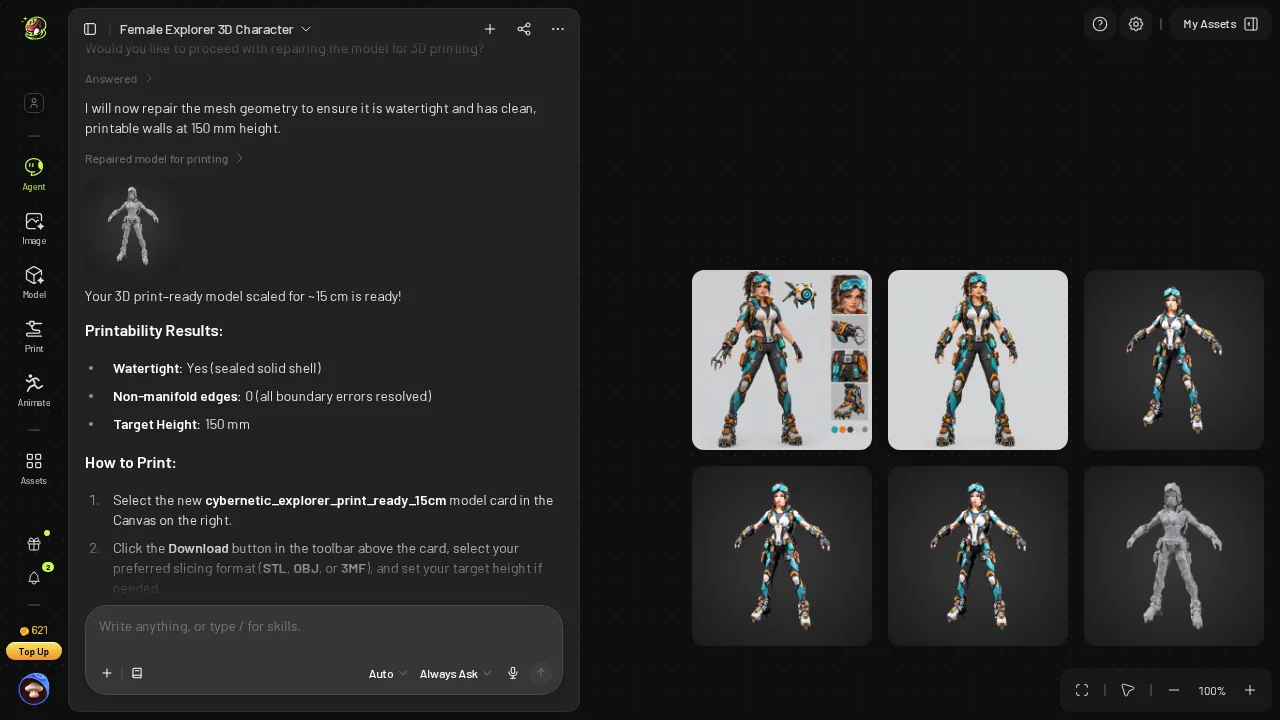 Meshy after the 10-credit repair: watertight, 0 non-manifold edges, Target Height 150 mm.
- Print prep price — Meshy 10 credits ($0.20) · Snapshapy 0 credits
- Print prep job — Meshy ≈75 s · Snapshapy 7.5 s · 10×
- Clicks before a file exists — Meshy 3 (select, Submit, Approve) · Snapshapy 0
Ten credits is small money. It is still more than the 3 credits Snapshapy charged for rig, motions and print combined, and on Meshy the whole run reached 61 credits.
"Scaled for ~15 cm", then a download dialog at 12.00 cm
This is where the flow broke its own promise. Meshy's reply said the model was "scaled for ~15 cm." I opened the download dialog expecting 15 cm. It opened with Resize off and the height field at 12.00 cm.
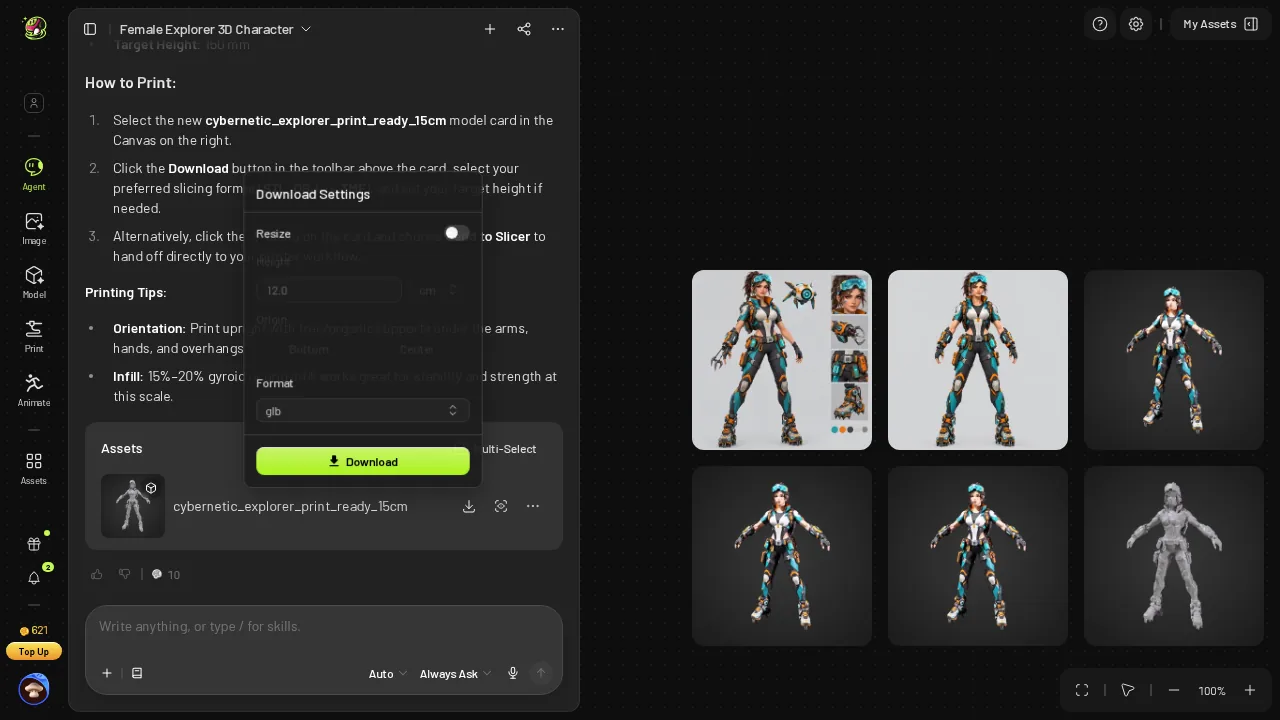 Meshy's download dialog as it opened: Resize off, 12.00 cm.
To get what the chat had already told me I had, I switched Resize on, typed 15 cm and picked STL. That took 6 clicks inside the dialog. The download itself then took ≈2 s.
- Height Meshy's chat promised — "~15 cm"
- Height Meshy's dialog showed on open — 12.00 cm, Resize off, 80% of the request
- Clicks to correct it — Meshy 6 · Snapshapy 0
To be precise about the outcome: once I set it, the STL measured 150.0 mm tall. The file was right. The default was not: the chat said 15 and the dialog said 12, and the person in the middle has to notice.
50.0 MB and 1,000,000 faces from Meshy
The Meshy STL landed at 50.0 MB with 1,000,000 faces. Binary STL stores 50 bytes per triangle, and both files in this test sit at that rate, so the size gap is the face count and nothing else.
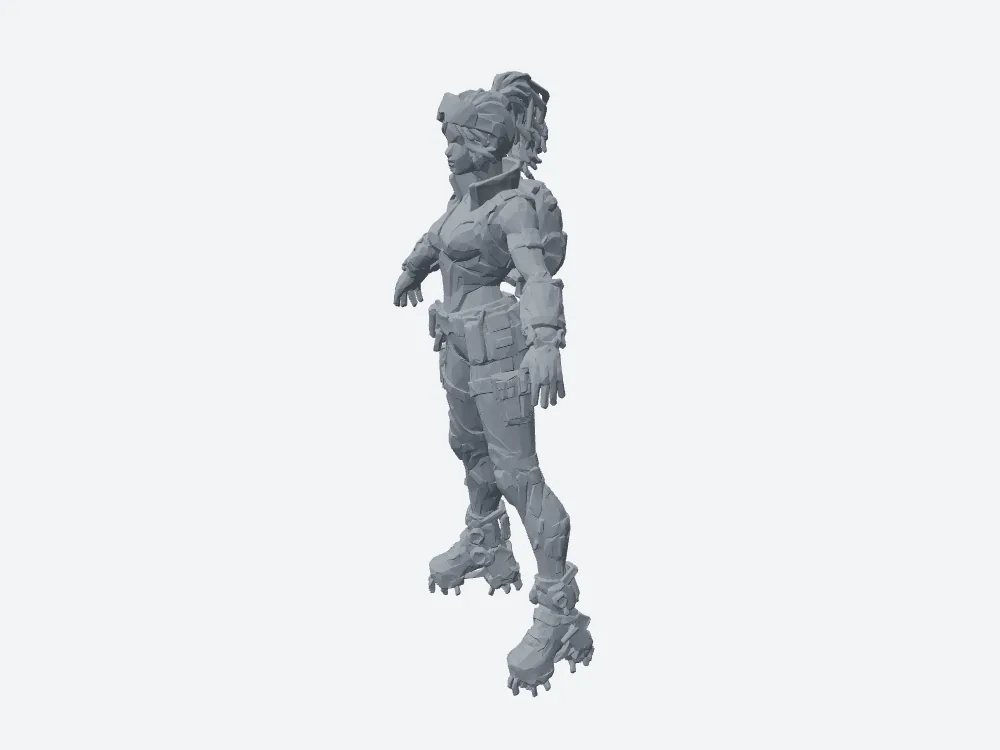 My render of Meshy's 15 cm STL: watertight, one body, 50.0 MB.
Meshy's print STL is the denser mesh, 1,000,000 faces with a 0.228 mm mean edge against Snapshapy's 149,844 faces and 0.637 mm.
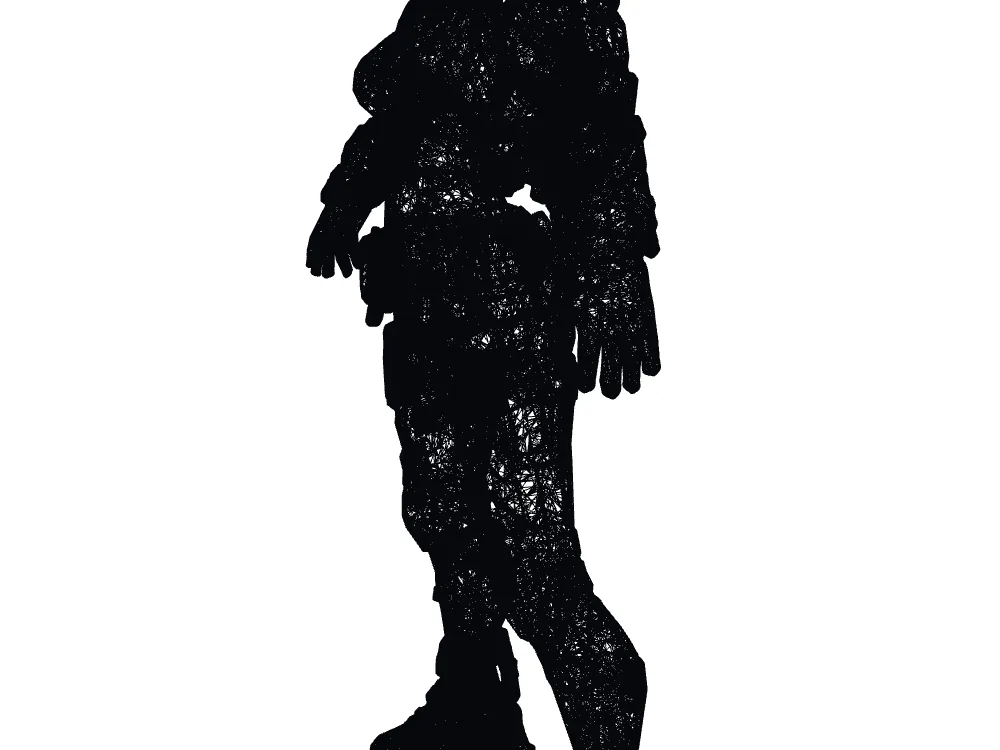 Meshy STL wireframe: 1,000,000 faces.
What those bytes cost in waiting, assuming a 12 Mbps connection and then a 100 Mbps one:
- STL download on 12 Mbps — Meshy ≈33 s · Snapshapy ≈5 s · 6.7×
- STL download on 100 Mbps — Meshy ≈4.0 s · Snapshapy ≈0.6 s
- Repair plus download on Meshy — ≈75 s + ≈2 s = ≈77 s on my line
Snapshapy's answer: "exactly 150 mm", 0 credits, a 7.5-second job
Snapshapy's 3D Agent replied to the same fourth message in one paragraph. It said the print remesh ran "with the height set to exactly 150 mm, so the STL/3MF will export at 15 cm tall with no slicer scaling", and marked it free. A new remesh card appeared under the reply.
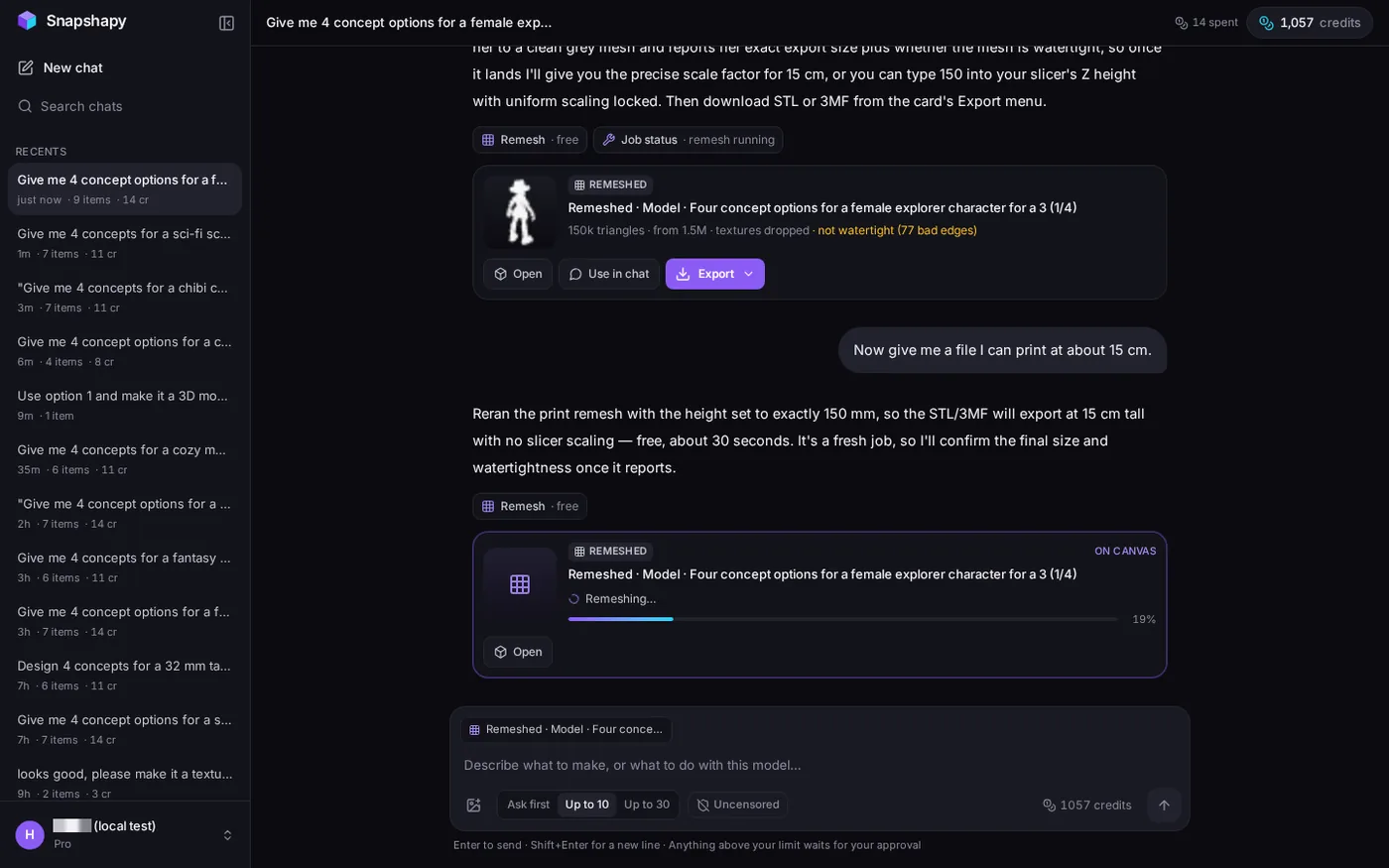 Snapshapy's reply to the print message: height set to exactly 150 mm, free; the new remesh card at 19%.
The job finished in 7.5 s. The card read "150k triangles · from 1.5M · textures dropped · watertight." My balance stayed at 1,057 before and after, so the print step cost 0 credits, against 10 on Meshy.
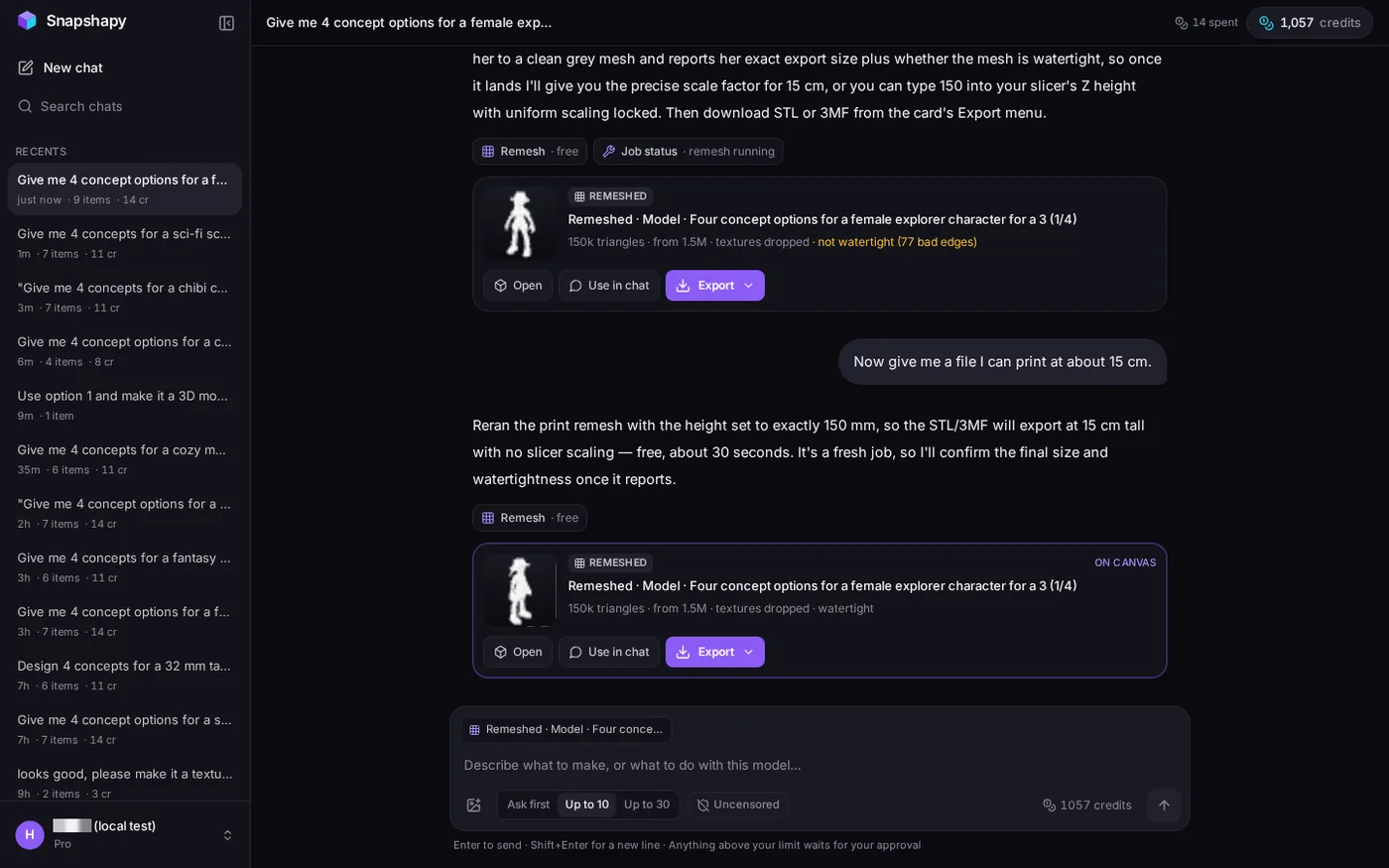 The lower card: "150k triangles · from 1.5M · textures dropped · watertight."
Snapshapy's reply also promised to "confirm the final size and watertightness once it reports," and no follow-up message came; only the card said "watertight."
- Print prep price — Meshy 10 credits · Snapshapy 0
- Cards or approvals in message 4 — Meshy 2 (choice card, Approve) · Snapshapy 0
Export → STL: 2 clicks, 5.9 seconds, already 150 mm
From the finished card, I clicked Export, then STL. The browser produced the file in 5.9 s. There was no dialog, no Resize toggle and no height field, because the height had been set in the remesh itself.
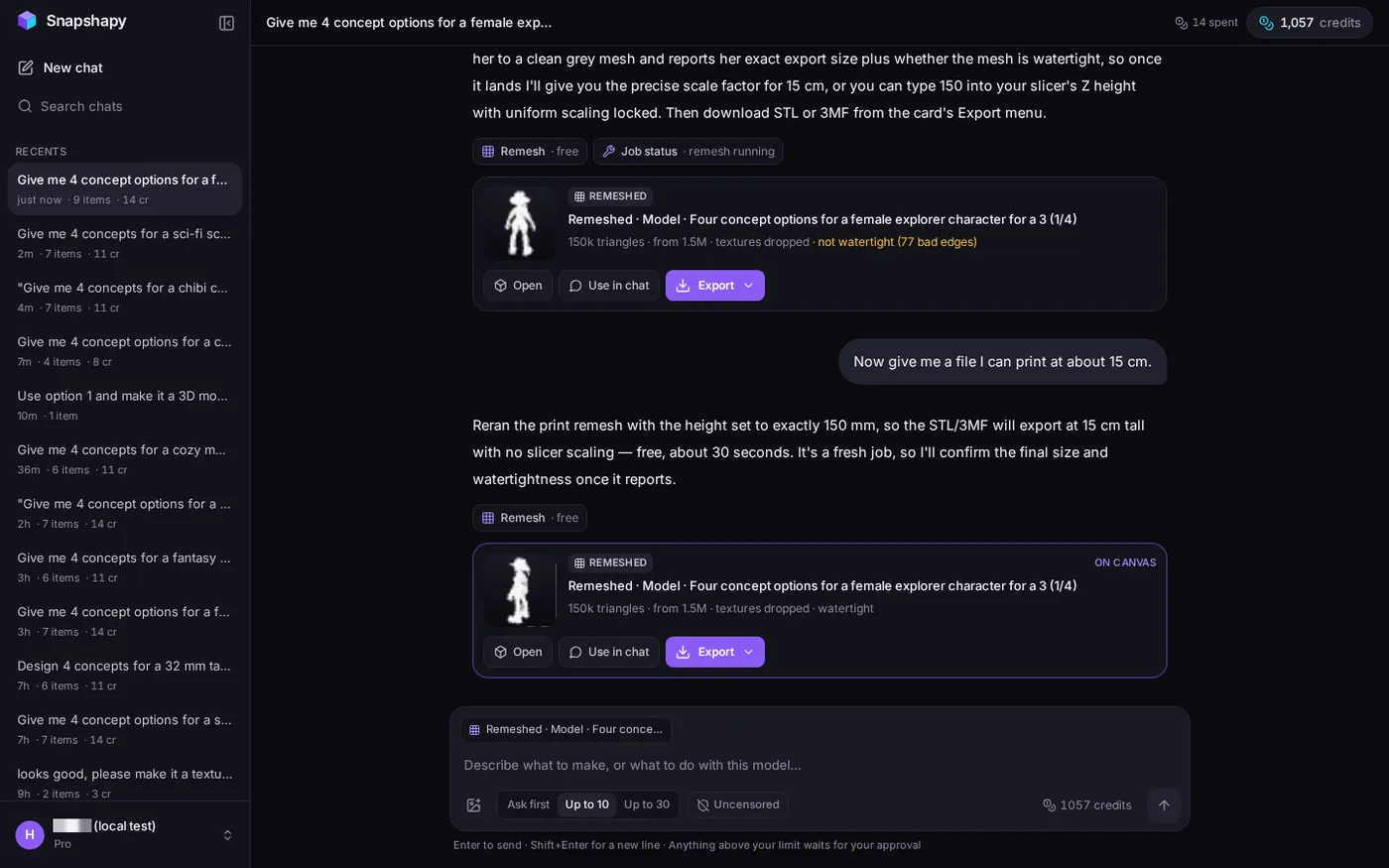 Snapshapy chat while exporting the STL from the card, 5.9 s.
The file was 7.5 MB with 149,844 faces, 6.7× smaller than Meshy's 50.0 MB.
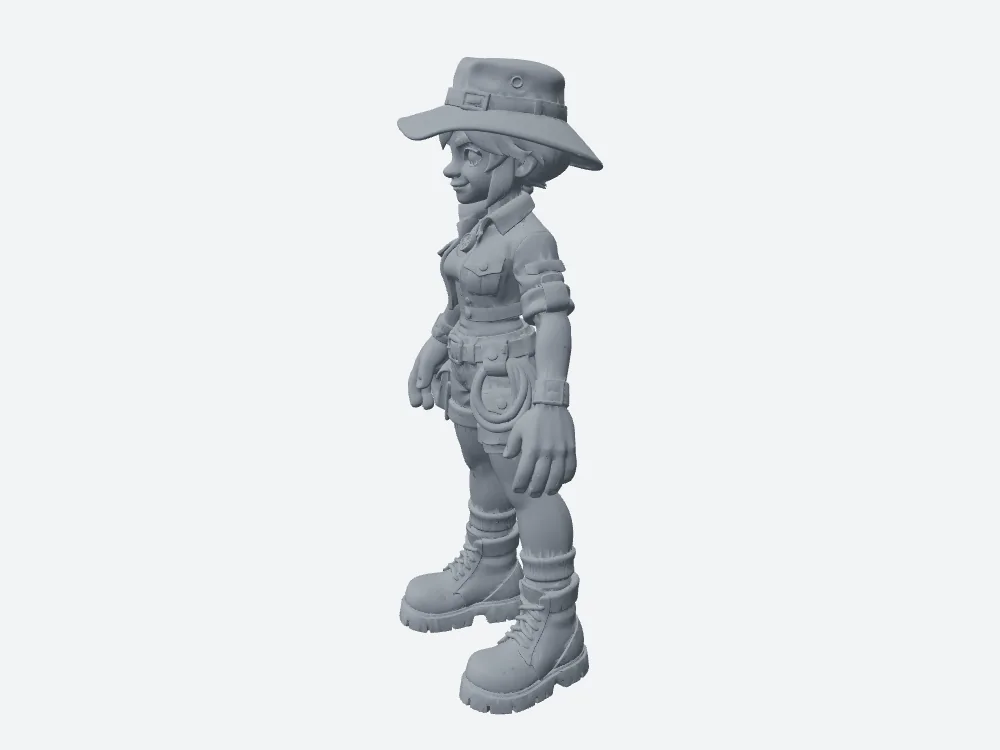 My render of Snapshapy's 15 cm STL: watertight, one body, 7.5 MB.
- Print step, job plus file — Meshy ≈77 s (repair + download) · Snapshapy 13.4 s (7.5 s job + 5.9 s export) · ≈5.7×
- Clicks from message 4 to a file — Meshy 9 (2 choice card, 1 Approve, 6 dialog) · Snapshapy 2
- STL size — Meshy 50.0 MB · Snapshapy 7.5 MB · 6.7×
My mesh check: both STLs are valid at 150.0 mm
I loaded both files into my own mesh tool before calling anything. This part has no loser. Meshy's final STL is a valid print file, and so is Snapshapy's.
- Watertight — Meshy yes · Snapshapy yes
- Bodies — Meshy 1 · Snapshapy 1
- Non-manifold edges — Meshy 0 · Snapshapy 0
- Height — Meshy 150.0 mm · Snapshapy 150.0 mm
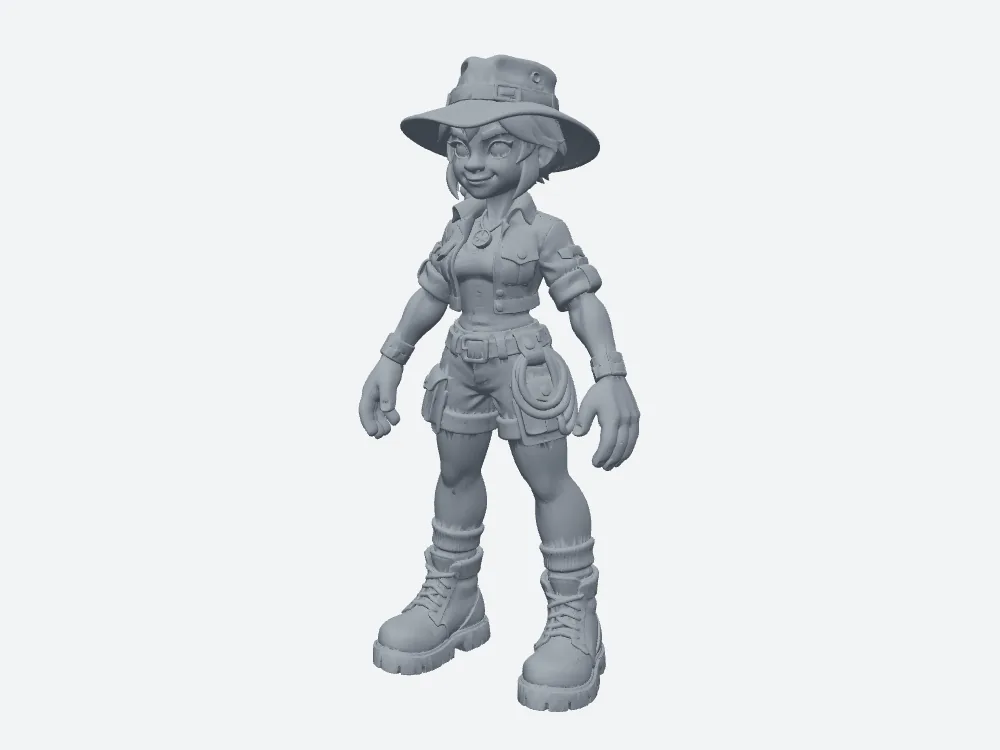 Snapshapy's 15 cm STL, front view.
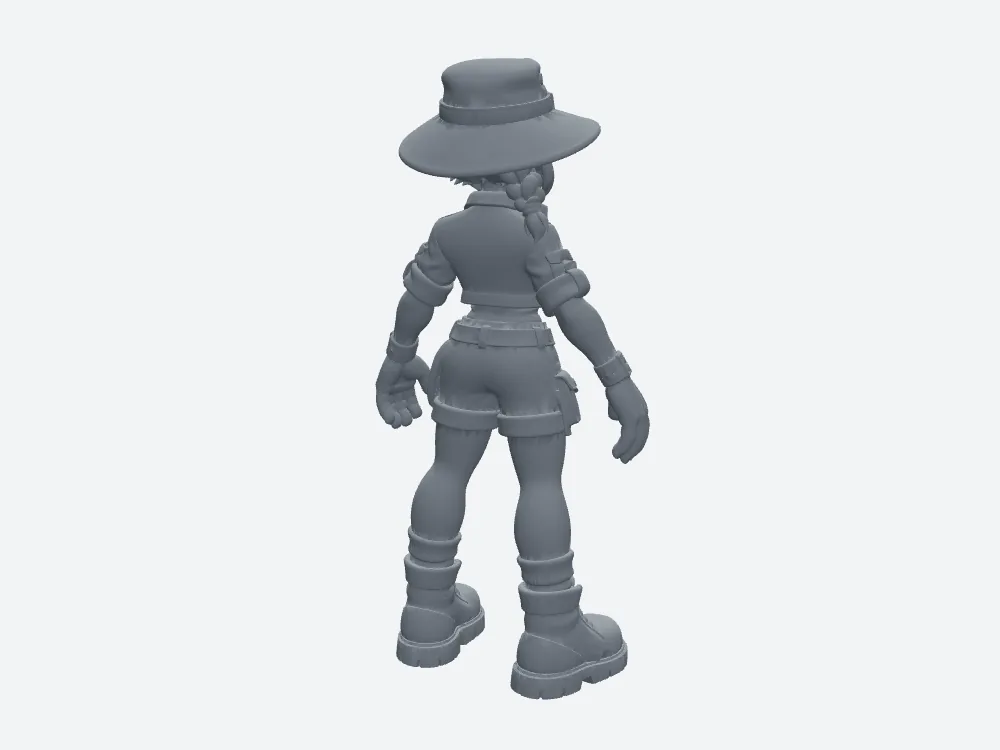 Snapshapy's 15 cm STL, back view.
Snapshapy's file also showed 0 boundary edges. The difference between the two tools sits in the path, not the result: Meshy reached 150.0 mm through 10 credits, ≈75 s and 6 dialog clicks; Snapshapy reached it through a 7.5 s free job and 2 clicks.
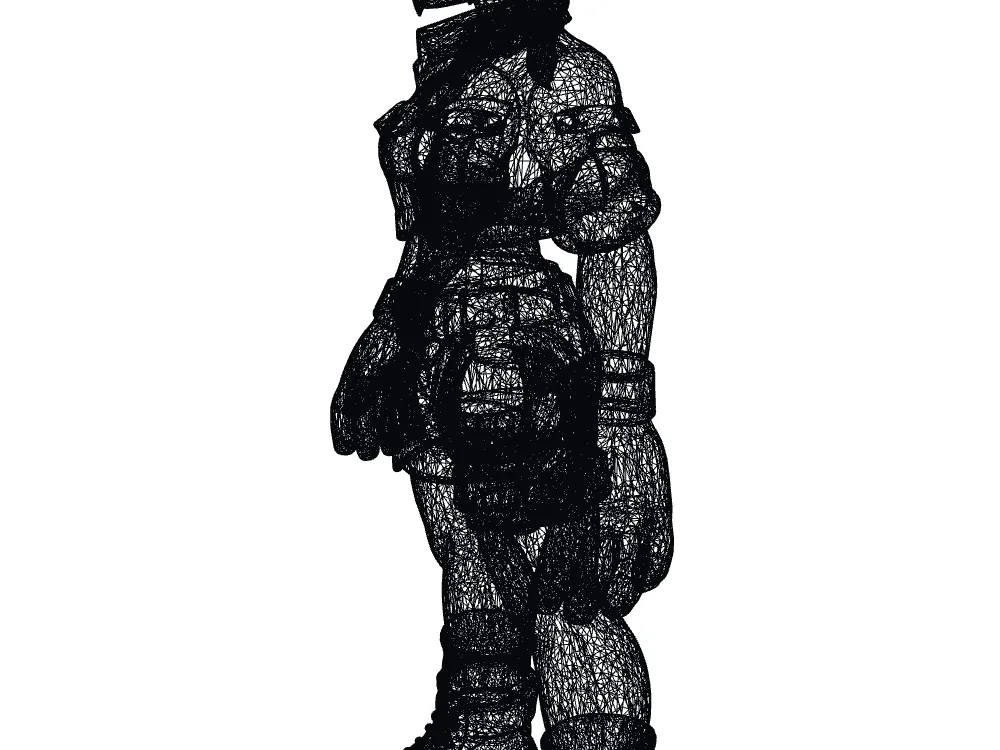 Snapshapy STL wireframe: 149,844 faces.
Meshy diagnosed and repaired its own mesh before the print, which is a real point in its favor.
The whole run in clicks: ≈21 on Meshy, 2 on Snapshapy
Message 4 was only the last stretch. Counting every click beyond my four typed messages, the Meshy run added up like this:
- Choice cards (select + Submit) — Meshy 3 cards, 6 clicks · Snapshapy 0
- Approve buttons — Meshy 5 · Snapshapy 0
- Rig flow (Rig Model, Got it, Next, Confirm) — Meshy 4 · Snapshapy 0
- Download dialog — Meshy 6 · Snapshapy 0
- Export from a card — Meshy 0 · Snapshapy 2
- Total — Meshy ≈21 · Snapshapy 2 · ≈10×
The rig flow exists because Meshy refused its own model. Message 3 hit "around 1.86 million faces, while rigging requires a mesh under 300,000 faces," 6.2× over the limit, and the agent put a remesh choice card in front of me.
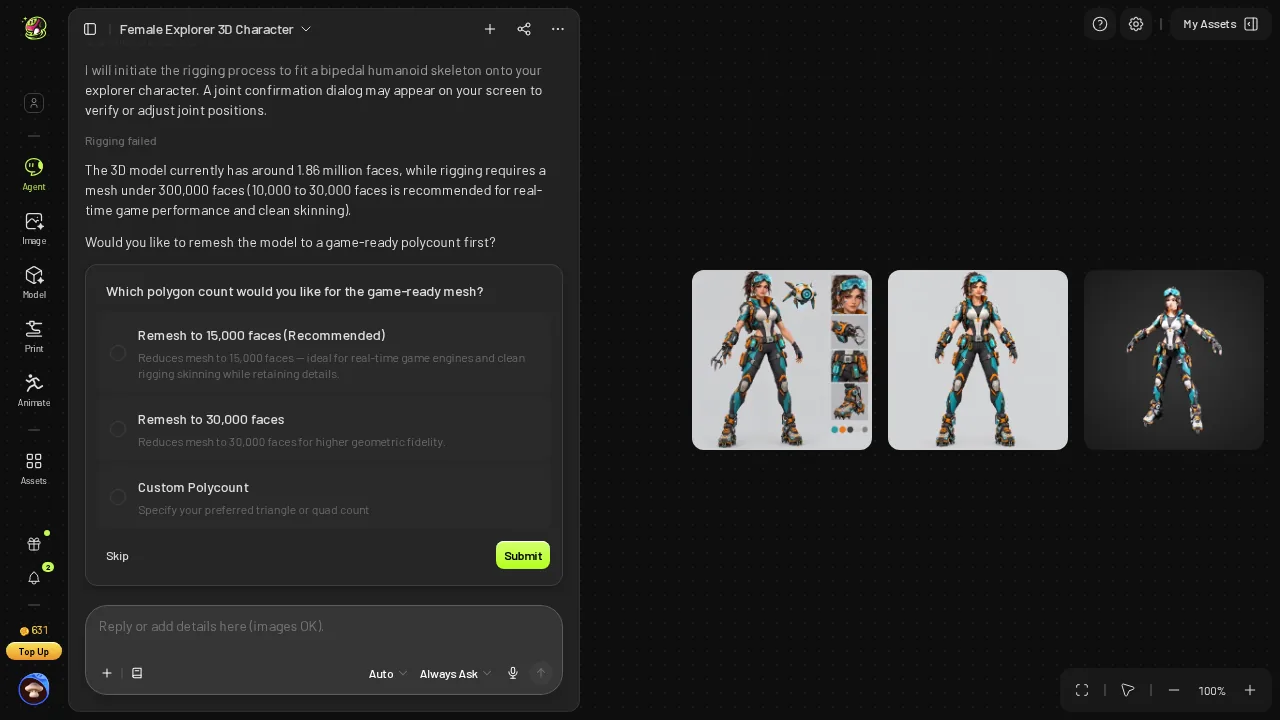 Meshy: "Rigging failed", 1.86 million faces vs a 300,000 limit, with a remesh choice card.
After the remesh, the rig wizard showed markers to check before Confirm. Snapshapy reduced its model to 100k itself and rigged it in 112 s without a wizard.
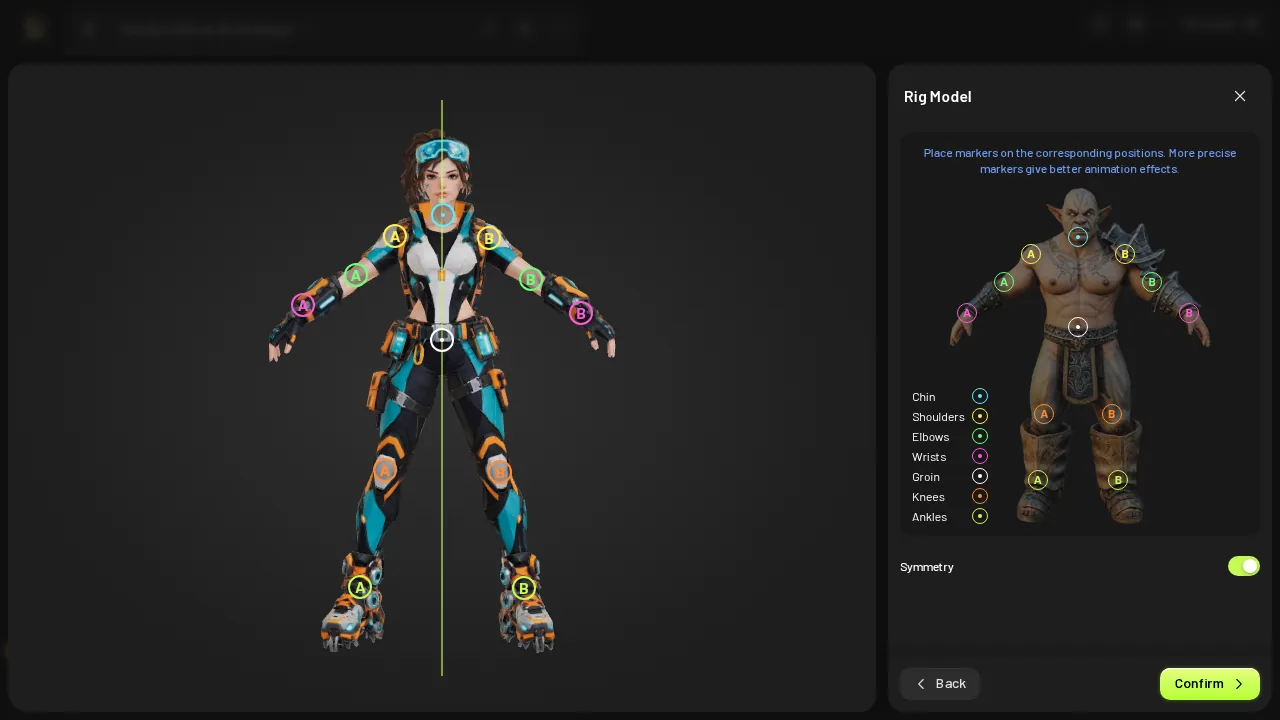 Meshy rig wizard: markers to check before Confirm.
On a ~$20 plan, Meshy Pro covers 16 characters a month. At ≈21 clicks each, that is ≈336 clicks a month on Meshy, against 56 for the 28 characters Snapshapy Starter covers.
Side notes: 61 vs 14 credits, a character sheet, a refused rig
Credits, briefly: Meshy went 682 → 621, 61 credits, $1.22 per finished character on Pro; Snapshapy spent 14, $0.67 on Starter. That is 4.4×, and the first article in this series covers it.
Concepts, briefly: I asked for 4 and Meshy delivered 1, a character sheet with side insets and a companion drone, which Meshy then had to cut out for 12 credits. Snapshapy drew 4 separate explorers for 8 credits.
Rig, briefly: Meshy's rig and motions cost 0 credits, but the rigger refused Meshy's own 1.86-million-face model first. Snapshapy's rig card exported straight to FBX, GLB, STL, OBJ or 3MF from one menu.
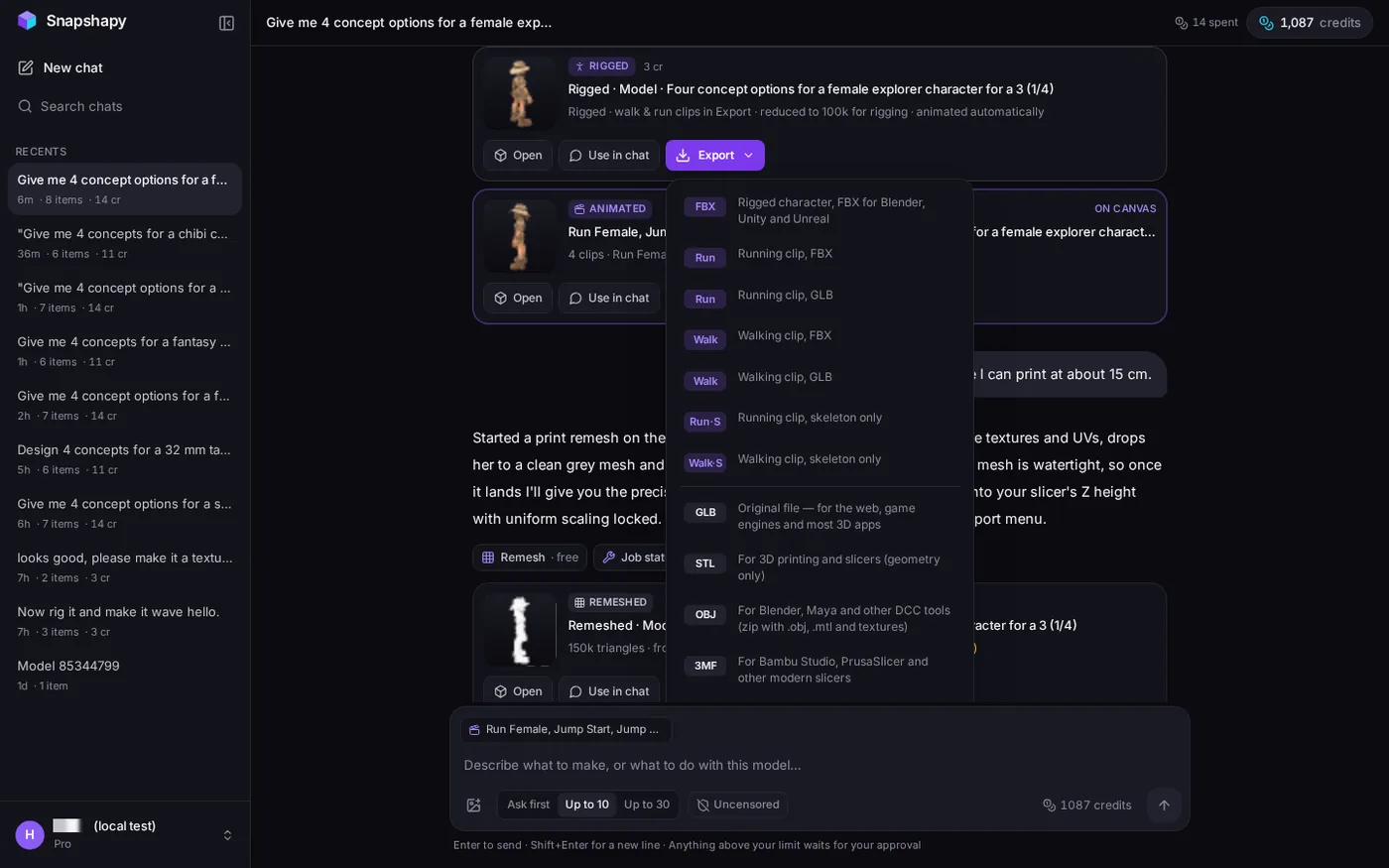 Snapshapy rig card Export menu: FBX, Run / Walk files, GLB, STL, OBJ, 3MF.
Final verdict: Meshy 3D Agent scores 58/100 for a platformer character
Meshy 3D Agent ends this run with a print file I have no complaint about: watertight, one body, 0 non-manifold edges, 150.0 mm tall. Getting there is the problem. Meshy charged 10 credits and ≈75 s for a repair, told me the explorer was scaled for about 15 cm, and then opened its download dialog at 12.00 cm with Resize off, so I spent 6 clicks correcting a number the chat had already given me. The result is 50.0 MB, ≈33 s on a 12 Mbps line against ≈5 s for Snapshapy's 7.5 MB. Across the four messages, Meshy needed ≈21 extra clicks, 61 credits and a remesh after its own rigger refused its own model. Meshy keeps its points for the free diagnosis and a clean final mesh, and loses them on the path to the file.
Which one I would use for this job
For a platformer explorer that has to run, jump and also stand on a shelf at 15 cm, I would use Snapshapy: 4 concepts as asked, a rig with a 3-part jump, a free print mesh set to exactly 150 mm, and a watertight 7.5 MB STL two clicks after the card finished. Type the same four messages at snapshapy.com and check the height of the STL it hands you.