For readers comparing a 3d ai maker for product photos, this independent test puts Meshy AI and SupaVoxel side by side. It examines the resulting meshes, file sizes, and download times.
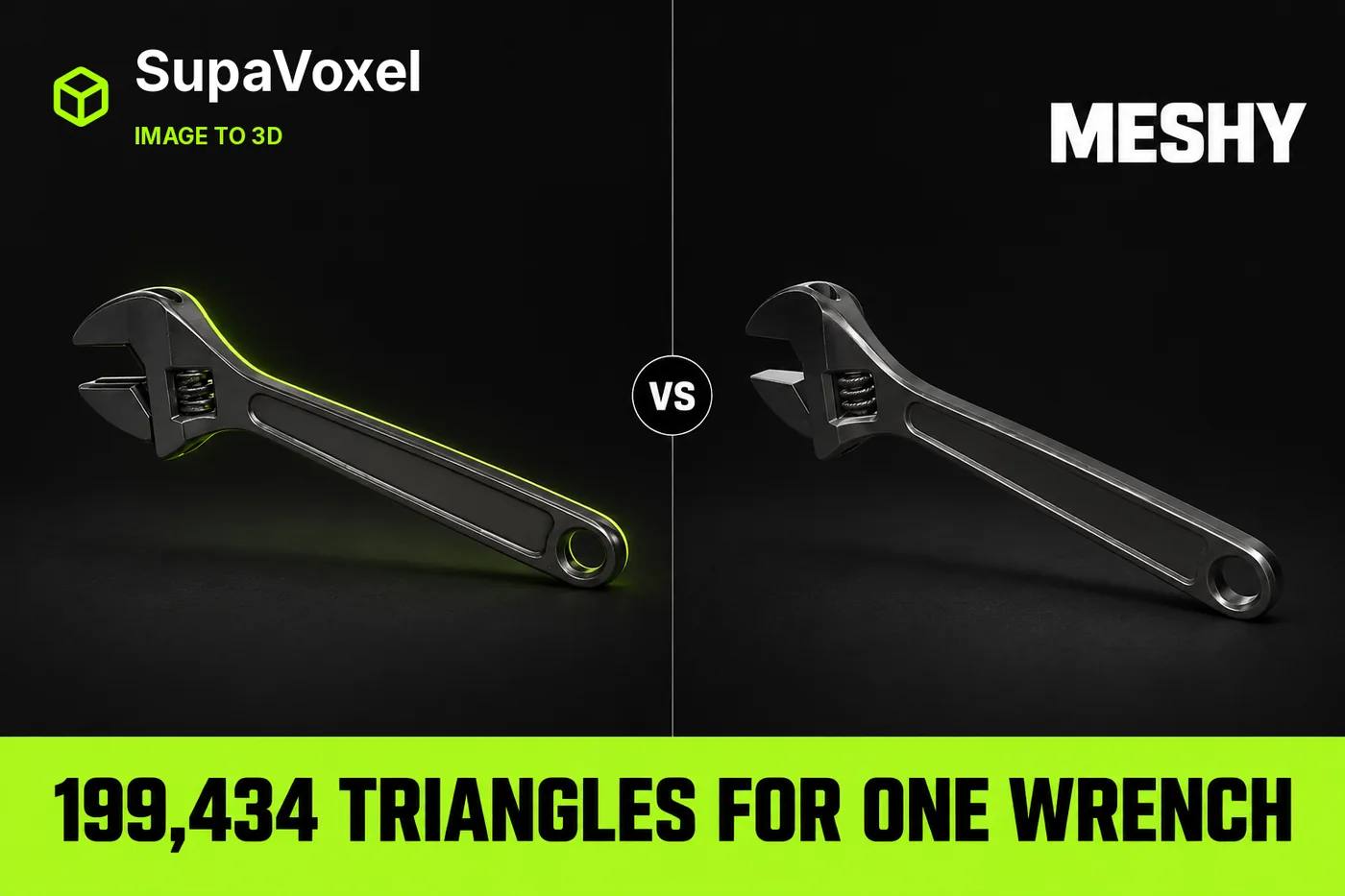
This is an independent test. Nothing here came from vendor access: both tools were used on my own free and paid accounts.
I had one product shot of an adjustable wrench and a page that needed a 3D version of it by the end of the week.
No CAD file. No photographer. Just the picture.
So I asked around. Every answer came back with the same two names: Meshy and SupaVoxel. Nobody could tell me which one to pick, so I stopped asking and ran the same photo through both.
Then I opened both files and took them apart.
My verdict in 60 seconds — Meshy 60/100, SupaVoxel 90/100
Those two scores are my opinion about this one job. Everything else on this page is a number I pulled out of the files.
Here's the scorecard.
- Triangles you get — Meshy 199,434 vs SupaVoxel 1,500,000 · Meshy 6/10 · SupaVoxel 9/10 — Meshy decides your density for you and stops at 199,434; SupaVoxel hands you roughly 7.5× the surface, so the knurls and edges are still there when someone zooms
- Vertices holding the shape — Meshy 111,498 vs SupaVoxel 816,916 · Meshy 6/10 · SupaVoxel 9/10 — Meshy's sparse point cloud is what rounds off the groove lip; SupaVoxel's 816,916 points keep those transitions sharp
- What the file weighs — Meshy 11,603,384 bytes vs SupaVoxel 8,842,180 bytes · Meshy 6/10 · SupaVoxel 9/10 — Meshy ships 2.76 MB of extra weight for less detail; SupaVoxel is the smaller download and the denser model at the same time
- Wait on a 12 Mbps phone — Meshy 7.7 s vs SupaVoxel 5.9 s · Meshy 6/10 · SupaVoxel 9/10 — Meshy costs your visitor almost two extra seconds of blank screen; SupaVoxel gets the wrench on the page first
- Wait on a 100 Mbps desk line — Meshy 0.93 s vs SupaVoxel 0.71 s · Meshy 8/10 · SupaVoxel 9/10 — Meshy is still the slower of the two, though on fibre the 0.22 s gap is one nobody will ever feel
- Deliverables from the one run — Meshy 1 GLB vs SupaVoxel 2 GLBs · Meshy 7/10 · SupaVoxel 9/10 — Meshy's run gave me a single 11,603,384-byte file to work with; SupaVoxel's export menu had both a compressed 8,842,180-byte GLB and a full 68,718,876-byte original-size GLB waiting, no re-run needed
- Textures baked into the file — Meshy 3 vs SupaVoxel 3 · Meshy 7/10 · SupaVoxel 7/10 — a genuine tie: neither one skimped, so the size difference between them isn't a missing texture
- File format you download — Meshy GLB vs SupaVoxel GLB · Meshy 8/10 · SupaVoxel 8/10 — level again, and that's good news: both hand you one self-contained file with nothing to convert
Four things you should know before you pick:
- Meshy decides your mesh density for you. You get 199,434 triangles and that's the end of the conversation.
- Meshy hands you the bigger file. 11,603,384 bytes against 8,842,180 for the same wrench, from the same photo, the same afternoon.
- Meshy's record has no generation time in it at all. I'm not going to guess at a number that isn't there.
- Meshy's export asks nothing of your software. That's a real win and it gets its own section further down.
If you're putting a wrench on a product page this week, SupaVoxel is the one I'd use. That's where I landed after opening both files — and the tool I ran it in is at https://supavoxel.com if you want to start from the same place.
One image, one run on each side. Not a lab study.
So what did each tool actually have to work with?
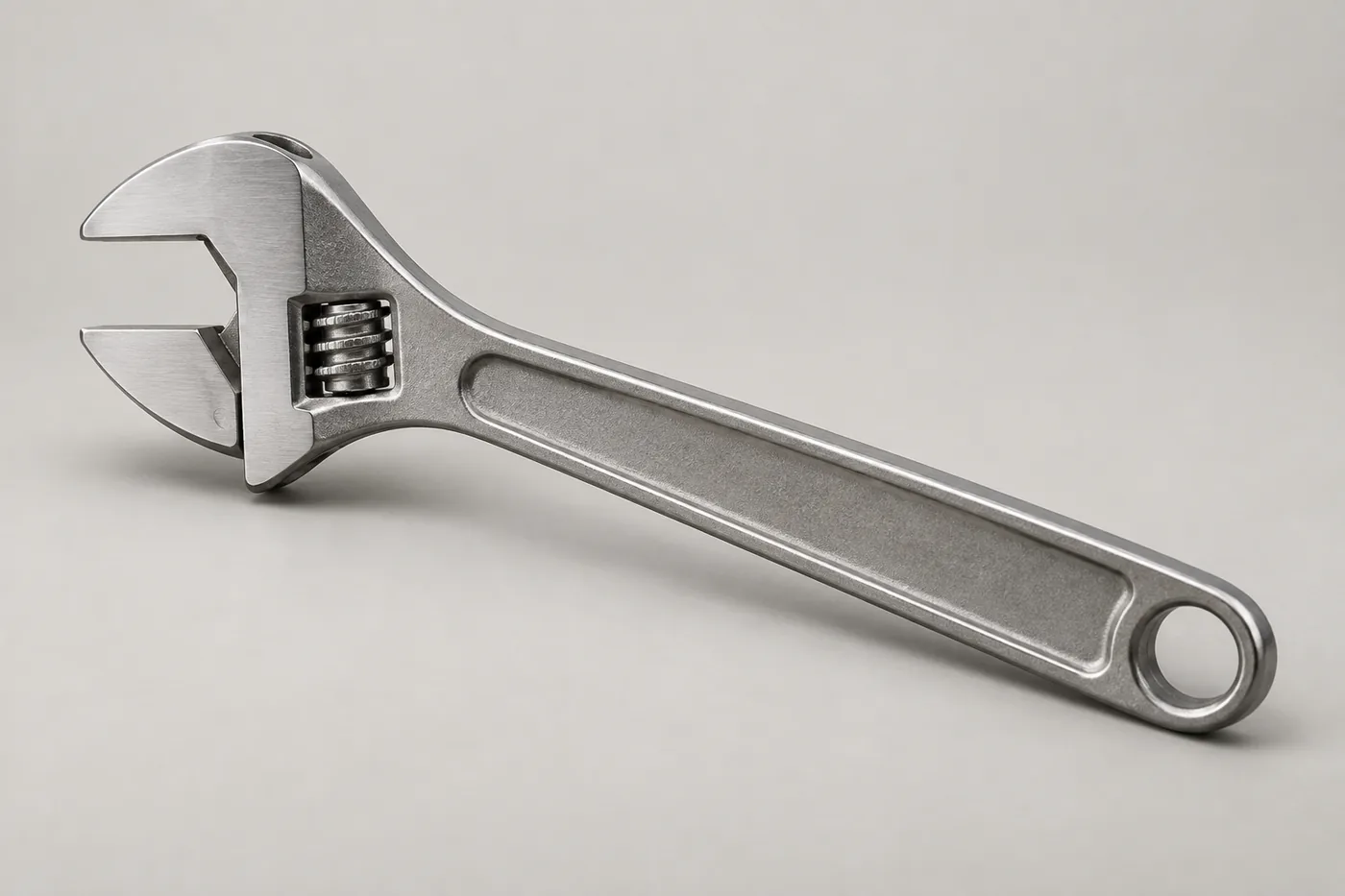
The only thing either tool got: one photo of a brushed-steel adjustable wrench. No text prompt on either side.
That's it. One picture.
Meshy got the front. SupaVoxel got the front. Neither got the back, the inside of the jaw, or the far end of the screw. Everything you don't see in that frame, both of them had to invent.
Keep that in mind later, because it decides which criticisms of Meshy are fair and which aren't.
One file gives you 7.5× more surface to work with
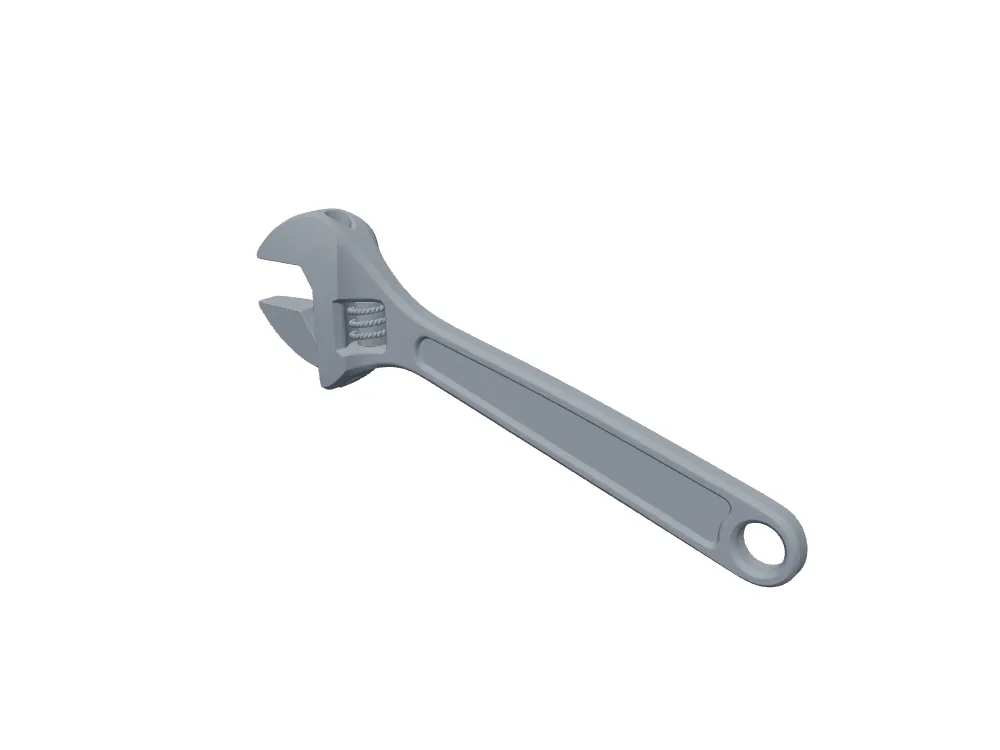
Meshy's wrench with the texture switched off, so you're looking at raw shape: 199,434 triangles.
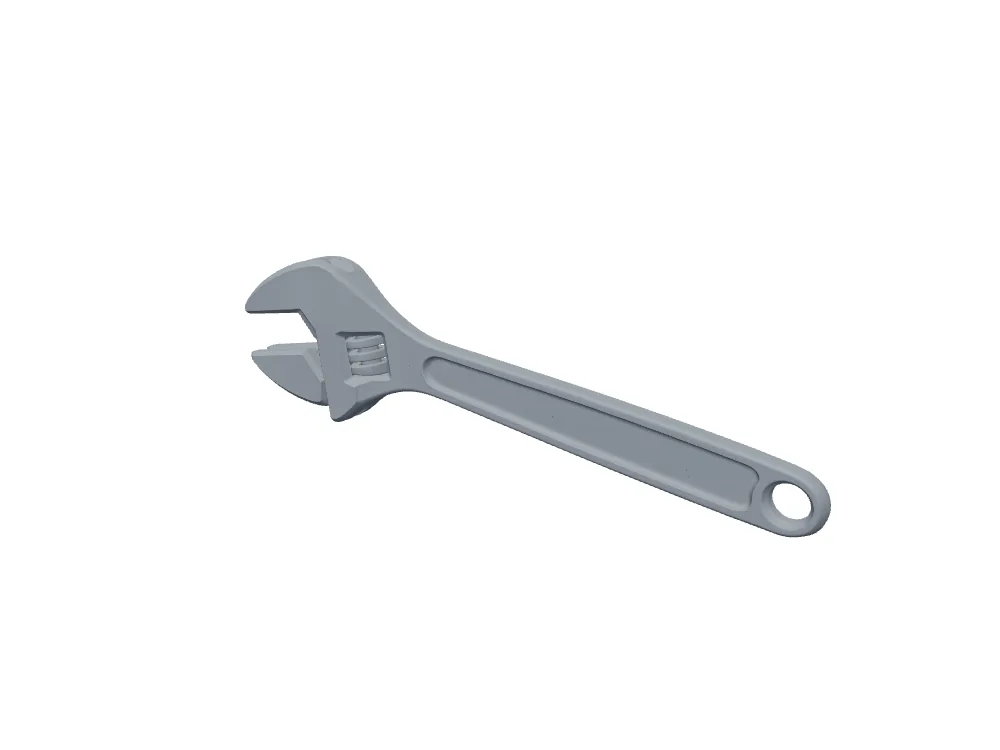
The SupaVoxel file at the exact same camera angle: 1,500,000 triangles.
Triangles are the little flat plates a 3D model is built out of. More of them means the tool can carve finer shapes before everything turns into a smooth blob.
Meshy gives you 199,434 of them. SupaVoxel gives you 1,500,000.
That's roughly seven and a half times as much surface describing the same hand tool. Sounds like overkill, right? It is — until somebody zooms.
And you don't get to pick. Meshy hands you 199,434 and that's the file. There's no slider where you ask Meshy for more.
Zooming is exactly what people do on a product page, and that's where Meshy's number starts to hurt.
Zoom in, and that number stops being a spreadsheet row
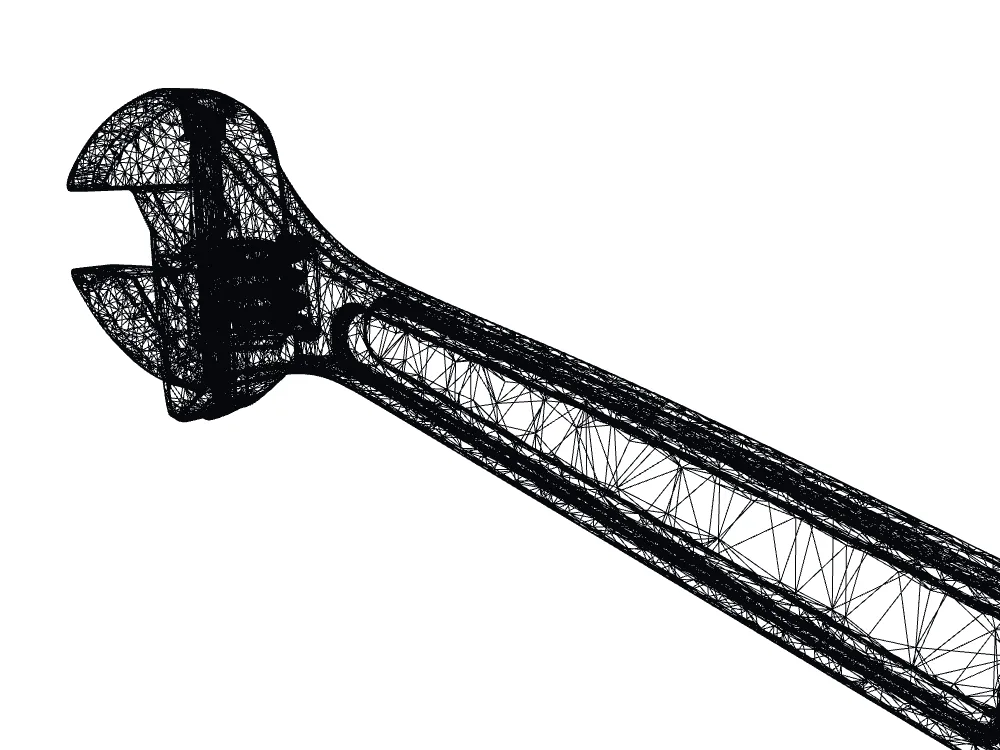
Meshy up close in wireframe — every line is the edge of one of those 199,434 triangles.
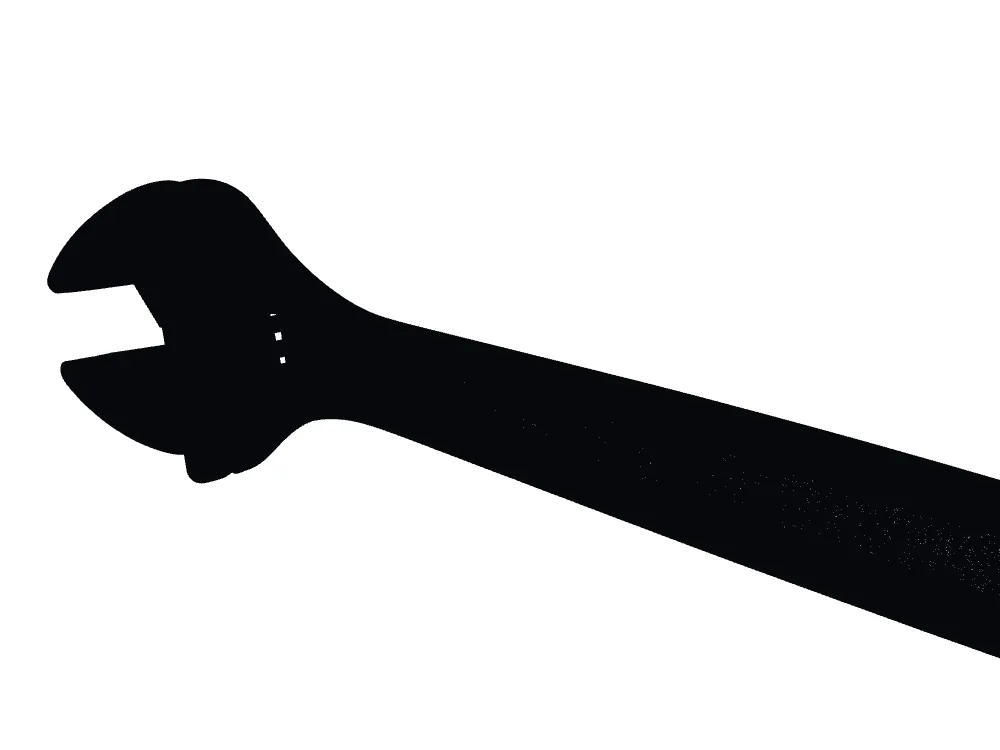
The same close-up on the SupaVoxel file. Denser web of edges, same wrench.
Let me be fair to Meshy first: this mesh is not a mess. The edges are spread evenly, the tool reads as one clean shell, and nothing here looks broken.
But look at how far apart Meshy's lines are.
Every fine thing on a wrench — the knurl on the adjusting wheel, the lip around the handle groove — has to fit between those lines or get painted on as texture instead. With Meshy's 199,434 triangles, more of it gets painted on.
Texture looks fine at a distance and falls apart the moment someone leans in.
The denser file is also the smaller download
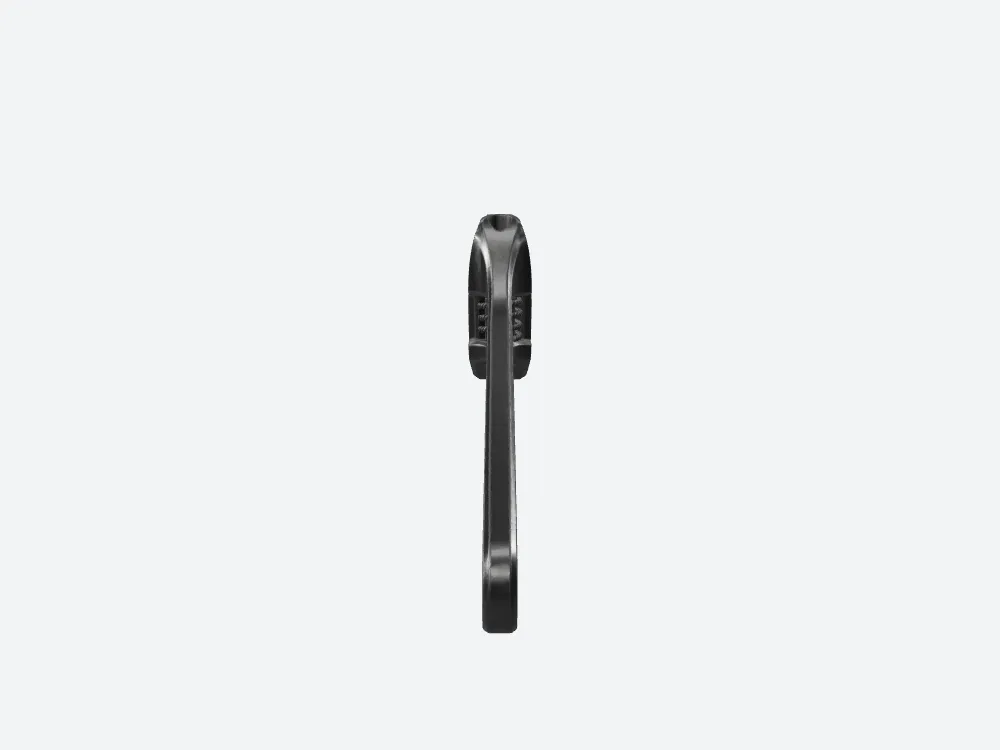
Meshy from the side — the full tool profile, and the 11.60 MB download that carries it.
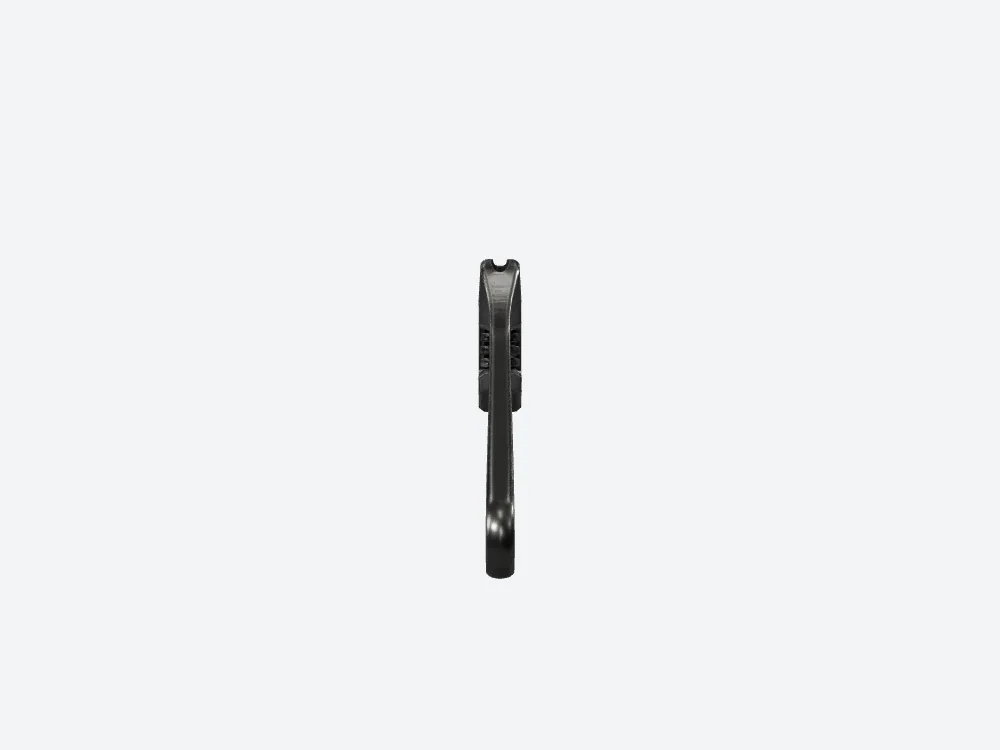
SupaVoxel from the identical side angle. 8.84 MB, and 816,916 vertices holding the profile.
Here's the part that surprised me.
Meshy's file is 11,603,384 bytes. The SupaVoxel file is 8,842,180. That's 2.76 MB less to move — with seven and a half times the triangles inside it.
Normally you pay for detail in megabytes. With Meshy you paid and didn't get the detail.
On a 12 Mbps phone connection that gap is 7.7 seconds of waiting on Meshy against 5.9. Two seconds doesn't sound like much until it's the two seconds before somebody decides your page is slow.
More detail and a lighter file usually means picking one. Against Meshy, this time, you don't have to.
Same wrench from above. Which one holds up?
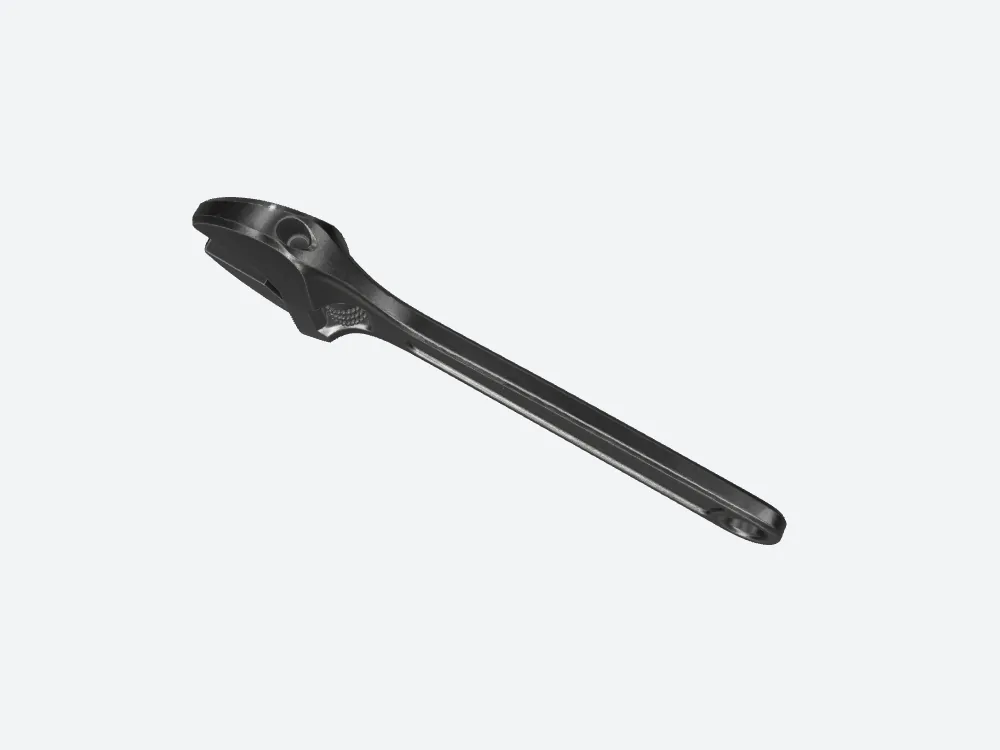
Meshy from directly above: the head-to-handle flare and the groove edge, built out of 199,434 triangles.
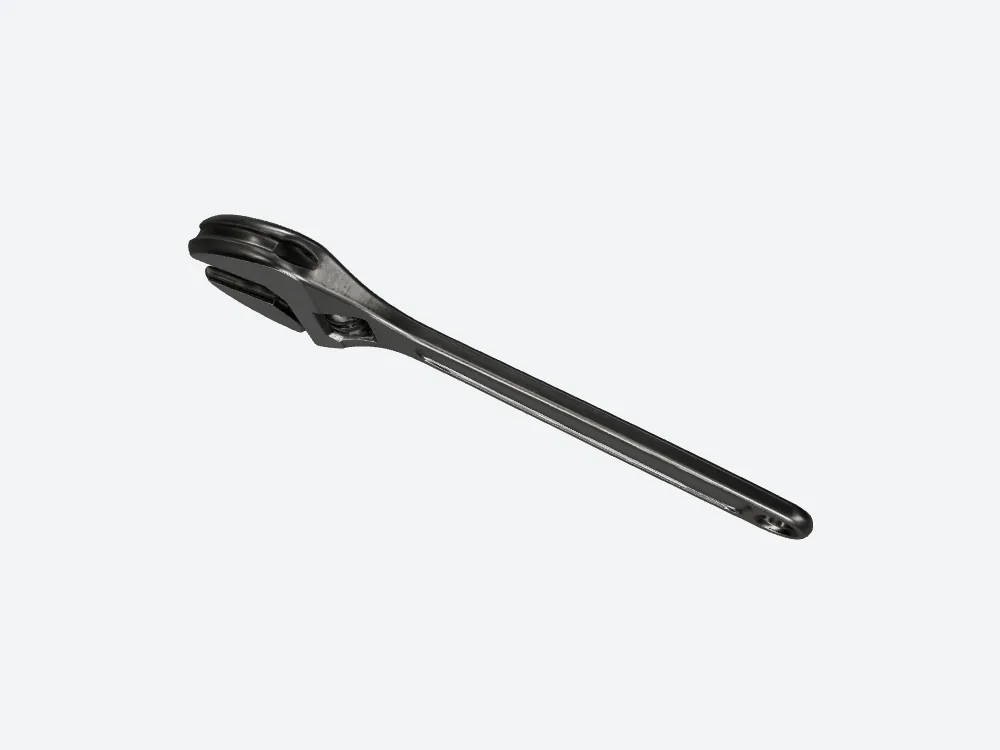
SupaVoxel from the same overhead angle. The two files sit slightly differently in frame — compare the shapes, not the pixels.
From the top, both are unmistakably the wrench. Meshy nails the outline.
The difference isn't the silhouette. It's the transitions — where the head flares into the handle, where the groove rolls over its edge. That's where Meshy's 199,434 triangles start rounding things off and 1,500,000 don't.
Meshy gets the shape. It's the last ten per cent of it that goes soft.
The jaw is where people zoom first
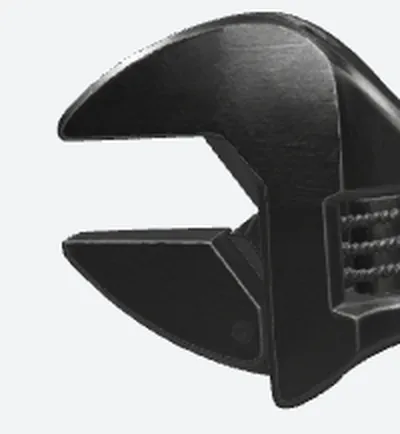
Meshy's jaw, blown up 2× from the same crop box used on both files.
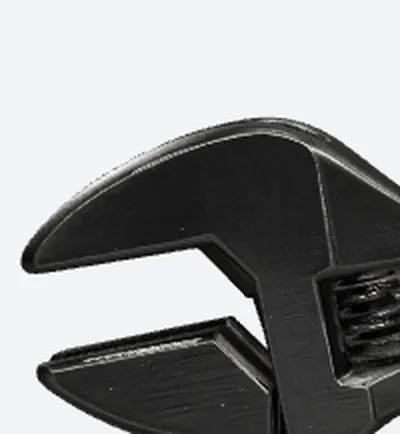
The SupaVoxel jaw from the identical crop box and the same 2× blow-up.
Meshy keeps a jaw you'd recognise. So does the other file. Both keep the adjusting wheel.
And neither proves a single mechanical thing. One photograph can't tell you whether that jaw would actually travel, whether the thread fits, or whether any of it could be manufactured. Nobody's 3D file can do that from one picture.
Use these for looking at, not for machining.
What your visitor actually downloads
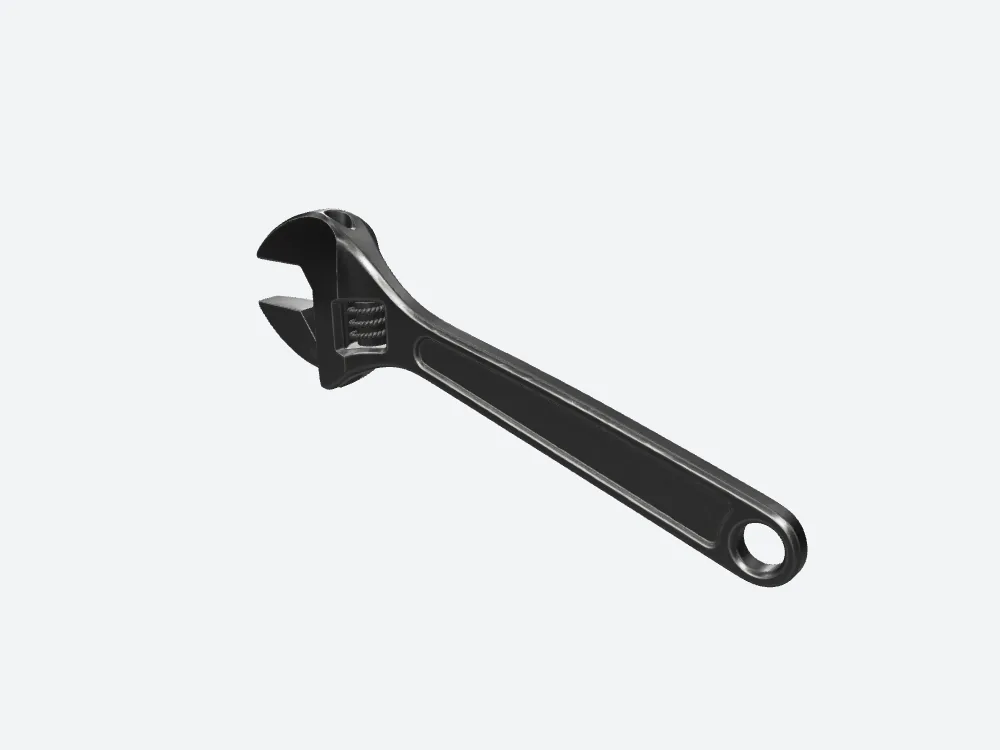
Meshy's three-quarter view — the frame that ends up on the page. Three textures baked in.
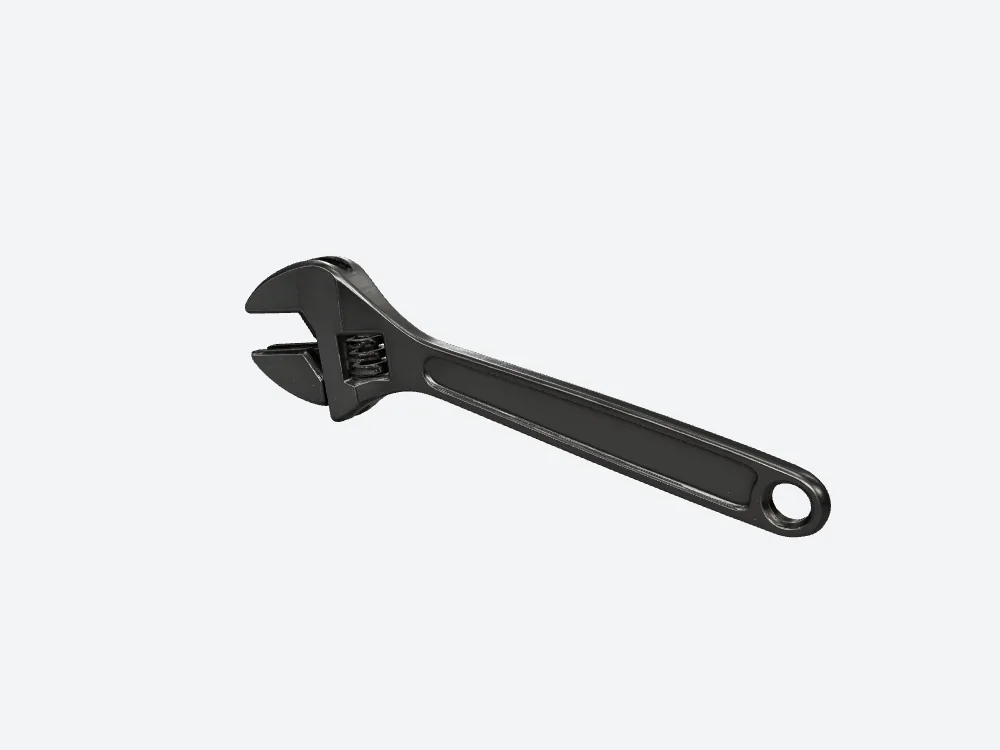
The SupaVoxel three-quarter view at the same camera. Also three textures.
Meshy bakes in three textures. So does SupaVoxel. That one's a tie, and ties matter — they tell you which differences are real and which are noise.
On a good office connection the size gap barely registers: Meshy 0.93 seconds against 0.71. On a phone it's 7.7 against 5.9.
So if everyone who sees your page is on fibre, stop worrying about the megabytes — Meshy is fine, pick on something else. If they're on a train, Meshy's extra 2.76 MB is the part they feel.
Everything I pulled out of the two files, in plain English
No table, because tables turn into mush on this platform. Just the list, both sides, every row.
Credits the job recorded. Meshy 35, SupaVoxel 3. Two different plans in two different units — that is not a price comparison and you can't make it into one.
Time the tool recorded. Meshy: nothing. SupaVoxel: 215.462 seconds. One of them shows its working, the other leaves the field empty. I'm not filling it in.
Triangles. Meshy 199,434, SupaVoxel 1,500,000. That's how much surface each file has to describe a wrench with.
Vertices — the corner points those triangles hang off. Meshy 111,498, SupaVoxel 816,916.
Textures baked into the file. Three each. Not resolutions, not megabytes — three images packed inside, on both sides. A genuine tie.
File size. Meshy 11,603,384 bytes, SupaVoxel 8,842,180 bytes.
Format. GLB from Meshy, GLB from SupaVoxel. Nobody has to convert anything to open either one.
Retries. Zero and zero. Neither tool needed a second attempt on this wrench.
Failures. Not recorded on either side. So no one gets a reliability claim out of this article — not Meshy, not the other one. If a tool's failure rate matters to you, this run can't answer it.
Required extensions — the special decoders your software must have. Meshy: none. SupaVoxel: EXT_meshopt_compression and KHR_mesh_quantization.
The alternative export. SupaVoxel also offers the same wrench at original size: 68,718,876 bytes, with no required extensions at all. Meshy wasn't run in a second export mode, so there's no matching number on that side — and I'm not going to invent one to make the comparison look tidy.
That's the whole readout. Three rows are blank — two of them on Meshy's side — and the blanks are part of the answer.
Three sums I did on the back of an envelope
None of these came out of a stopwatch or a profiler. They're arithmetic on the measured numbers above, and here's exactly how each one works so you can redo it with your own connection.
Waiting on a phone. File size × 8 ÷ 12,000,000, assuming a steady 12 Mbps with no handshake and no decoding. Meshy 7.7 seconds, SupaVoxel 5.9. Picture someone standing on a platform waiting for your product page to finish. That's where the extra 2.76 MB lands.
Waiting at a desk. Same sum at 100 Mbps. Meshy 0.93 seconds, SupaVoxel 0.71. Nobody on a decent office line will ever notice this, and I'd rather tell you that than pretend Meshy has a problem it doesn't.
A hundred of them on disk. This file × 100. Meshy 1.16 GB, SupaVoxel 0.88 GB — a 0.28 GB gap per hundred products. It's a capacity estimate, not a hundred real runs: no failures, no retries, every job assumed identical to this one.
A hundred runs on each meter. Meshy 3,500, SupaVoxel 300. Same caveat, and the same rule as before — different plans, different units, not a price ratio.
Memory the raw geometry wants. 32 bytes per vertex plus 4 bytes per triangle index, textures excluded. Meshy 6.0 MB, SupaVoxel 44.1 MB. This is a sketch of the vertex buffer, not a VRAM reading and not a floor. Load six product models on a three-year-old Android and it's the row you'll feel first — and it's Meshy's row.
Every one of those is arithmetic on measured bytes and counts. If your numbers come out different from mine, it's because your assumptions differ — not because Meshy or SupaVoxel behaved differently that day.
One run, two finished files
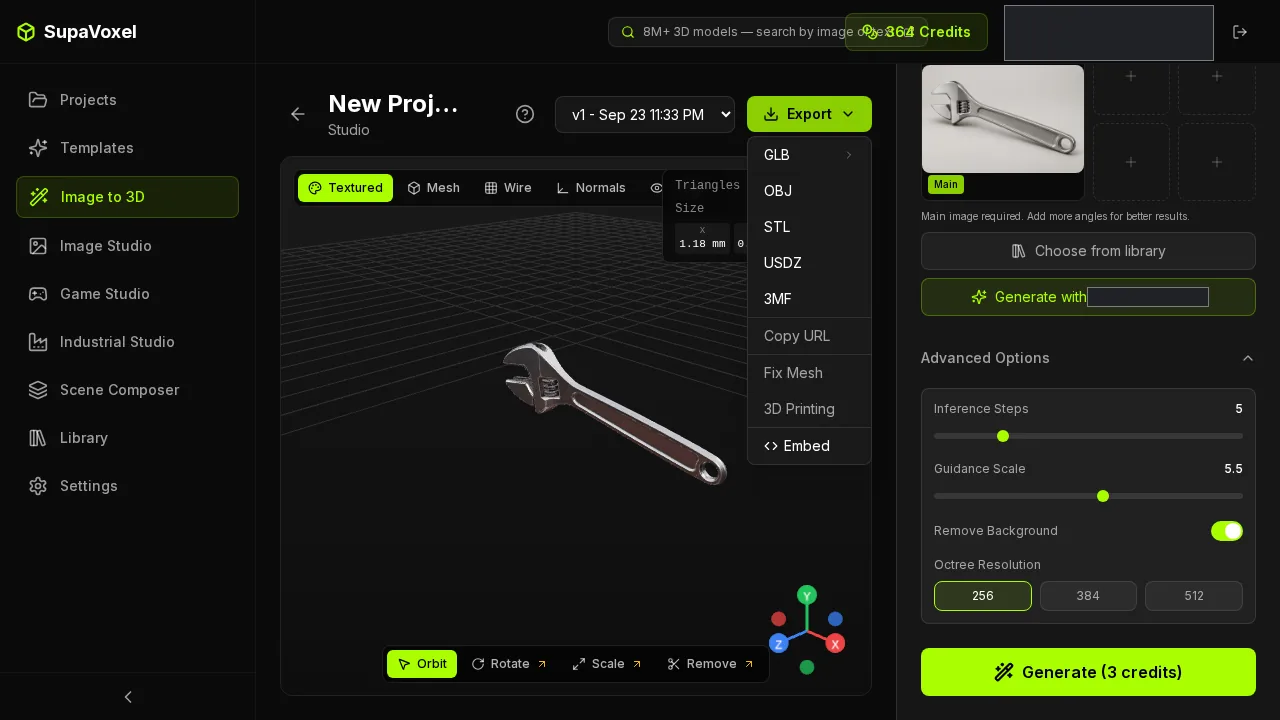
The SupaVoxel export menu after the wrench finished: a compressed 8,842,180-byte GLB and a full original-size 68,718,876-byte GLB, both sitting there from the same run.
This is the bit I didn't expect to care about and now check for first.
One generation, two deliverables. The compressed 8,842,180-byte GLB is what you put on the product page — small, fast, the one in all the download maths above. The original-size export is the complete, uncompressed version at 68,718,876 bytes, with textures stored as PNG rather than the compressed build's WebP. Bigger, because nothing has been squeezed out of it — that's what "original size" means.
So you pick per destination instead of per generation. Web page: take the small one. Handing it to an engineer, or feeding a picky importer: take the full one. Neither choice costs you a re-run, a conversion tool, or a second job on the meter.
The useful part isn't which file is smaller. It's that you get both out of one click without going back to the start.
Where Meshy actually wins
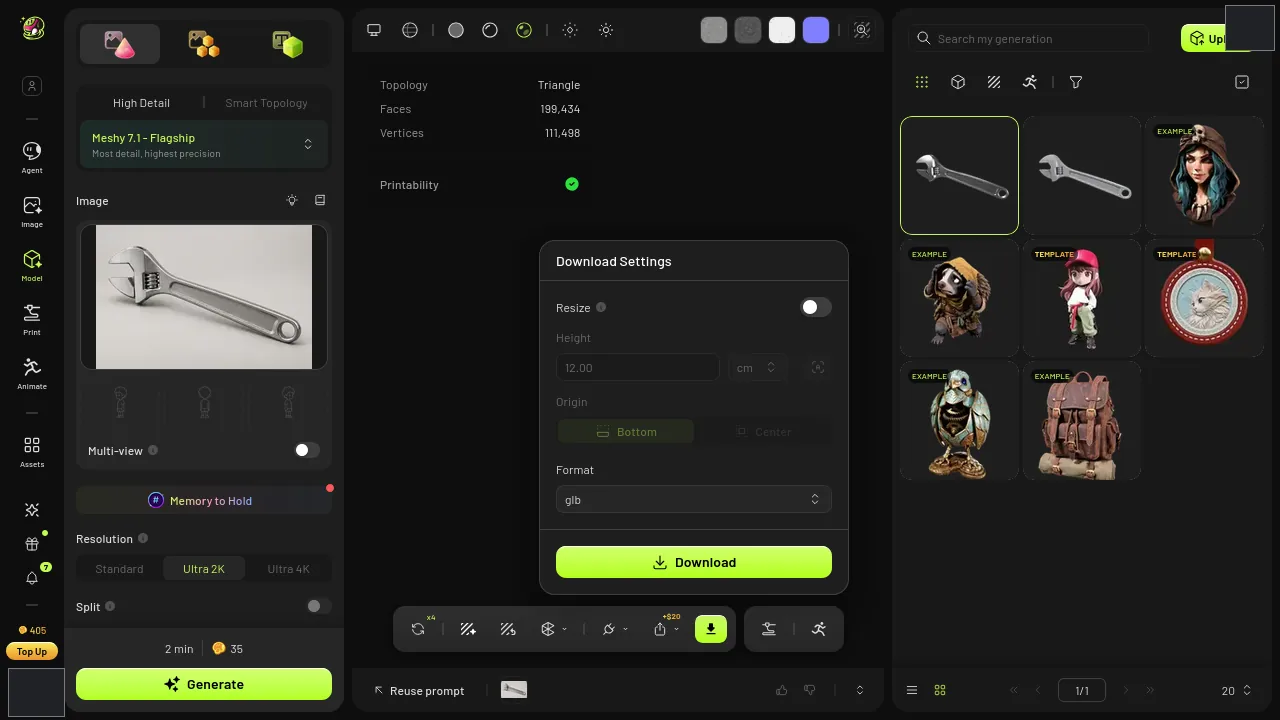
Meshy's export panel. The GLB it produced declares no required extensions at all.
Two rows go to Meshy, and they're not small.
One: Meshy's file asks nothing of your software. Both tools hand you a GLB — a single 3D file with the shapes and textures packed inside. Meshy's declares no required extensions; the compressed SupaVoxel GLB is squeezed with a scheme called meshopt, which your software has to understand before it can open that particular file. Switch to SupaVoxel's original-size export from the same menu and that decoder isn't needed either.
Picture the moment it bites. You hand the file to a colleague, they drag it into whatever viewer their team standardised on three years ago, and it just refuses. With Meshy's file that call doesn't happen — that's a genuine advantage and worth saying plainly.
One honest caveat on that whole row: I read the requirement flags out of the files. I didn't sit down and import either one into a specific piece of software, so treat this as "what the file declares it needs", not "here's what opened and what didn't".
Two: Meshy is far lighter on memory. Work out what the raw geometry wants to sit in — 32 bytes per vertex, 4 bytes per triangle index, textures not counted — and you get 6.0 MB for Meshy against 44.1 MB. That's a 38.1 MB difference in Meshy's favour.
When does that matter? A configurator page with six variants loaded at once, on a phone somebody bought in 2022. That's where a 44.1 MB geometry budget stops being a number and starts being a crash.
So Meshy wins the awkward-importer case and the tight-device case. Outright. If either of those is your reality, take Meshy and don't look back — and if you want the sharper mesh anyway, the honest route is to decimate it yourself before shipping, not to pretend the memory row doesn't exist.
So which one goes on the page?
For a wrench that has to look right when somebody leans in, on a page that has to load on a phone: SupaVoxel. More detail, smaller file, and a jaw that survives a 2× crop.
For a wrench that has to drop into a picky importer or run on a cheap device: Meshy, because none of the detail matters if the file won't open.
And on money — the job recorded 35 credits on Meshy and 3 on SupaVoxel. Two different plans, two different units. I'm not turning that into a price comparison, because it isn't one.
Try it with your own product shot
Don't take my word for a single run. Take the photo you actually need turned into 3D, run it through https://supavoxel.com and open the file the same way I did — look at the triangle count, look at the file size, then zoom all the way in on the part your customers care about.
Fifteen minutes of that beats any review, including this one.
How I tested this
One photo of an adjustable wrench, uploaded to both tools in the same session, no text prompt on either side. Meshy ran on its 7.1 Flagship model at High Detail and Ultra 2K with texture and image enhancement on; SupaVoxel ran at 5 steps, guidance 5.5, background removal on, octree 256. Each tool's own defaults, one run apiece.
Triangle counts, vertex counts, texture counts, file sizes and extension requirements were read straight out of the two downloaded files. Both renders use the same offline viewer, the same lighting and the same numeric camera angles — though each file sits in its own orientation, so treat the pairs as matched cameras, not pixel overlays.
The download seconds are arithmetic, not a stopwatch: file size × 8 ÷ 12,000,000 for the phone figure and ÷ 100,000,000 for the desk figure, assuming a steady connection and ignoring decoding and caching. The memory figures are arithmetic too, at 32 bytes per vertex plus 4 bytes per triangle index, textures excluded.
Neither tool's failure count was recorded, and Meshy's generation time wasn't either — so I've left both blank rather than guess. Both recorded zero retries.
Originally published on Medium: Meshy AI 3D Generator Review 2026: 199,434 Triangles for One Wrench.