For anyone comparing a 3d ai maker for turning drawings into usable models, this review examines Meshy AI alongside SupaVoxel. It focuses on the exported files, embedded textures, loading performance, and how closely each result matches the source image.
This is an independent test. Nothing here came from vendor access: both tools were used on my own free and paid accounts.
There's one question nobody can answer for you from a marketing page.
Does the 3D model actually look like the drawing you fed it?
I had a drawing of a graduation monkey — cap, gown, red sash, rolled diploma — and I needed a version of him that would hold up on a classroom page. I asked around for the best picture-to-3D tool and got the same two names back over and over: Meshy and SupaVoxel.
So I ran the drawing through both, rendered both results from identical camera angles, and cropped the same rectangles out of each.
My verdict in 60 seconds — Meshy 59/100, SupaVoxel 89/100. My scores for this one job. The numbers underneath came out of the two files.
Quick jargon check. Textures are the colour images painted onto a 3D shape. A GLB is the single file carrying the shape and those textures together. Triangles are the flat scraps the shape is built from.
Here's what I found:
- Colour textures inside — Meshy 3 vs SupaVoxel 3 · Meshy 7/10 · SupaVoxel 7/10 — a straight tie: both embed exactly three, so nobody is painting this monkey better than anybody else.
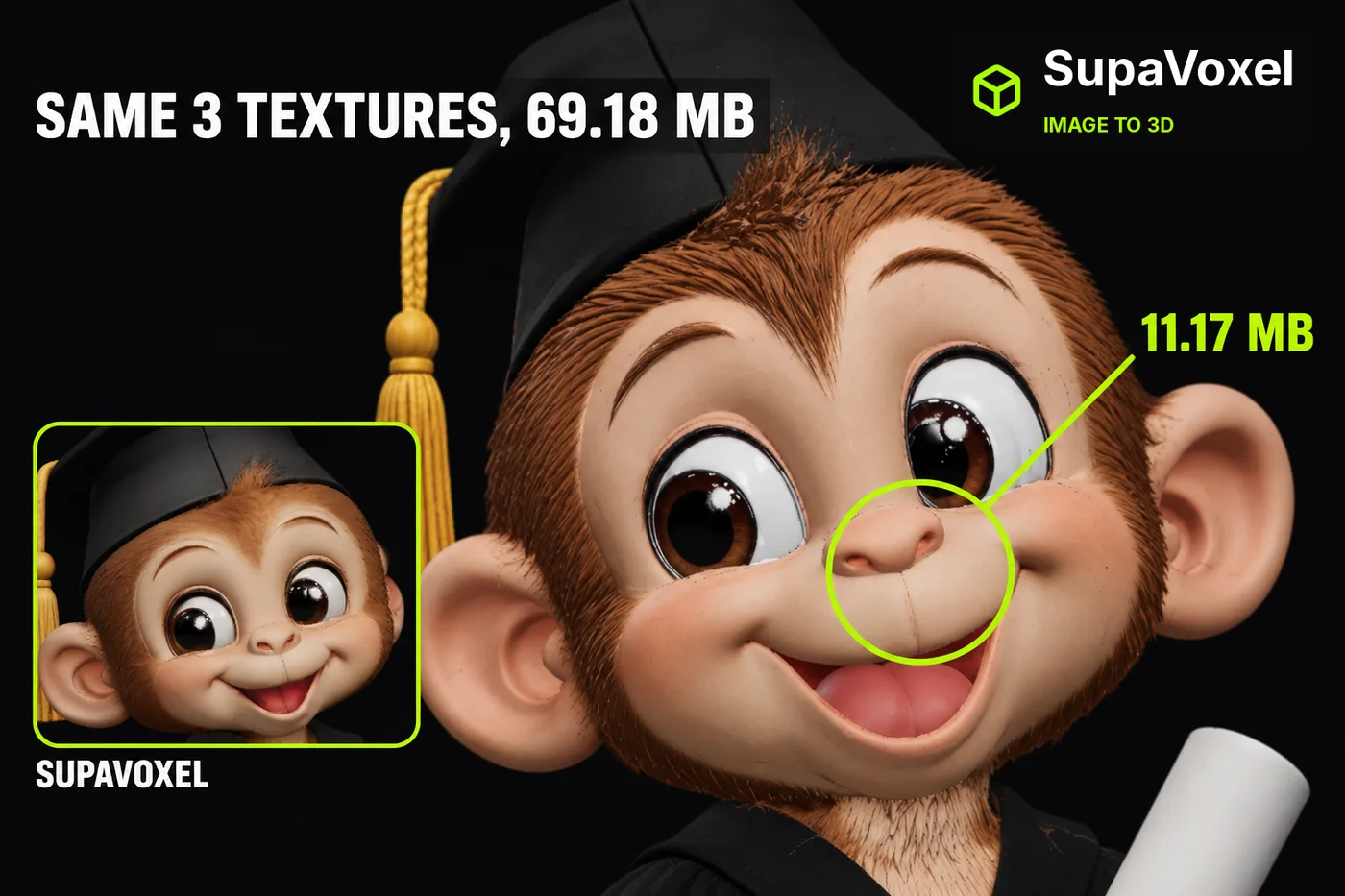
- Bytes carrying those 3 textures — Meshy 69,179,580 B vs SupaVoxel 11,165,408 B · Meshy 5/10 · SupaVoxel 9/10 — Meshy charges you six times the box for the same three coats of paint; SupaVoxel delivers the identical count in 11.17 MB.
- Wait before anyone sees that look, at 12 Mbps — Meshy 46 seconds vs SupaVoxel 7 seconds · Meshy 4/10 · SupaVoxel 9/10 — Meshy's likeness arrives after a spinner most people won't sit through; SupaVoxel's is on screen while they're still looking.
- The face at a shared crop box — both keep eyes, nose, smile and cap brim · Meshy 7/10 · SupaVoxel 7/10 — a tie, and the expensive kind for Meshy: 586,096 extra triangles bought no visible advantage in the frame that matters most.
- The diploma and sash at a shared crop box — both resolve the roll and the red band · Meshy 7/10 · SupaVoxel 7/10 — another tie: the prop reads correctly on both, so Meshy's extra weight bought nothing here either.
- The mortarboard from overhead — four square corners on both · Meshy 7/10 · SupaVoxel 7/10 — tie again on the hardest shape in the drawing, which Meshy needed 2,086,002 triangles to match rather than beat.
- Triangles spent on that look — Meshy 2,086,002 vs SupaVoxel 1,499,906 · Meshy 5/10 · SupaVoxel 8/10 — Meshy spends 586,096 more scraps for a result I can't tell apart; SupaVoxel gets the same read from 72% of the count.
- Exports you get from one run — Meshy 1 GLB vs SupaVoxel 2 (compressed and original size) · Meshy 5/10 · SupaVoxel 9/10 — Meshy gives you one weight for every use of that likeness; SupaVoxel gives you a web-weight file and a full uncompressed one from the same menu.
Three things stood out. Meshy packs exactly 3 colour textures — the same count the 11.17 MB file carries — into 69,179,580 bytes. Meshy spends over two million triangles on a face crop that isn't visibly closer to the drawing than one built from a million and a half. And on the back, where every tool is guessing, Meshy has nothing to be judged against and neither does anyone else.
For a page where the monkey just has to read correctly at a glance, I'd ship the smaller file — the one SupaVoxel made. SupaVoxel's site, if you want to see it.
This is one image and one run on each side — not a lab study.
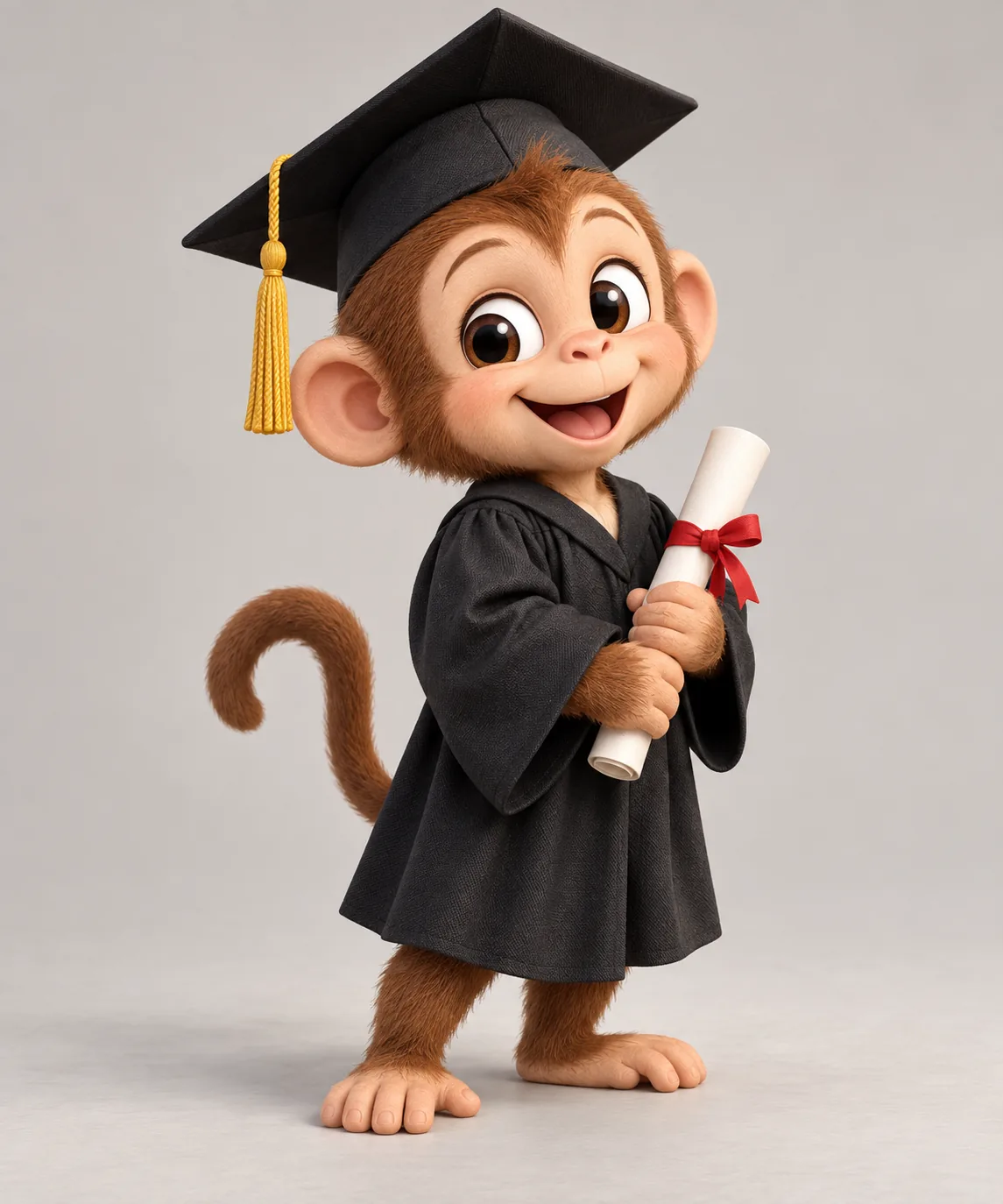
The drawing both tools were given, and the only reference either of them had. Uploaded to Meshy at 02:26 UTC and SupaVoxel at 02:49, no text prompt on either. Note what's missing: any view of the back. That gap decides half this article.
Same paint, so why is Meshy six times the box?
Start with the thing that made me go back and re-check.
Both files carry exactly 3 colour textures. That's a count, not a resolution — I measured how many images Meshy and SupaVoxel each pack in, not how large those images are.
Meshy needed 69.18 MB to deliver its three. SupaVoxel needed 11.17 MB to deliver its three. Same three coats of paint, and Meshy asks six times the box to carry them.
Both also come out as a GLB, so nobody has to convert anything before they look at either one. That part is a clean tie.
Meshy straight on at the front camera. Cap square, gown falling properly, diploma a clean cylinder, sash reading as a separate band. Genuinely good work from one picture.

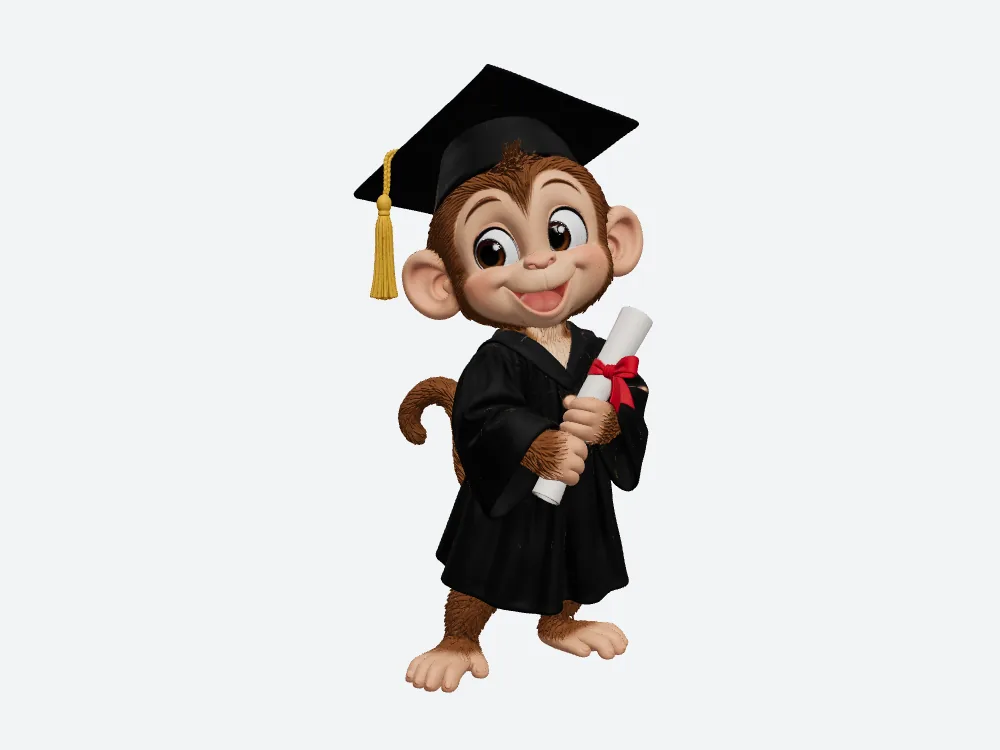
SupaVoxel from the identical front camera. Same four elements, same read, from a file 58,014,172 bytes lighter. The two models can sit at slightly different angles inside their own files, so this is same-camera rather than pixel-matched.
Sounds fine either way, right? It isn't, once the file leaves your machine. On a 12 Mbps phone connection the Meshy 69.18 MB is about a 46-second download against about 7 seconds — arithmetic on the measured bytes, no handshake or decoding included.
Six times the shipping cost for the same three coats of paint.
Is the Meshy face any closer to the drawing?
This is the crop that matters, because kids look at the face.
I cut an identical rectangle out of the Meshy render and the SupaVoxel one — same coordinates on the same front view, same 2× zoom, no cherry-picking angles.
Meshy's face at the shared crop box. Eyes, nose, smile and cap brim all present and all readable. The muzzle-to-cheek transition is smooth, with no visible joins.
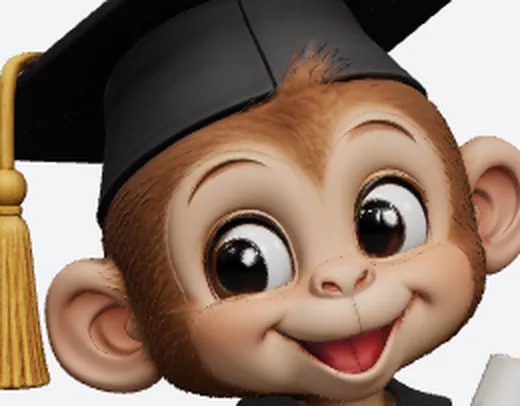
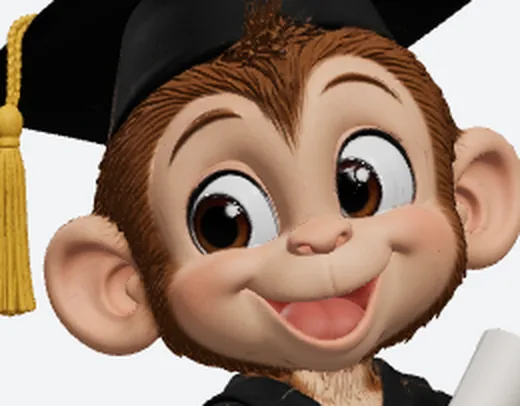
SupaVoxel's face, identical rectangle and identical zoom. Eyes, nose, smile and brim again — plus a faint seam running along the nose bridge and cheek boundary, which I'll own properly in a moment.
Both are readable. That's the finding, and it's more damning for Meshy than it sounds: those extra 586,096 Meshy triangles didn't buy a single visible advantage inside this frame, and this is the frame Meshy most needed to win.
Here's the moment that matters to you. A parent zooms in on the class page. At that zoom level, on that crop, the heavy Meshy file and the light one tell you exactly the same thing about the monkey.
When the heavy option and the light option look the same, the heavy one has to justify itself. Meshy can't, not in this crop.
The diploma, the sash, and the same result again
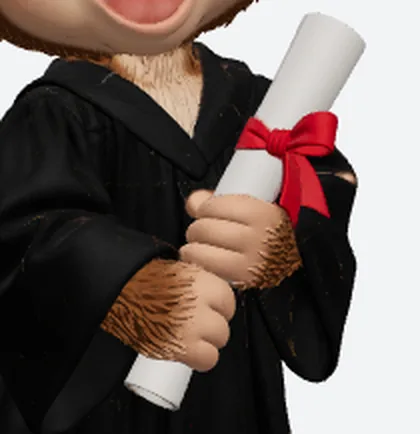
Meshy's diploma, red sash and sleeve edge at the second shared crop box. The roll reads as a roll, the sash reads as a band lying on top of the gown, and the sleeve edge stays distinct from the hand.
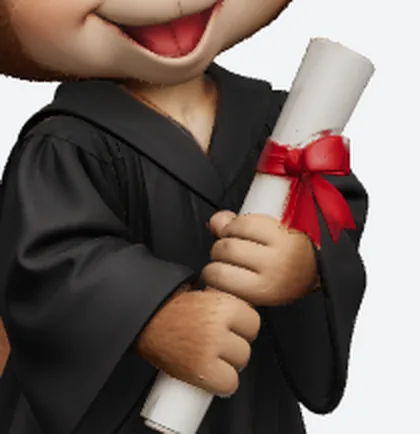
SupaVoxel at the identical box and zoom. Same roll, same red band, same sleeve separation — from 58 MB less file and 586,096 fewer triangles.
Both resolve the prop. Both would print fine on a worksheet. Meshy has no edge here that I can point at, and I went looking for a Meshy edge specifically.
Underneath these two crops sit 1,129,335 corner points on the Meshy side and 890,607 on the other — a gap of 238,728 points that produced no difference I can point to in either rectangle.
Run those counts through a standard layout — 32 bytes per point, 4 bytes per triangle index — and the Meshy shape wants about 61.17 MB of memory against about 46.50 MB. Illustrative arithmetic applied to both, not a graphics card reading.
That's roughly 14.67 MB of extra memory that, as far as these two crops show, bought you nothing you can see.
And if you're about to say weight doesn't matter on a real computer: on a 100 Mbps line the Meshy file is 5.5 seconds of download against 0.9, which genuinely nobody cares about. It's the phone that kills you, not the desktop.
The cap from above, where Meshy had a real chance
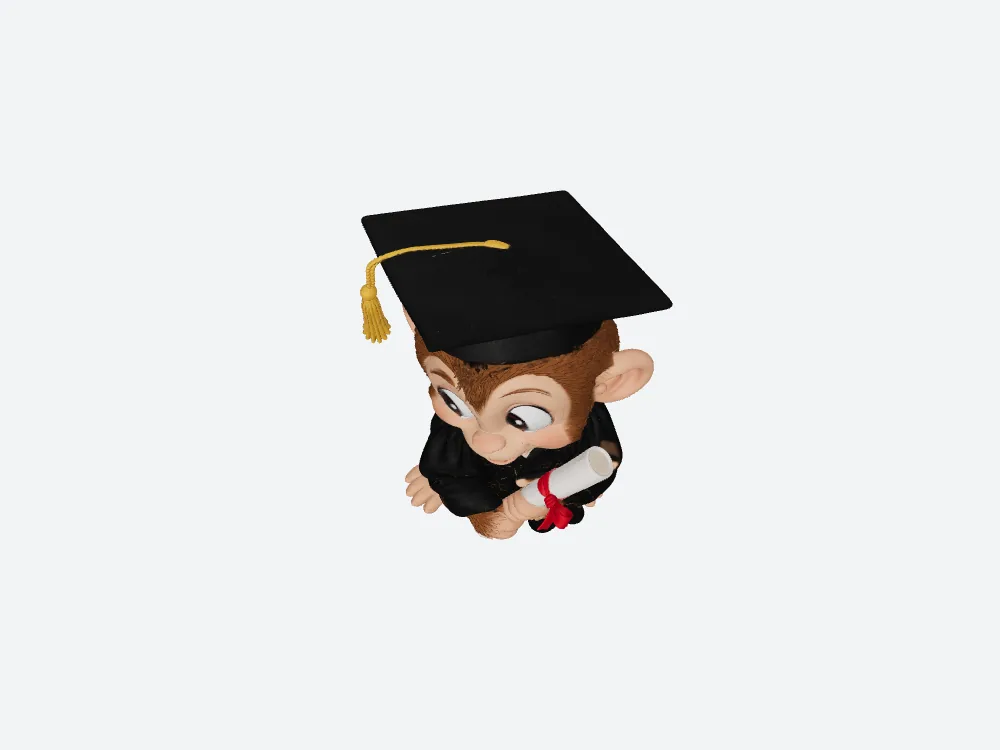
Meshy from directly overhead. Four square corners on the mortarboard and a crisp brim — the classic place these things go soft and pillowy. Meshy held it.
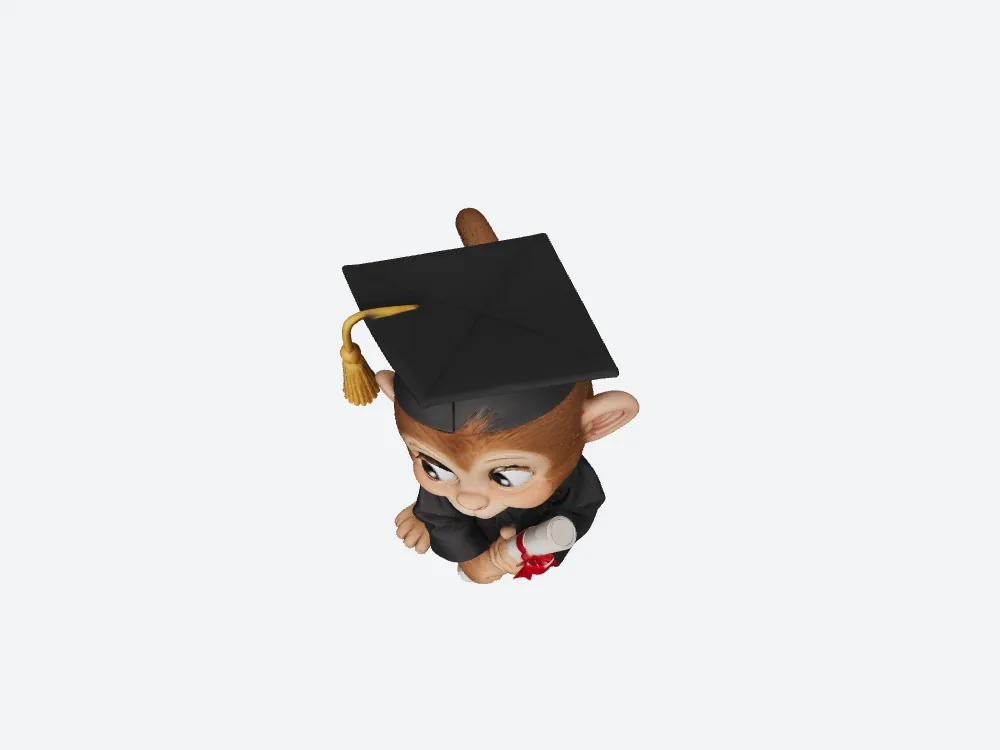
SupaVoxel, identical overhead angle. Four corners as well, same brim line, from 1,499,906 triangles against Meshy's 2,086,002.
Both hold the square. That's the pattern of this whole comparison in one picture: Meshy's extra weight buys a match, not a win.
The angle you'd actually put on a slide
Crops are useful, but nobody shows a class a crop. They show the whole monkey, turned three-quarters.
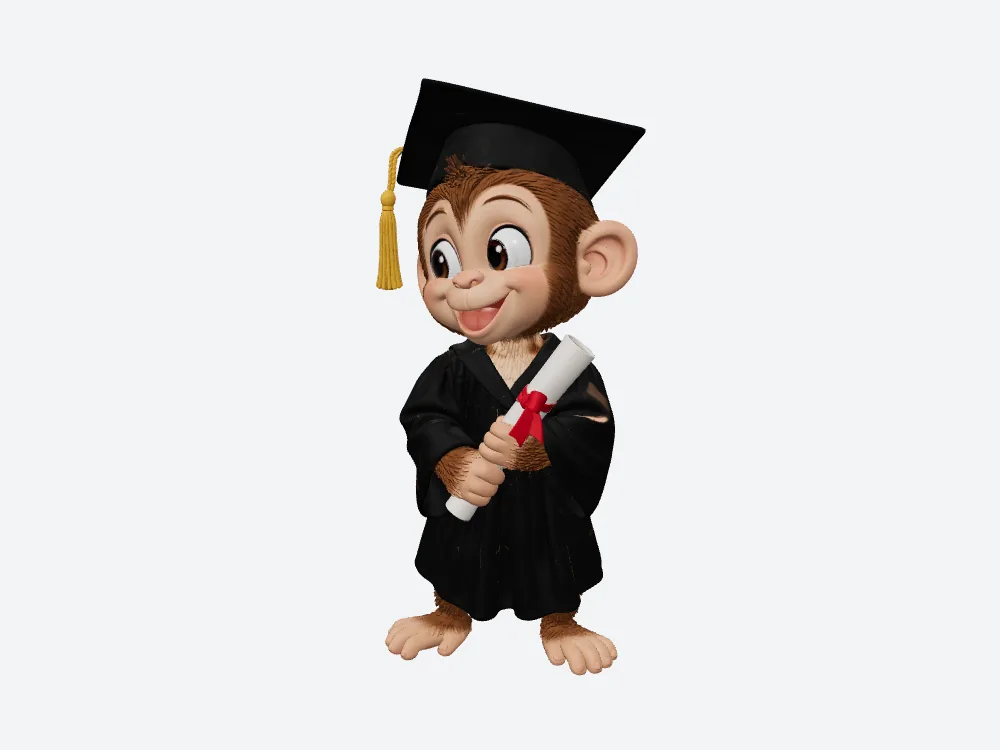
Meshy's monkey at the classic three-quarter angle. Cap, gown, sash, diploma — Meshy landed all four from a single drawing, and this is the frame its own result view sits closest to.
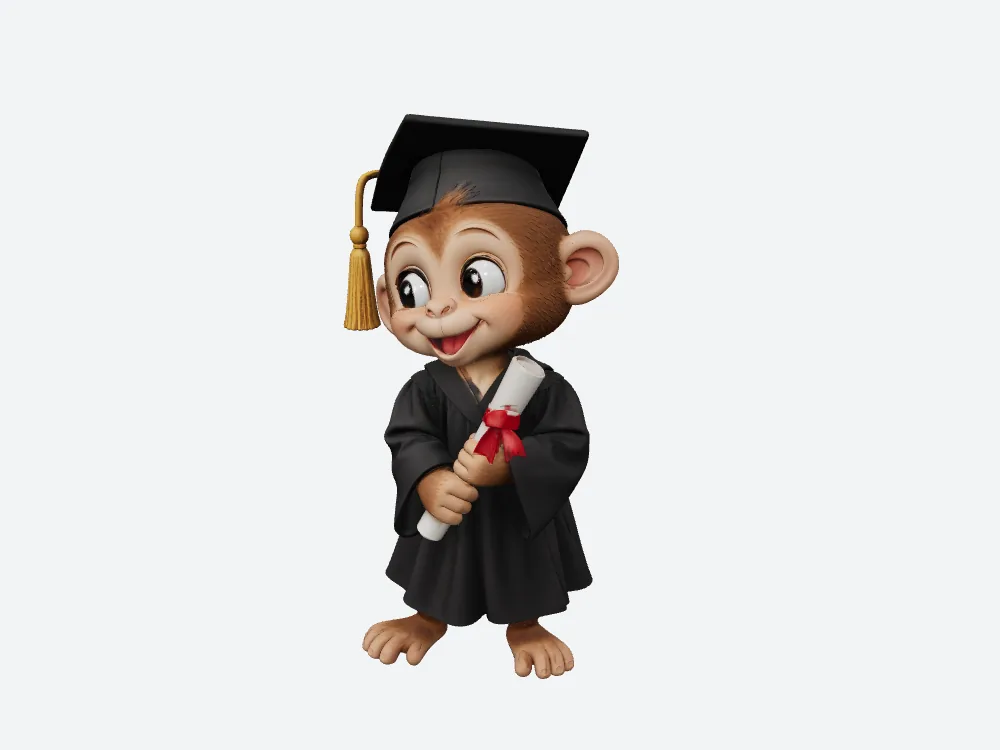
SupaVoxel at the identical angle. All four again, from a file 58 MB lighter and with the same 3 textures inside.
Put those side by side on a projector and ask a room of teachers which one cost 35 Meshy credits and which cost 3 SupaVoxel credits. Nobody's picking correctly. And before you do the maths on that: two different plans, two different units — not a price comparison, and I never captured what a credit costs on either side.
A silhouette is usually where surplus geometry finally shows itself, since every bump reads against empty background. I went looking for the 586,096 extra Meshy triangles at this angle too, and came back with nothing.
The Meshy advantage has to show up somewhere a person can see it, and across five camera angles and two crops it never did.
One likeness, two files to ship it in
There's one more difference, and it isn't about how the monkey looks. It's about how many versions of that look you get to keep.
Meshy's run gives you a single GLB at 69,179,580 bytes. That one file is what goes to the lesson page, the archive and anyone downstream who asks.
The SupaVoxel menu gives you two from the same generation: the compressed GLB at 11,165,408 bytes, and an original-size GLB the browser recorded at 82,060,632 bytes. The second is the full uncompressed deliverable, so naturally it's the bigger of the two — that's what uncompressed means.
Same likeness, two weights, chosen per destination. Put the 11.17 MB version on the page a parent opens on a phone; hand the original size to whatever wants the model plain and unpacked. No re-running the drawing, no conversion tool, no second charge in anybody's credits.
I never saved that original-size file, so I can't tell you what's inside it. I can tell you it's one click from a run you already made, and that Meshy's export panel offers nothing like it.
The back, where nobody gets a score
Now the honest part, and the part most reviews fake.
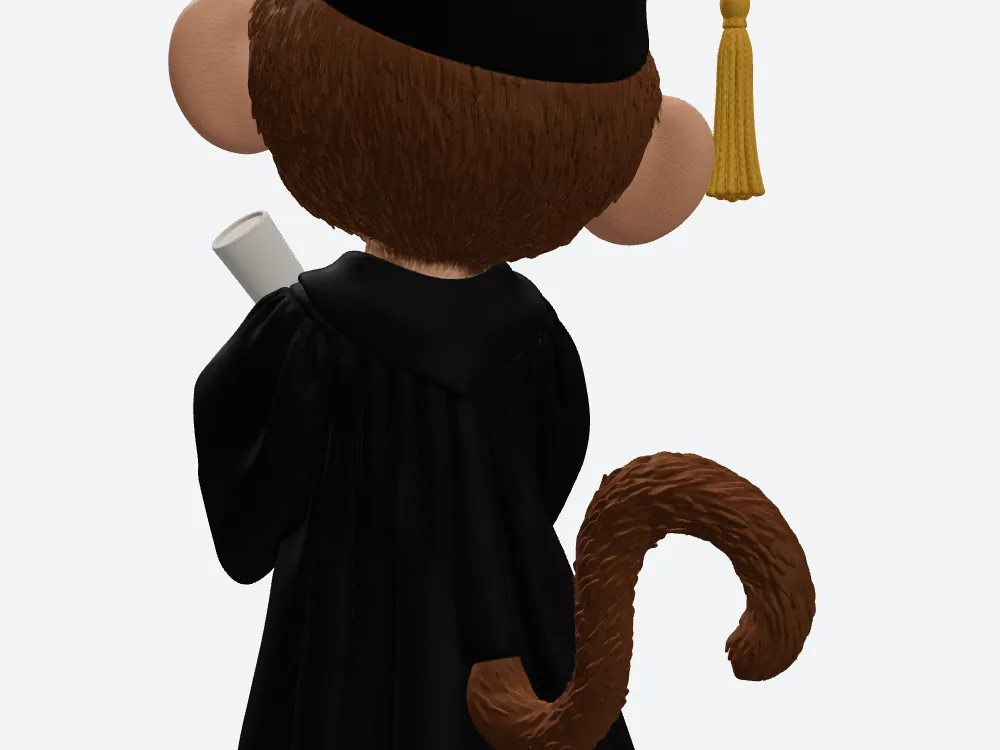
Meshy's rear close-up. A continuous gown surface with no hole in it and a plausible hood shape — worth saying plainly, because gaps back here are a common failure.
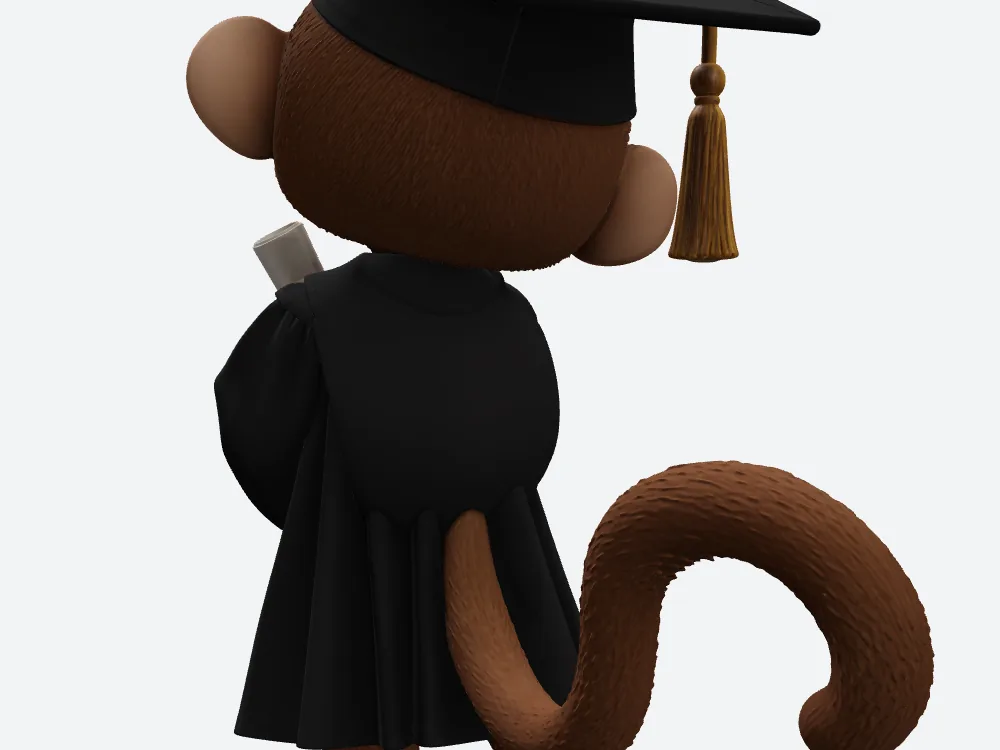
SupaVoxel's rear close-up at the identical angle and zoom. Also continuous, also no hole, and just as invented as the Meshy one next to it.
The drawing has no back. So there is no right answer for Meshy's gown seam, hood or cap rear — and none for the SupaVoxel one either.
I can describe what Meshy invented and what SupaVoxel invented. I cannot grade either one. Anyone who tells you one AI "got the back right" from a front-only reference is selling you something, and that applies to anybody praising Meshy here as much as anybody attacking it.
That limitation is symmetric, and it is not a mark against Meshy.
What a nice face still won't do
Whatever the face looks like, neither file will act.
Both contain zero skeletons and zero animation clips. Meshy: zero and zero. SupaVoxel: zero and zero. For a tool Meshy markets on characters, that empty pair of boxes is worth noticing.
So the Meshy monkey can be looked at and turned, and so can the other one. Neither can blink, wave or mouth a word without somebody building a rig by hand — and that somebody would rather be dragging 1,499,906 triangles than Meshy's 2,086,002 through every brush stroke.
Where Meshy actually wins
Three of them, in one place, with what each one costs you.
One: no seam on the face. Look back at that crop pair. The SupaVoxel face has a faint line along the nose bridge and cheek boundary. Meshy's doesn't. If you're planning to blend a facial rig across that area, Meshy hands you the cleaner surface, and that is a real advantage worth having.
Two: no required extensions. Inside every GLB is a line saying what your software must support before it can open the file. Meshy's list is empty. The compressed SupaVoxel file names two — meshopt and quantization, both ways of squeezing shape data down. Switch to the original-size export on the SupaVoxel side and you don't need that decoder either, but straight out of the menu the Meshy file is the one you can throw at anything.
The exchange rate on that one: to get it from Meshy you accept 586,096 more triangles, 58,014,172 more bytes, about 14.67 MB more memory and roughly 39 extra seconds of phone download — for a face crop that isn't measurably closer to the drawing.
Three: a clean back. No hole to patch anywhere on the Meshy gown. Neither file had one, so this is a tie Meshy doesn't lose — and given how often these tools leave a gap back there, it's worth a mention.
Two caveats I won't dress up. I never loaded either file into a specific program, so the compatibility point is a label reading, not an import test. And whether the tassel or the eye shape truly match the drawing was never verified on either side — "readable" is as far as I got.
Final verdict: Meshy scores 59/100 for this job
Meshy turned one drawing into a complete, textured, open-anywhere graduation monkey on the first attempt, with a clean face crop, a square mortarboard and no hole in the back of the gown. That's genuinely good work by Meshy and it's why Meshy clears 59.
What Meshy didn't do is turn its 2,086,002 triangles, its 1,129,335 corner points or its 69,179,580 bytes into anything you can see. Meshy packs 3 colour textures; so does a file six times smaller. The Meshy face crop and the SupaVoxel one both keep the eyes, nose, smile and cap. The diploma crop is a draw, the overhead cap is a draw, the profile is a draw. On the back, neither has a reference to be judged by.
Meshy also never reported how long it took, and neither side reported a failure or retry count — so nothing here speaks to speed or reliability.
Meshy looks right. Meshy just needs six times as much box to look right, and for a classroom page that Meshy weight is the whole story.
Use SupaVoxel for this job
For a monkey that has to read correctly on a lesson page, I'd ship the 11.17 MB compressed export rather than the 69.18 MB Meshy file — with the nose-bridge seam checked first. If something downstream wants the model unpacked instead, the original-size download is on the same menu, from the same run.
Then go do this yourself, because it takes twenty minutes. Run your picture through Meshy and through SupaVoxel, render both from the same angle, and crop the same rectangle out of each. Meshy is easy enough to find, and SupaVoxel is at https://supavoxel.com. That single test will tell you more than any review, this one included.
How I tested this
One drawing. One Meshy run at 02:26 UTC on 24 September, one SupaVoxel run at 02:49 the same morning, no text prompt on either side.
Meshy ran through its image-to-3D flow on High Detail at Ultra 2K with texturing and image enhancement on. SupaVoxel ran a full model at 5 steps, guidance 5.5, background removal on, resolution setting 256. Meshy and SupaVoxel don't expose the same controls at all, so identical input was the only thing I could hold constant — and that cuts against my conclusions as much as it cuts against Meshy.
All renders came from one offline viewer with one light setup and identical camera numbers on both models, so what you compared above is the model, not a screenshot. Both detail crops used the same normalised rectangle on the same front render at the same 2× zoom. Because each file can carry its own internal orientation, matching camera numbers don't guarantee a pixel-perfect overlay — treat the pairs as same-angle.
Measured from the Meshy and SupaVoxel files directly: embedded texture count, file size, download format, triangles, corner points, skeletons and animations. Both downloads were checked against their own fingerprints first.
Arithmetic, not measured: download seconds assume a steady 12 Mbps or 100 Mbps line with no handshake or decoding. The memory figures assume 32 bytes per corner point and 4 bytes per triangle index — an illustrative layout, not a graphics card reading. A 100-copy set works out at about 6.92 GB against 1.12 GB, which is this one result multiplied by 100 and nothing more.
Never captured: how long Meshy took to generate — the Meshy record simply didn't show one, while SupaVoxel's logged 304.808 seconds — plus failure and retry counts on both sides, and whether the tassel and eyes truly match the drawing.
One note on money, since people ask: the job record shows 35 credits on the Meshy side and 3 on the SupaVoxel side. Two different plans, two different units. That is not a price comparison and I won't make it one.
Originally published on Medium: Meshy AI 3D Model Review 2026: Same 3 Textures, 69.18 MB File.