For anyone weighing a 3d ai maker for small-product ideas, this comparison follows Meshy 3D Agent and Snapshapy through the same corgi keychain brief, with attention to concepts, cost, clicks, speed, and the final verdict.
My first message to both agents was "Give me 4 concepts for a chibi corgi keychain figure." Meshy 3D Agent answered with a text card of four named directions plus a Custom button, waited for me to pick one and press Submit, showed an approval card at Est. Cost 9, and then drew one corgi in about 22 seconds. Snapshapy's 3D Agent answered the same sentence with four drawn corgis, each with a keyring loop on top, for 8 credits and no approval. By the end of the run Meshy had asked for about 11 clicks beyond my three messages. Snapshapy asked for 2.
I tested Meshy 3D Agent at meshy.ai and Snapshapy's 3D Agent at snapshapy.com, one new conversation each, the same three messages typed verbatim: four concepts, option 1 as a 3D model, and a print file for a 5 cm keychain. Whenever a card offered choices, I picked the first option.
I ran the Snapshapy side the next day, after an update; the Meshy numbers are from the first day. Both accounts were paid: Meshy Pro at $20 a month for 1,000 credits, Snapshapy Pro. Every number below is a balance I watched, a card in the chat, a stopwatch reading, or a file I downloaded and measured myself.
My verdict in 60 seconds — Meshy 3D Agent 60/100, Snapshapy 88/100
Meshy 3D Agent is fast and its one corgi is charming, but it turned a request for four ideas into a question, one drawing and a chain of clicks, and that concept stage sets the tone for the rest of the run.
- Concepts delivered — Meshy 3/10 · Snapshapy 9/10 — 1 drawing vs the 4 I asked for
- Concept cost — Meshy 4/10 · Snapshapy 9/10 — 9 credits per drawing vs 2, 4.5×
- Clicks before the first drawing — Meshy 4/10 · Snapshapy 10/10 — select, Submit and Approve (3) vs 0
- Clicks for the whole run — Meshy 4/10 · Snapshapy 9/10 — ≈11 vs 2 beyond the three messages
- Credits for one keychain — Meshy 4/10 · Snapshapy 9/10 — 39 vs 11, $0.78 vs $0.52, 3.5×
- Speed — Meshy 9/10 · Snapshapy 6/10 — ≈98 s vs ≈311.5 s of job time for the whole run
- Print detail / mesh density — Meshy 9/10 · Snapshapy 6/10 — 348,454 vs 29,972 faces, 0.244 mm vs 0.581 mm mean edge
- Print-ready file — Meshy 8/10 · Snapshapy 9/10 — both watertight, 1 body, 0 non-manifold edges; Snapshapy already 50.0 mm on its longest side, 1.5 MB vs 17.4 MB
The concrete problems with Meshy:
- "Give me 4 concepts" produced a text card, not four pictures, and the card needed a selection plus Submit.
- The one picture cost 9 credits behind its own approval card; four at that rate would be 36 credits.
- The 3D step needed a second Approve at Est. Cost 30, ten times Snapshapy's 3 credits.
- The 5 cm file needed 7 clicks in a viewer and download dialog that opened at 12.00 cm with Resize off.
For a 5 cm printed keychain, I would use Snapshapy.
Meshy's first reply: four names and a Custom button
My first message asked for four concepts. Meshy 3D Agent replied with a choice card titled "Which chibi corgi keychain concept would you like to create?" and four text options: Bread Loaf & Heart, Boba Hugger Corgi, Toast Collar Pup and Royal Prince Corgi, plus a Custom button. Nothing had been drawn yet.
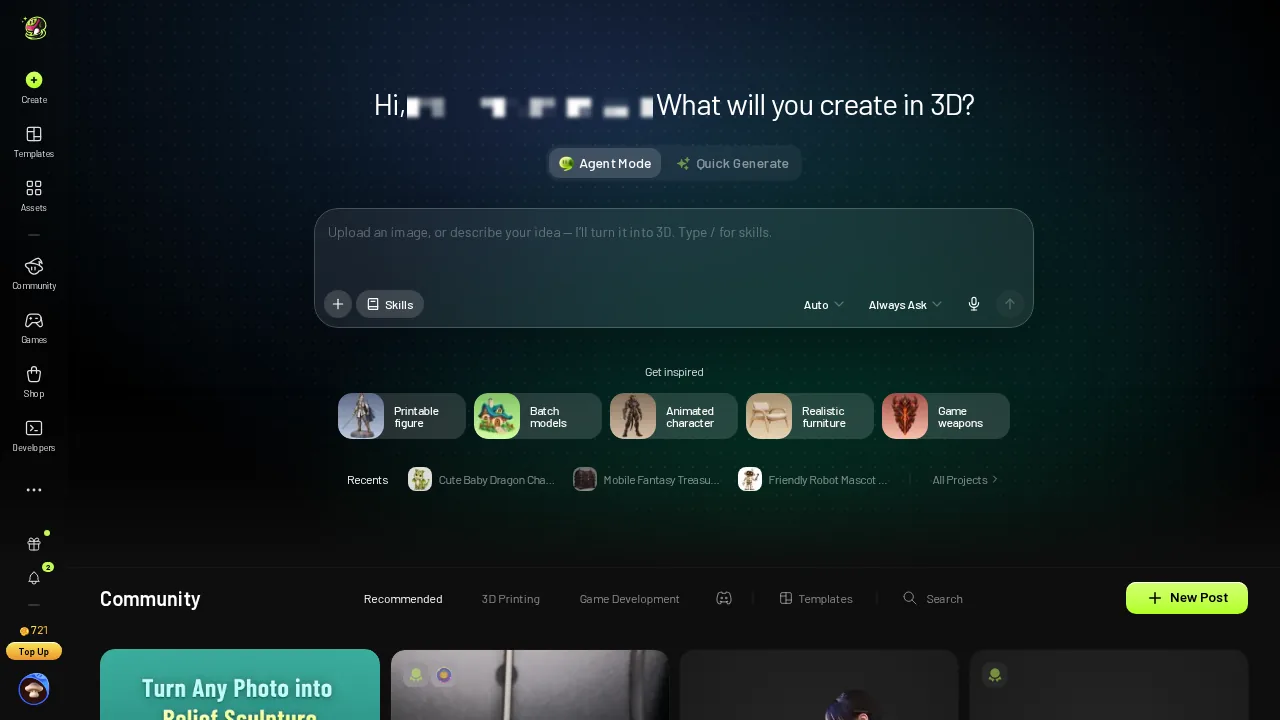 Meshy 3D Agent home with the Top Up button.
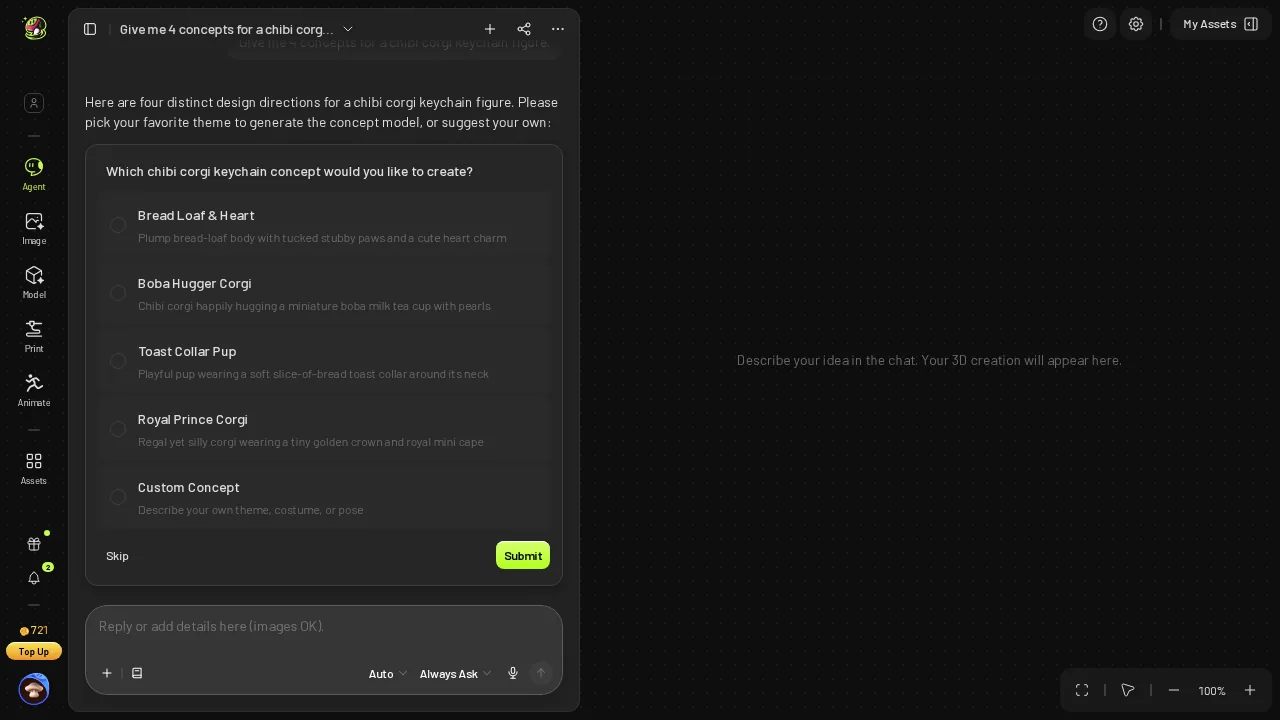 Meshy's reply to "Give me 4 concepts": four keychain directions as text, plus Custom; nothing drawn yet.
- What message 1 returned first — Meshy 4 names + Custom, 0 images · Snapshapy 4 images
- Clicks to leave the card — Meshy 2 (select option 1, Submit) · Snapshapy 0
The names are good ones. The issue is that Meshy treated "4 concepts" as "4 things to choose between" and asked me to choose before I had seen any of them. Picking a keychain design from four lines of text is guessing, and the guess costs 9 credits.
Bread Loaf & Heart, after Submit and an Est. Cost 9 card
I selected option 1, Bread Loaf & Heart, and pressed Submit. Meshy did not draw yet. It showed a Text to Image approval card with Est. Cost 9, and only after Approve did the image job start.
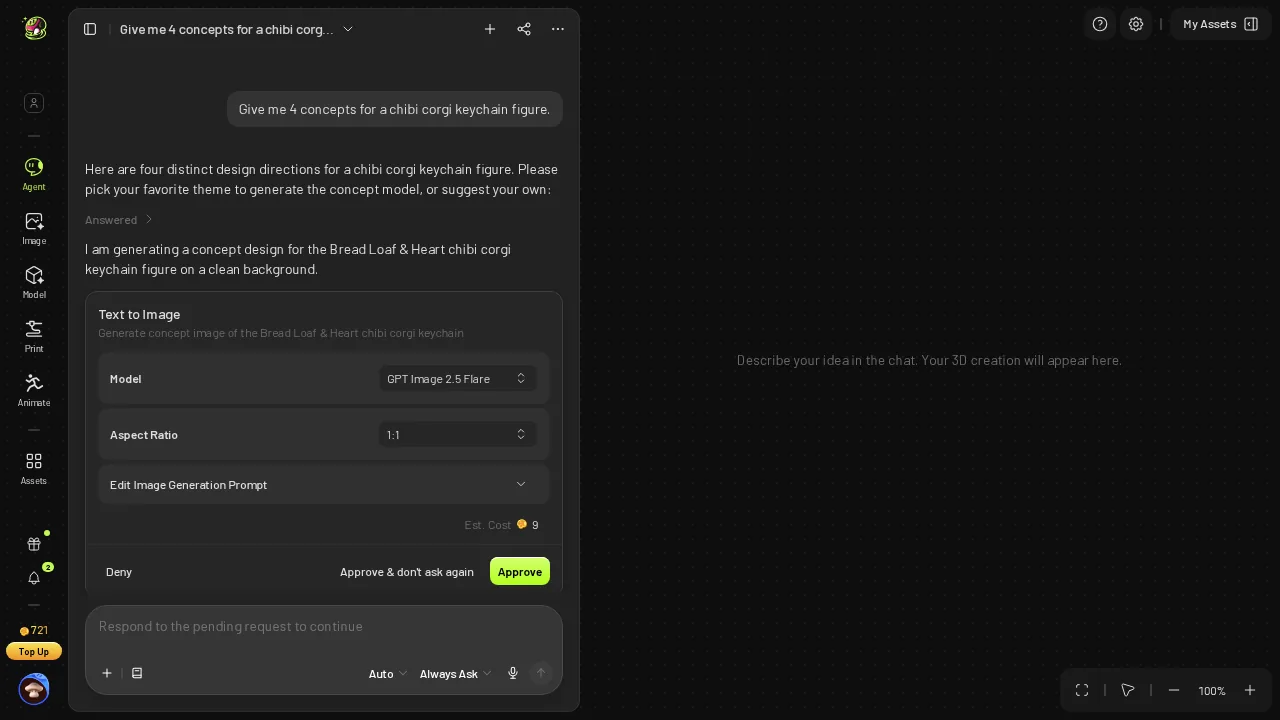 After picking option 1: a Text to Image approval card, Est. Cost 9.
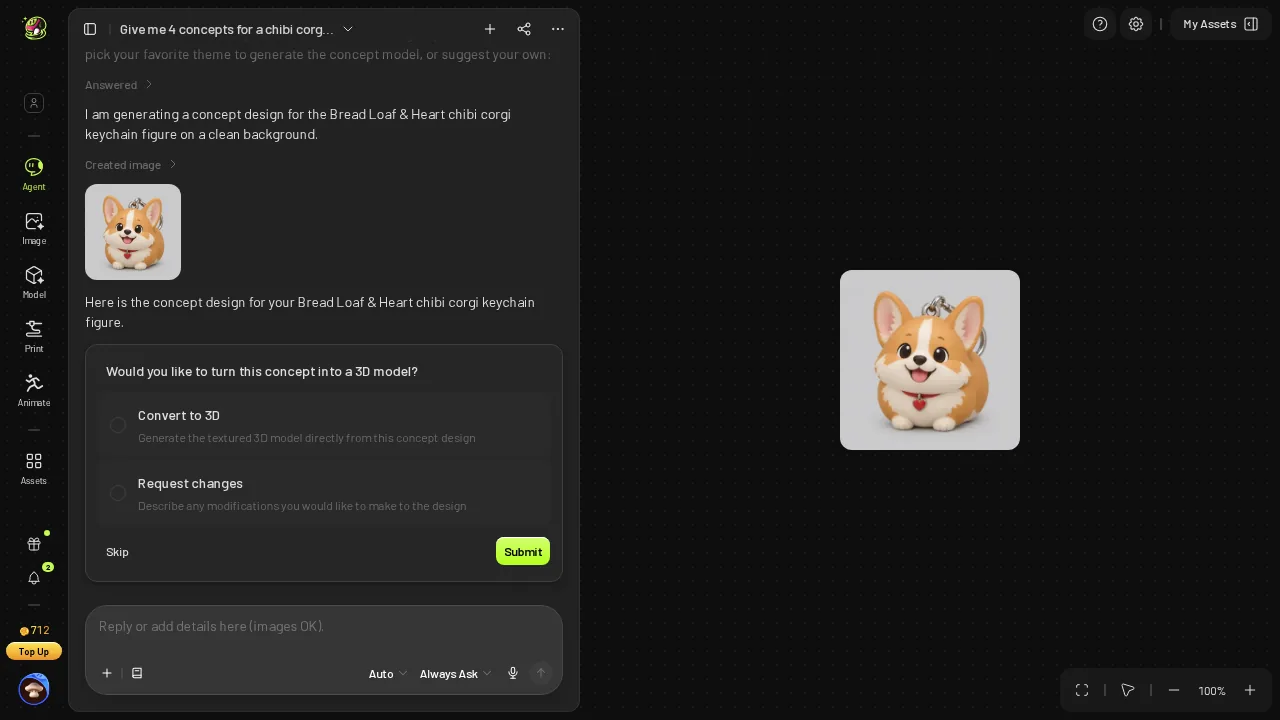 The single Bread Loaf & Heart concept in the Meshy chat.
The result was one picture: a loaf-shaped corgi with a red collar and a heart charm. Meshy's one concept is clean and appealing. Meshy was also the faster agent: ≈22 s for that one image, 72 s vs 260.8 s for the 3D step, and ≈98 s vs ≈311.5 s for the whole run.
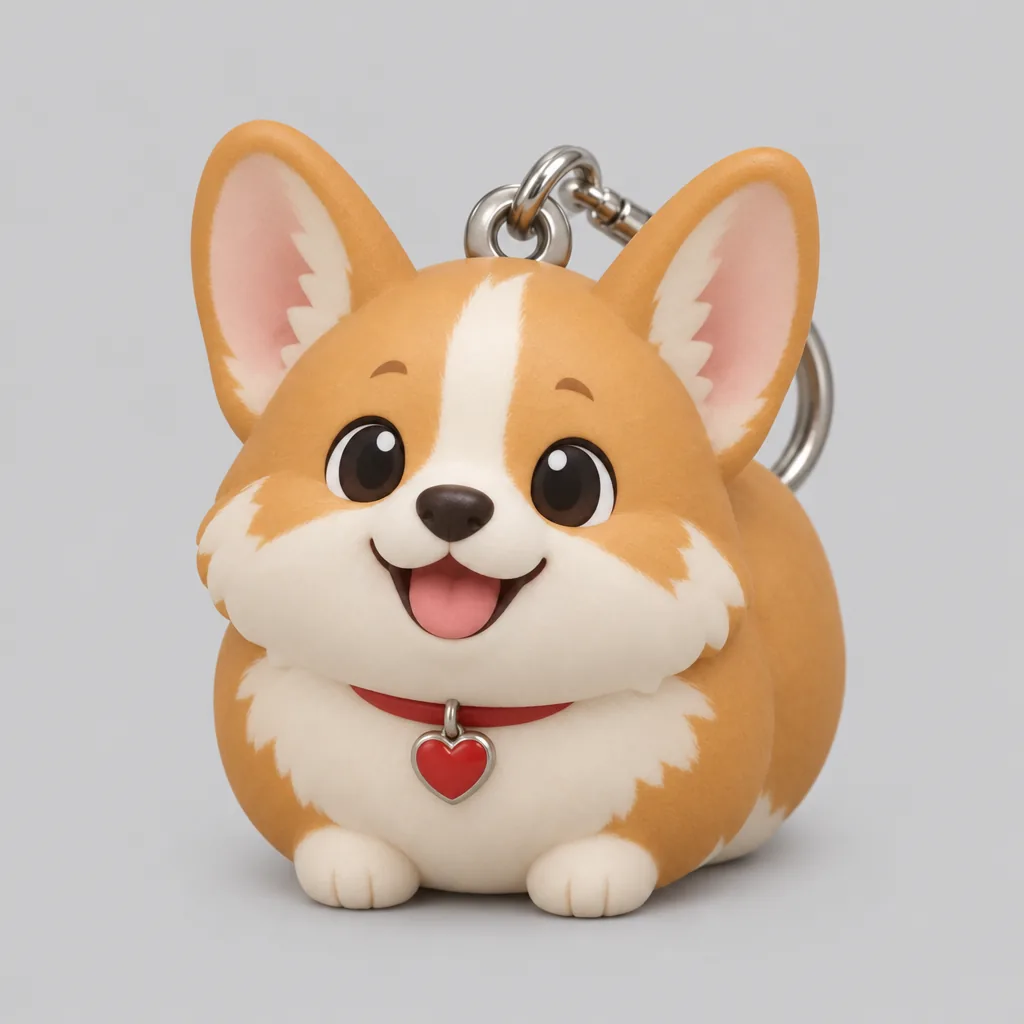 Meshy's one concept image, full size: a clean, appealing design.
- Concept stage on Meshy — 1 card, 2 clicks, 1 approval, 1 click, 1 image, 9 credits
- Meshy balance — 721 → 712 after message 1
Snapshapy's first reply: four corgis, four keyring loops
Snapshapy started from 1,001 credits. Its reply to the same sentence listed four directions, a sitting corgi, one flopped on its belly, one in a scarf and bobble hat, and one mid-hop, "each with a little keyring loop on top", and said "8 credits". There was no approval card. All four images drew in parallel, each taking 30–41 s.
 Snapshapy 3D Agent home with 1,001 credits before the run (next-day run).
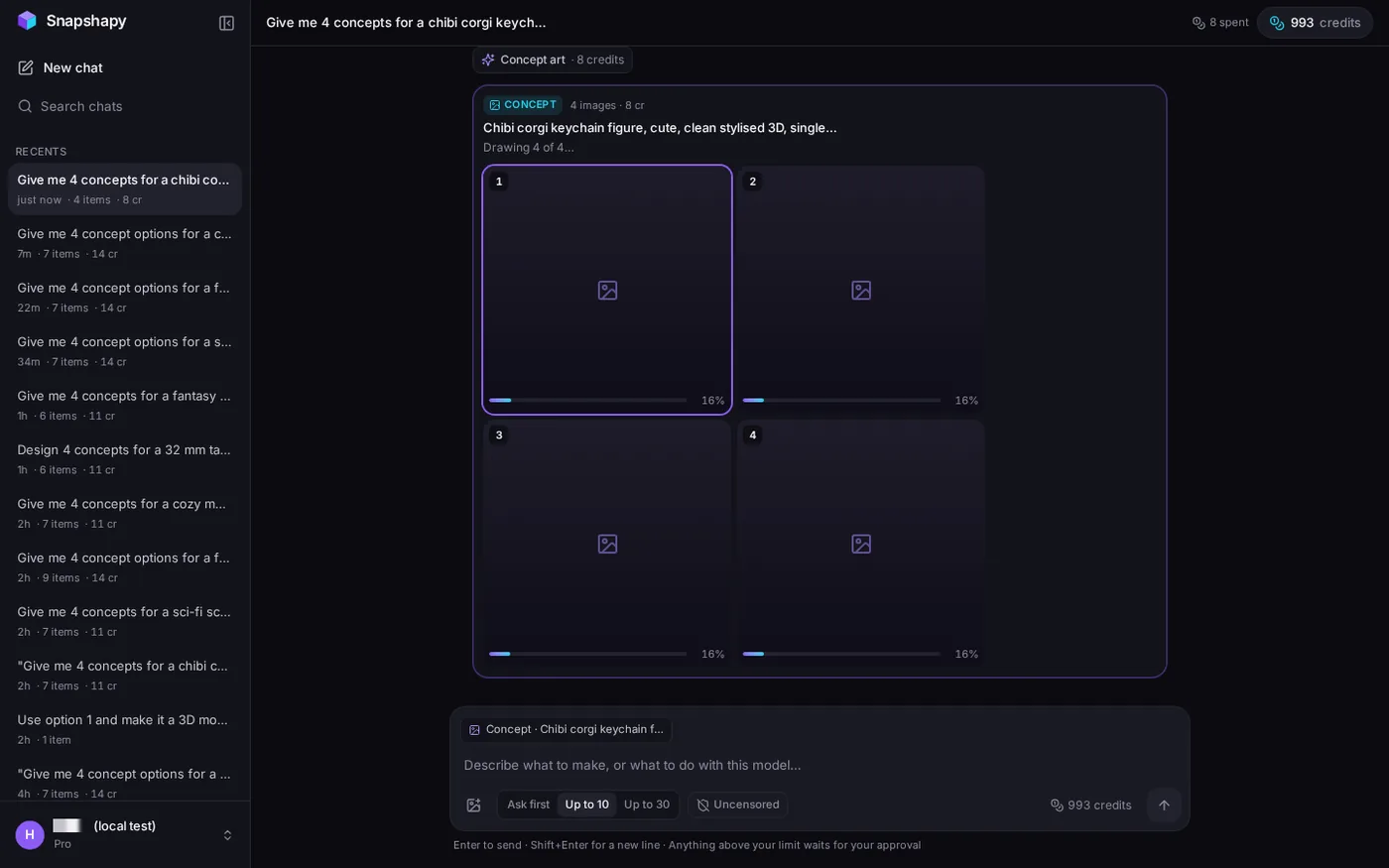 Snapshapy's reply to message 1: four corgi concepts drawing, 8 credits, no approval.
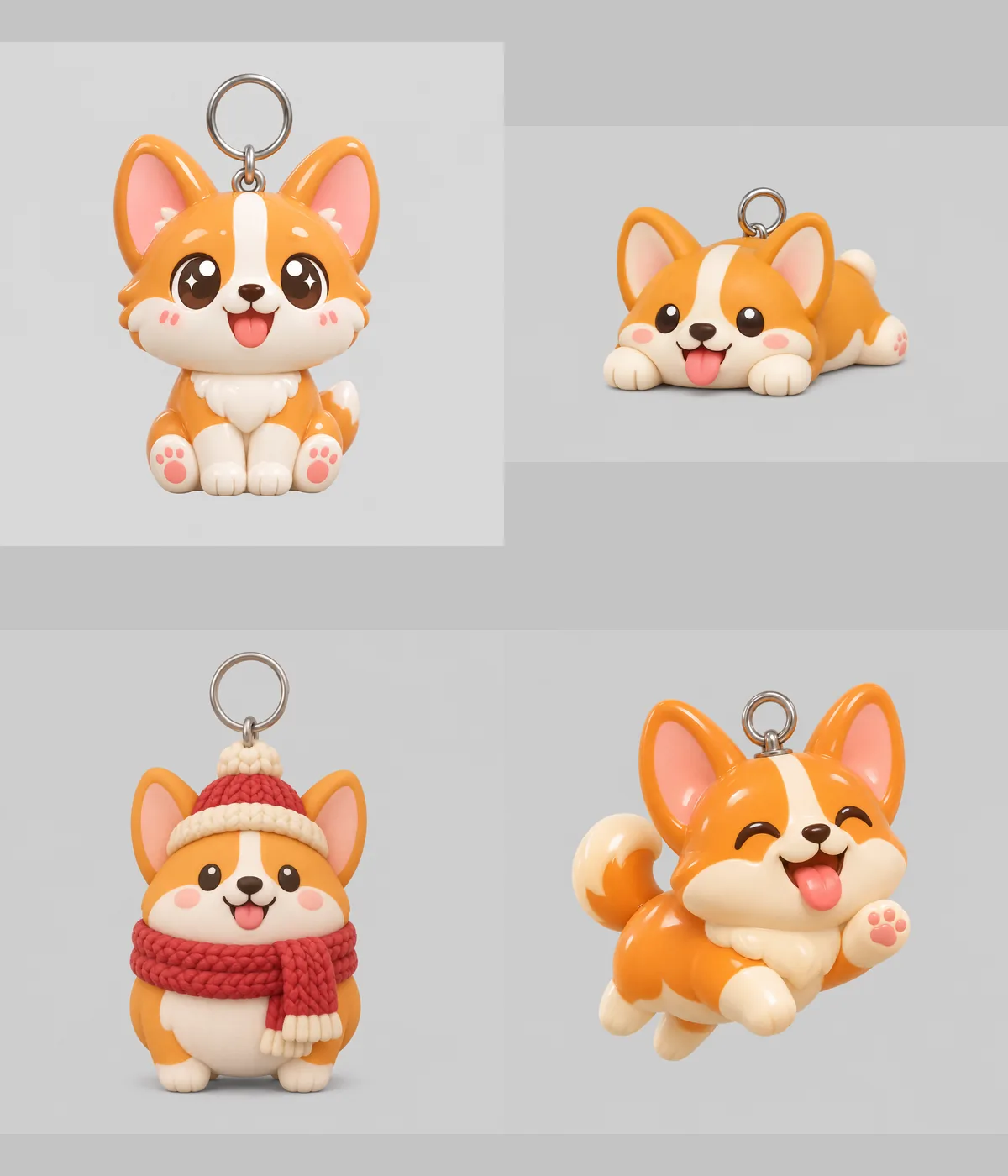 Snapshapy's four single-corgi concepts, full images: sitting, lying on its belly, scarf and bobble hat, mid-hop; each with a keyring loop.
The loop is what made these read as keychain concepts rather than four corgi figurines. Every one of the four had a ring on top of the head, so whichever I picked, the attachment point was already part of the design. That carried through: in the final STL the ring is part of the one body, with a hole about 8.66 mm across. The ring is thin, though, with ≈1.38 mm wire and a ≈1.27 mm link, so I would print it in a tough material or thicken it.
- Concepts delivered (asked for 4) — Meshy 1 · Snapshapy 4
- Credits per concept — Meshy 9 · Snapshapy 2 · 4.5×
- Approvals in message 1 — Meshy 1 · Snapshapy 0
Pricing the other three Meshy corgis: 36 credits
Meshy can draw more than one image; my choice card simply did not lead there. The fair question is what four Meshy corgis would cost at the price on that card.
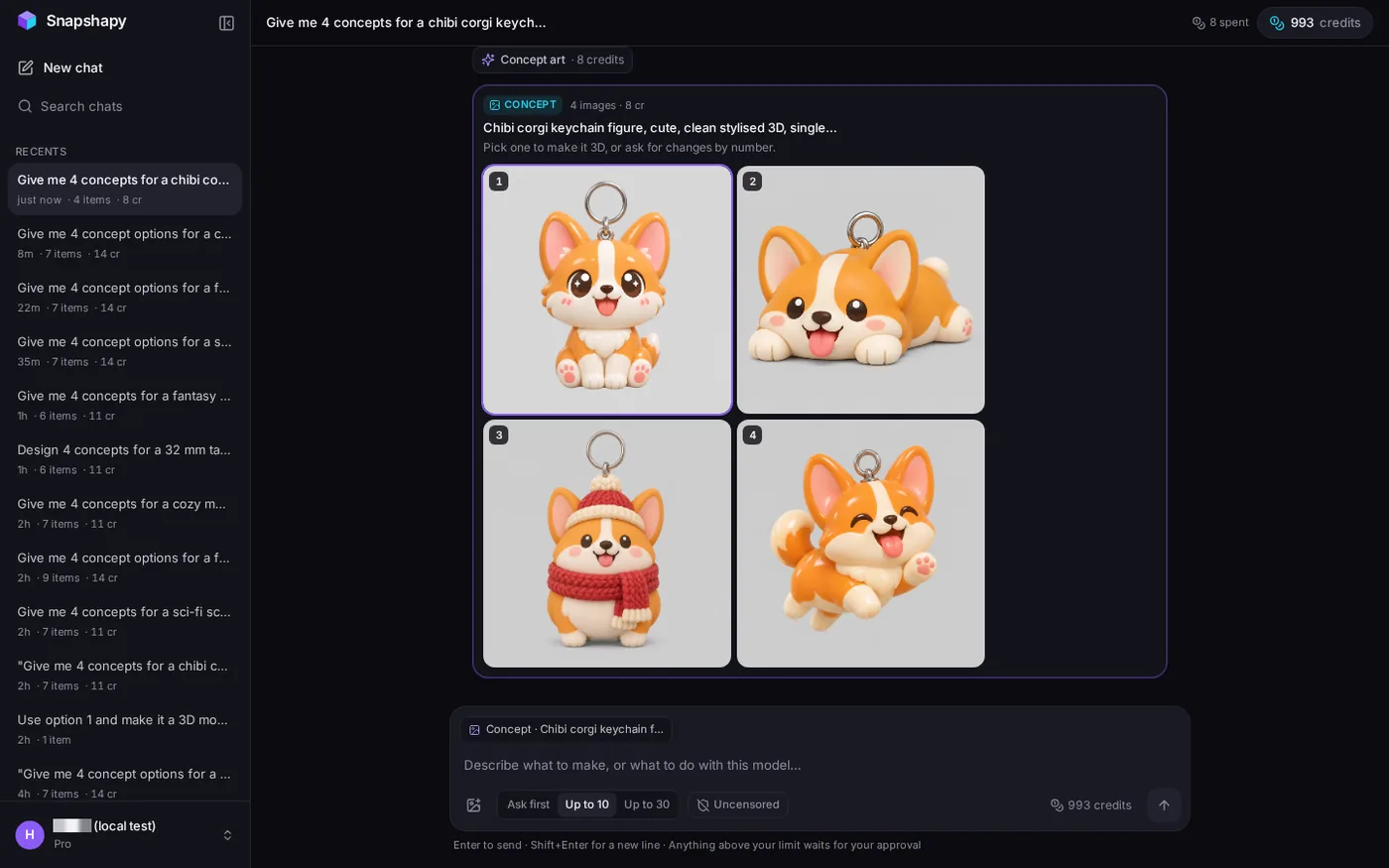 Snapshapy chat with all four concepts ready; header "8 spent", 993 credits.
- Four concepts — Meshy 4 × 9 = 36 credits ($0.72) · Snapshapy 8 credits ($0.38 on Starter) · 4.5×
- Four Meshy concepts vs Snapshapy's whole run — 36 credits vs 11 · 3.3×
- Four Meshy concepts + the Meshy 3D step — 36 + 30 = 66 credits ($1.32) · Snapshapy whole run 11 ($0.52)
That 36 is more than 3× what Snapshapy charged for the entire keychain: four concepts, a textured model and the print file. Seen from the other side, the concept stage is 73% of Snapshapy's 11-credit bill and 23% of Meshy's 39, because Meshy's big charge comes next.
Option 1 to a model: Est. Cost 30 against "3 credits"
Message 2 was "Use option 1 and make it a 3D model." Meshy showed an Image to 3D approval card: Meshy 7.1, Standard, texture 4096, Est. Cost 30. That was Approve number two. Snapshapy replied "3 credits — it should take 5-8 minutes" and started without a card.
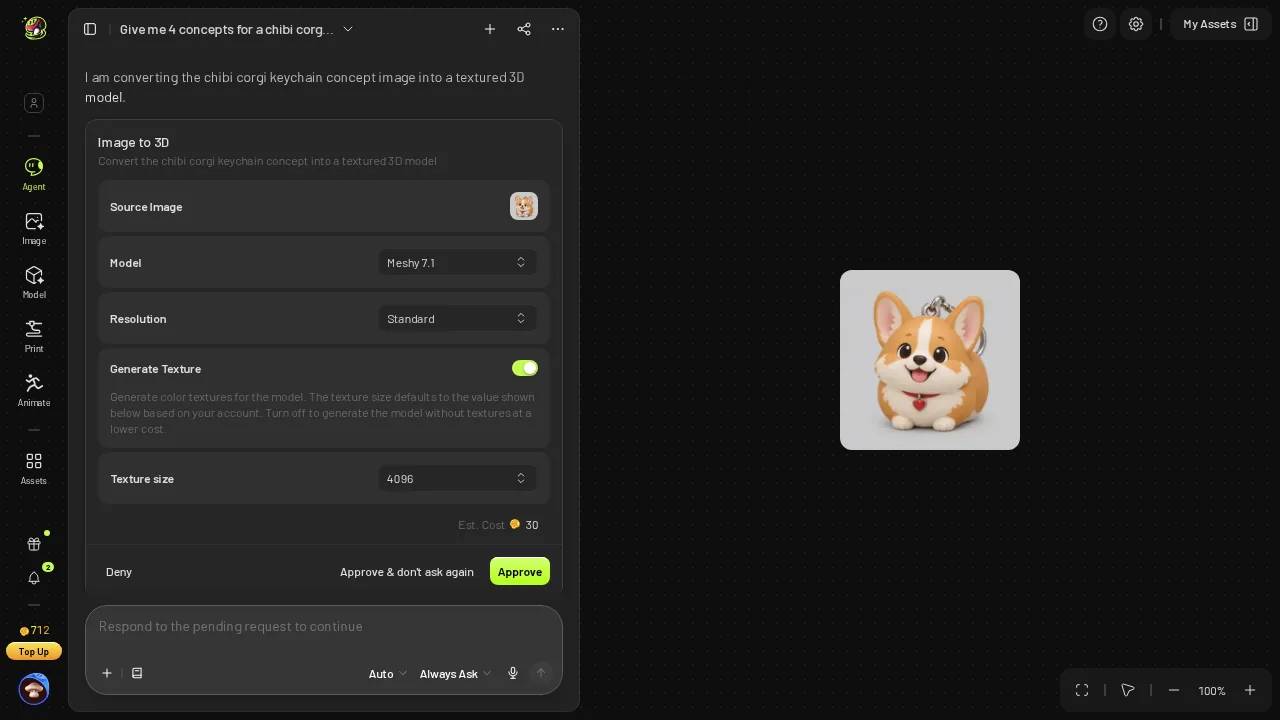 Meshy's image-to-3D approval card: Meshy 7.1, Standard, texture 4096, Est. Cost 30.
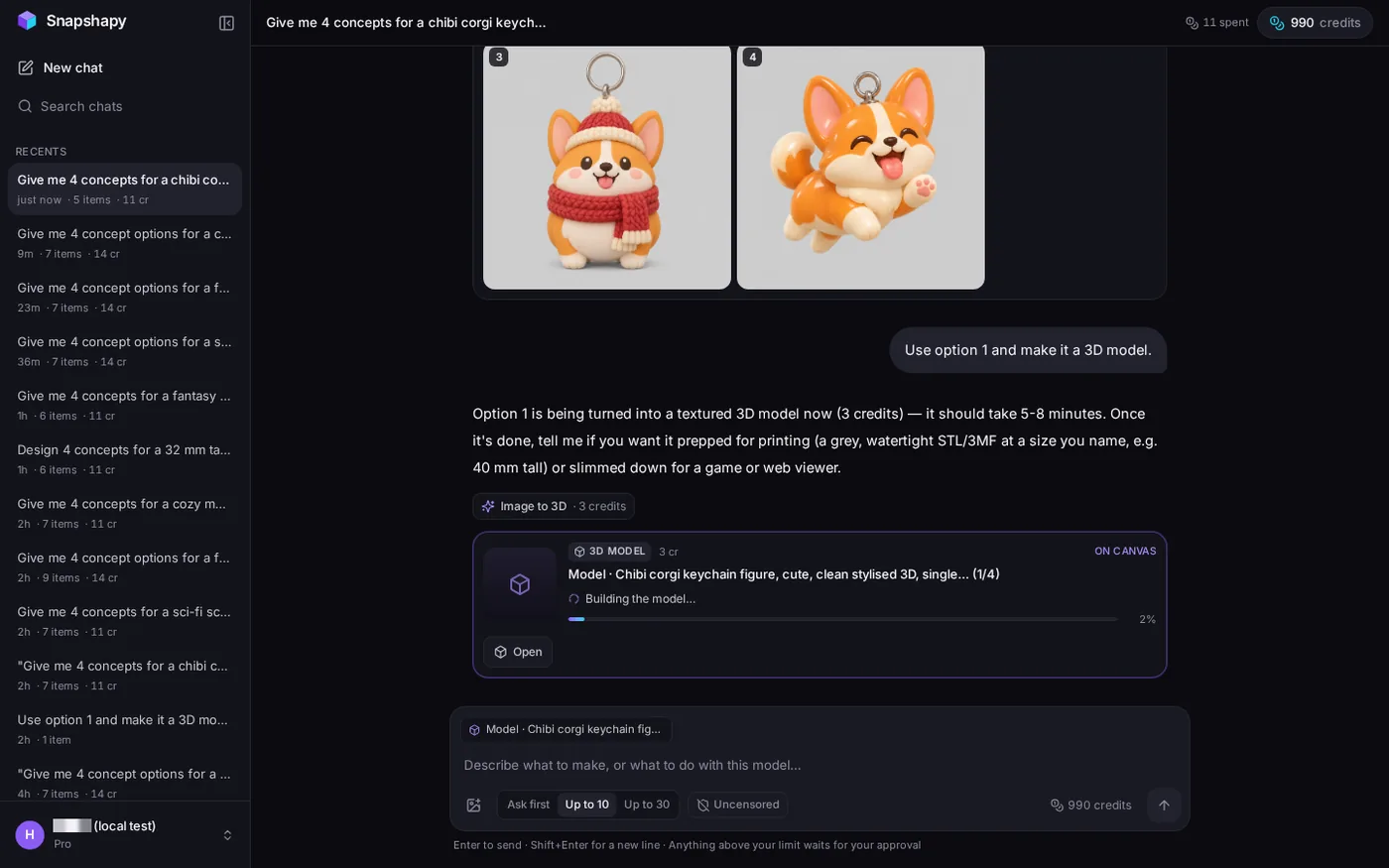 Snapshapy's reply to message 2: option 1 building, 3 credits, "5-8 minutes", no approval.
- Image-to-3D — Meshy 30 credits ($0.60) · Snapshapy 3 credits · 10×
- Balance after message 2 — Meshy 712 → 682 · Snapshapy 993 → 990
- Textured model — Meshy 348,454 triangles, 27.7 MB GLB · Snapshapy 1,500,000 triangles, 75.9 MB GLB, both with 3 textures
Meshy's textured 3D model is the lighter file, 27.7 MB vs 75.9 MB. Meshy's next move after the model was another choice card, "Would you like to analyze this model for 3D printing?", so the pattern of question-then-click continued past the concept stage.
2 + 1 + 1 + 7: where Meshy's 11 extra clicks went
Both agents got exactly three messages; the clicks are what came in between.
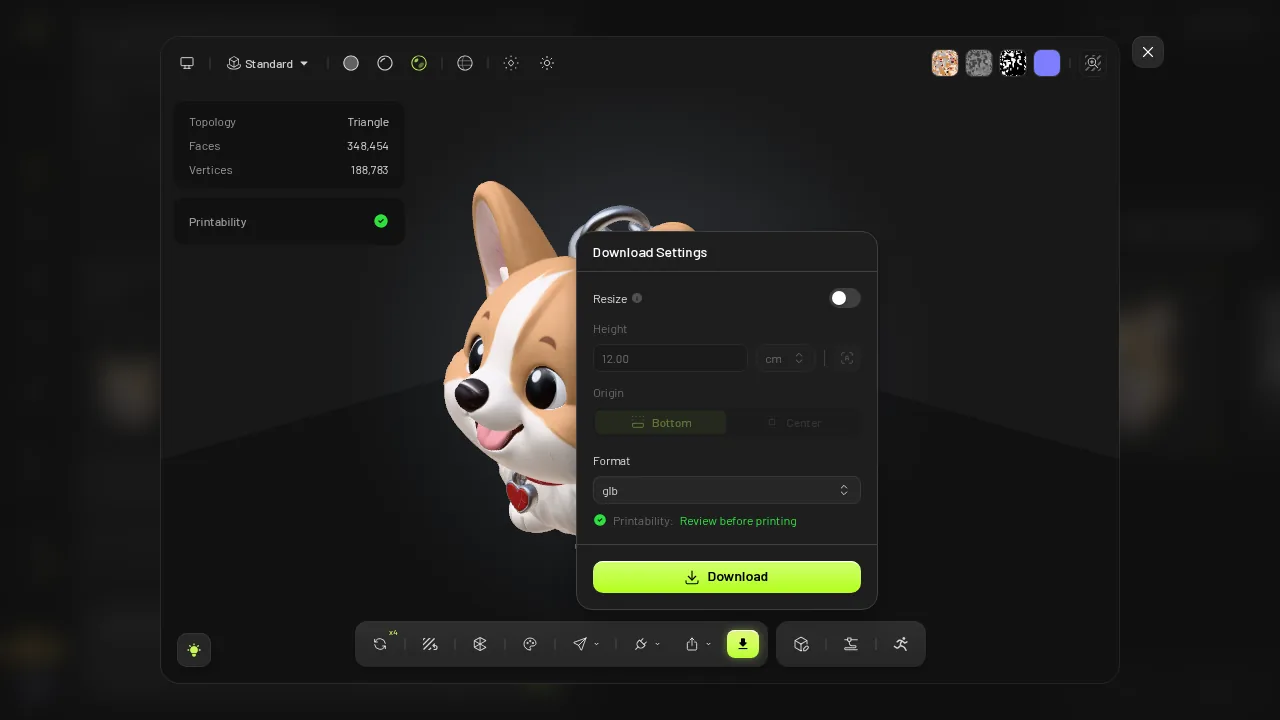 Meshy's download dialog as it opened: Resize off, 12.00 cm.
- Concept choice card — Meshy 2 (select + Submit) · Snapshapy 0
- Approval cards — Meshy 2 (Est. Cost 9, Est. Cost 30) · Snapshapy 0
- Viewer and download dialog — Meshy 7 · Snapshapy 2 (Export → STL)
- Total beyond the messages — Meshy ≈11 · Snapshapy 2 · 5.5×
The download dialog opened with Resize off and Height 12.00 cm, with the format remembered from my last download. I switched Resize on, typed 5 cm, chose STL and pressed Download.
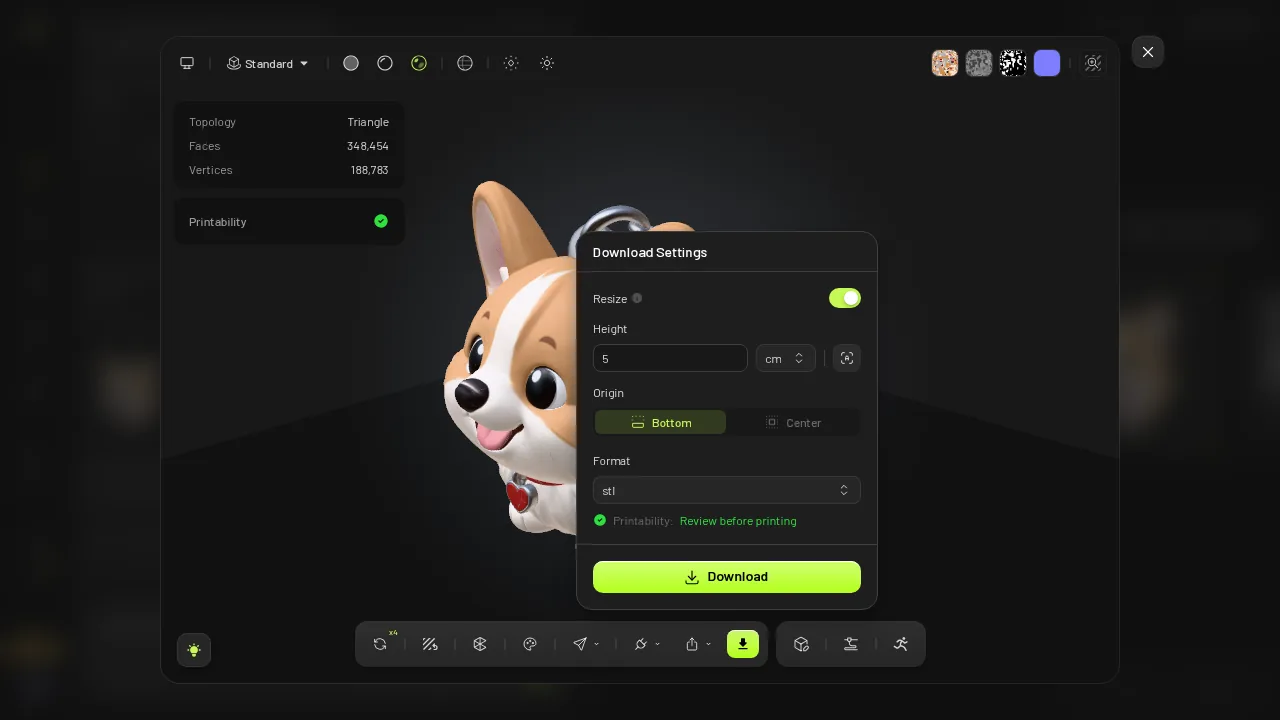 The same dialog after I switched Resize on, typed 5 cm and picked STL.
Four of Meshy's eleven clicks came before a single polygon existed. On Snapshapy, my two clicks were both on the final card.
Asides: the 50 mm file and the 39-credit bill
On sizing, Meshy's message 3 ran a free printability analysis ("Watertight: Yes", a degenerate-face warning) and told me to set 50 mm in the export dialog or scale it in my slicer. Meshy's slicer advice was specific: PLA or PETG, 3–4 walls, 15–20 % infill, tree supports, print upright, where Snapshapy gave none.
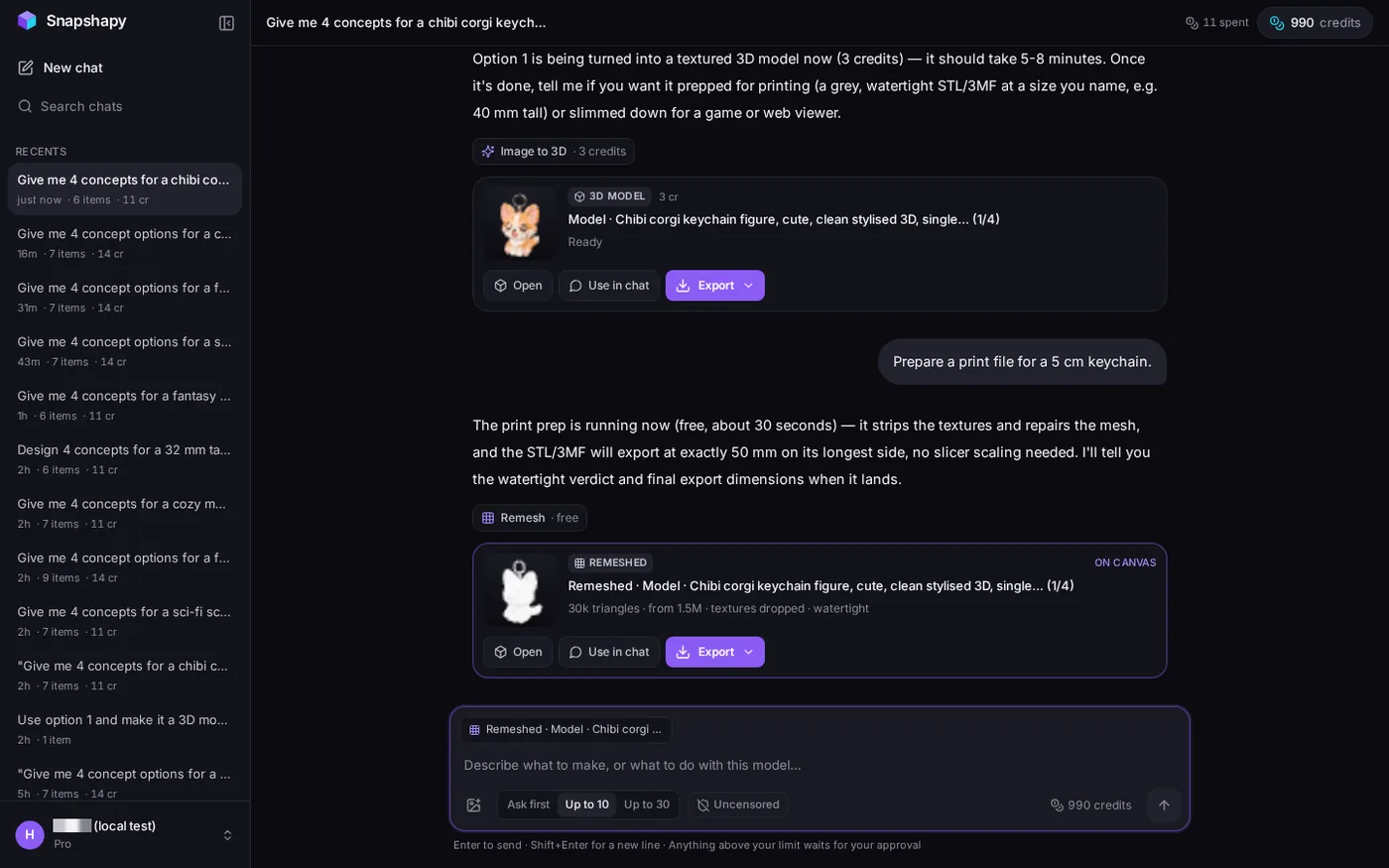 Snapshapy's print card: "30k triangles · from 1.5M · textures dropped · watertight"; header "11 spent", 990 credits.
Snapshapy said the STL would export "at exactly 50 mm on its longest side, no slicer scaling needed", ran a free 5.1 s job, and the file measured 33.24 × 30.55 × 50.0 mm. Its reply promised to report the watertight verdict and final dimensions when the job landed, and no follow-up message came; the card itself read "watertight". Meshy's STL measured 39.7 × 61.33 × 50.0 mm: 50 mm is its height, and the loaf body runs 61.33 mm front to back. Both files were watertight, one body, 0 non-manifold edges; Meshy's kept 3 degenerate faces, Snapshapy's had 0.
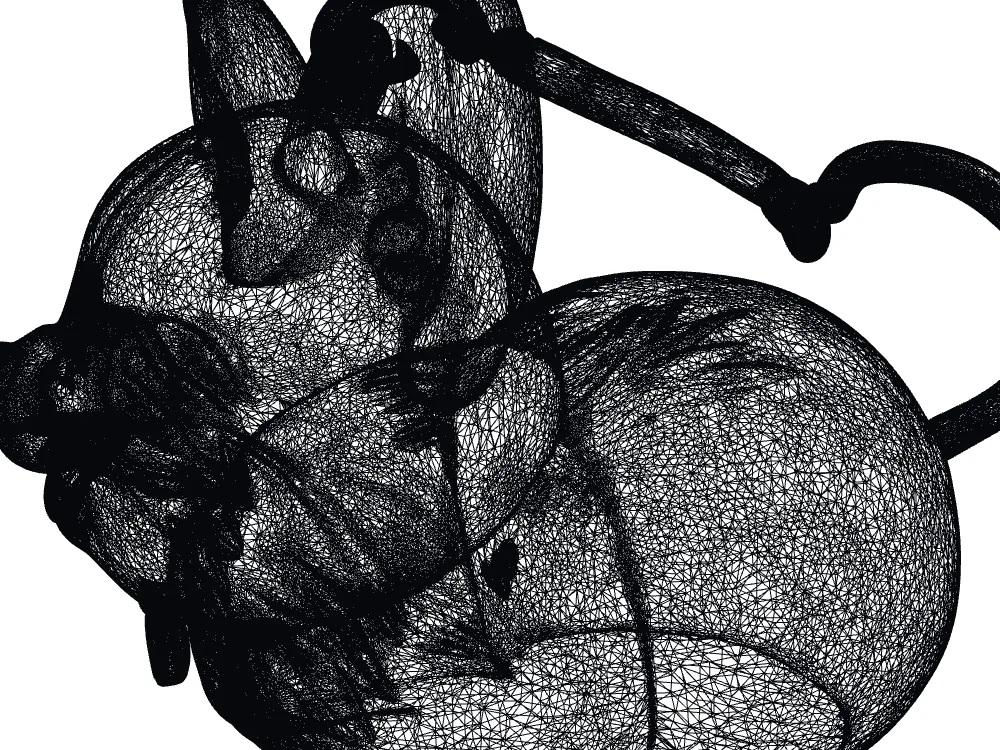 Meshy STL wireframe close-up: 348,454 faces, 0.244 mm mean edge.
Meshy's print mesh is denser: 348,454 faces with a 0.244 mm mean edge vs Snapshapy's 29,972 faces at 0.581 mm. That density weighs 17.4 MB vs 1.5 MB, ≈11.6 s vs ≈1.0 s on a 12 Mbps line.
- Credits, whole run — Meshy 39 (721 → 712 → 682 → 682) · Snapshapy 11 · 3.5×
- Dollars — Meshy $0.78 · Snapshapy $0.52 on Starter, $0.53 on Pro
A 20-design keychain line: 20 sketches or 80
Scale the run to a line of 20 corgi keychain designs, each one taken from concept to a 5 cm STL.
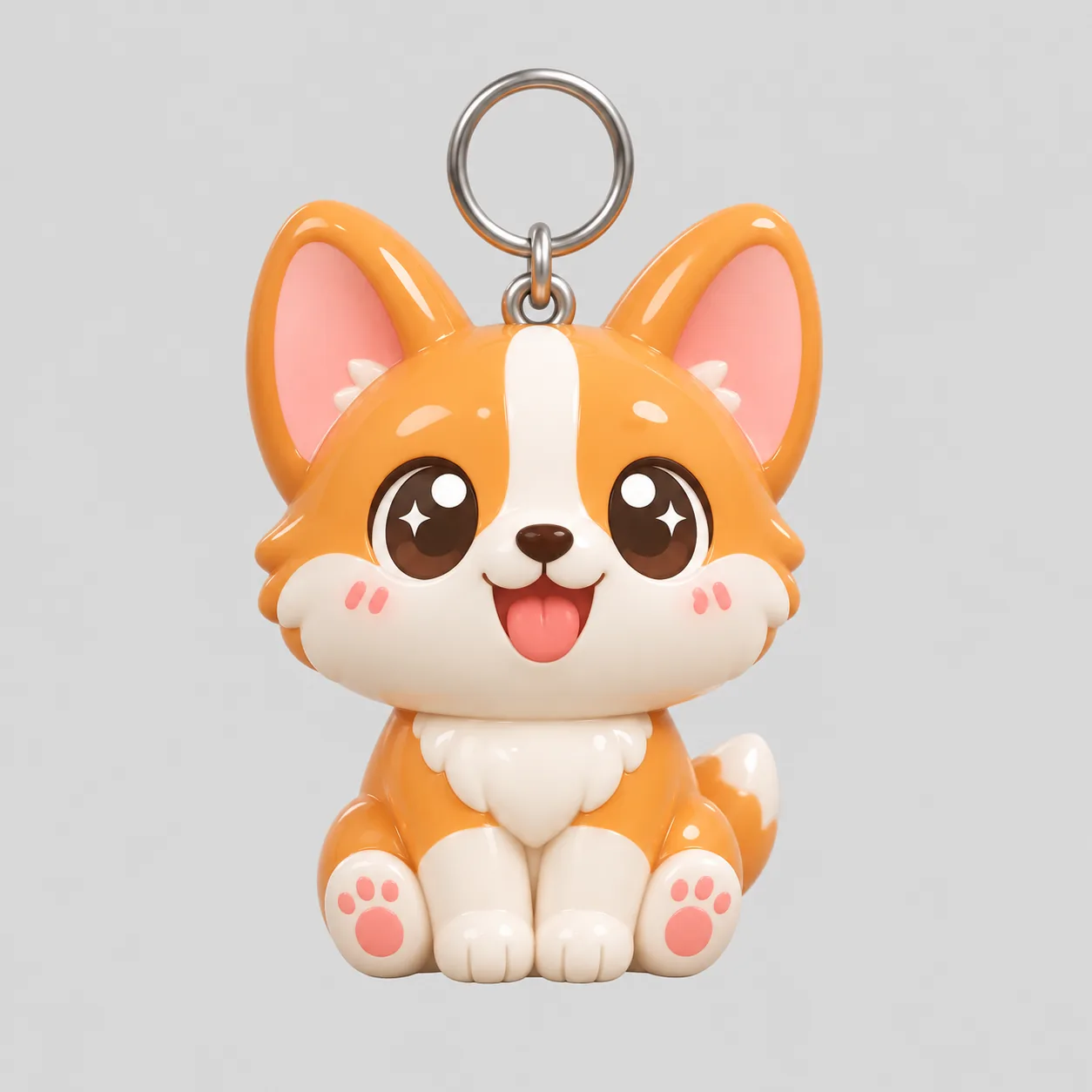 Snapshapy concept 1 (the one I picked), full size: a sitting corgi with a keyring loop.
- Concepts seen — Meshy 20 · Snapshapy 80 · 4×
- Credits — Meshy 780 ($15.60) · Snapshapy 220 ($10.45)
- Extra clicks — Meshy ≈220 · Snapshapy 40
- Share of one plan — Meshy 780 of 1,000 on Pro (78%) · Snapshapy 220 of 400 on Starter (55%)
- STL on disk — Meshy 348 MB · Snapshapy 30 MB
The concept line is the one that matters for a keychain business. With Meshy, each design is one picture chosen from a list of names. With Snapshapy, each design is the best of four drawn corgis that already carry a loop. Getting four Meshy sketches per design at 9 credits each would mean 66 credits per keychain before printing, 1,320 credits for 20, more than a whole Meshy Pro month of 1,000.
Final verdict: Meshy 3D Agent scores 55/100 for a 5 cm printed keychain
I asked Meshy 3D Agent for four keychain ideas and got one, after a card of four names, a Submit and an Est. Cost 9 approval. Meshy's strengths are real and listed above, and its print check cost 0 credits, but none of them changes what happened at the concept stage.
The bill for that experience is concrete. One concept instead of four, at 9 credits instead of 2. A second approval at Est. Cost 30 for a step Snapshapy ran for 3. A download dialog that opened at 12.00 cm and took 7 clicks. Altogether ≈11 clicks vs 2 and 39 credits vs 11, which becomes ≈220 clicks and 780 credits across 20 designs. For a keychain, where the choice of design is most of the work, a single drawing at the concept stage costs Meshy the most points.
For a 5 cm printed keychain, I would use Snapshapy.
Which one I would use for this job
For a chibi keychain line, I would use Snapshapy. It drew the four concepts I asked for, each with a keyring loop, for 8 credits; built the model for 3; and handed back a 1.5 MB STL already 50.0 mm on its longest side after 2 clicks. The plans are at snapshapy.com.
If you want the fastest single concept and a denser print mesh, and you are comfortable choosing from names and setting 5 cm yourself, Meshy Pro at $20 does that for 39 credits per keychain.