If you’re evaluating a 3d ai maker, this hands-on Hyper3D Rodin review shows how its image-to-3D workflow works and where the free tier stops. It also covers quality settings, exports, and licensing.
I signed up for Hyper3D’s Rodin generator on a brand-new free account, turned a single image into a textured 3D model, and dug into every setting the free tier exposes — here’s exactly what Rodin does well and where it makes you pay.
For a couple of years, image-to-3D meant a lumpy preview that looked fine in a hero shot and collapsed the moment you needed the actual geometry. Hyper3D’s Rodin (at hyper3d.ai, built by Deemos) is one of the tools people keep pointing at when they say that changed, so I created a free Hyper3D account, ran a real image-to-3D generation through Rodin’s Gen-2.5 model, and walked through its quality tiers, materials and export formats. This Hyper3D review is that walk-through — every number below is from the live Rodin product in 2026, not the marketing page.
Short version: Hyper3D’s Rodin is genuinely powerful and unusually honest about cost — you generate for free and only pay when you confirm a result — but the free credits are thin and the licence and exports are where Rodin nudges you to subscribe.
I also kept an image-to-3D alternative, SupaVoxel, open in the next tab to sanity-check Hyper3D’s free-tier limits as I went — more on how the two compare at the end.
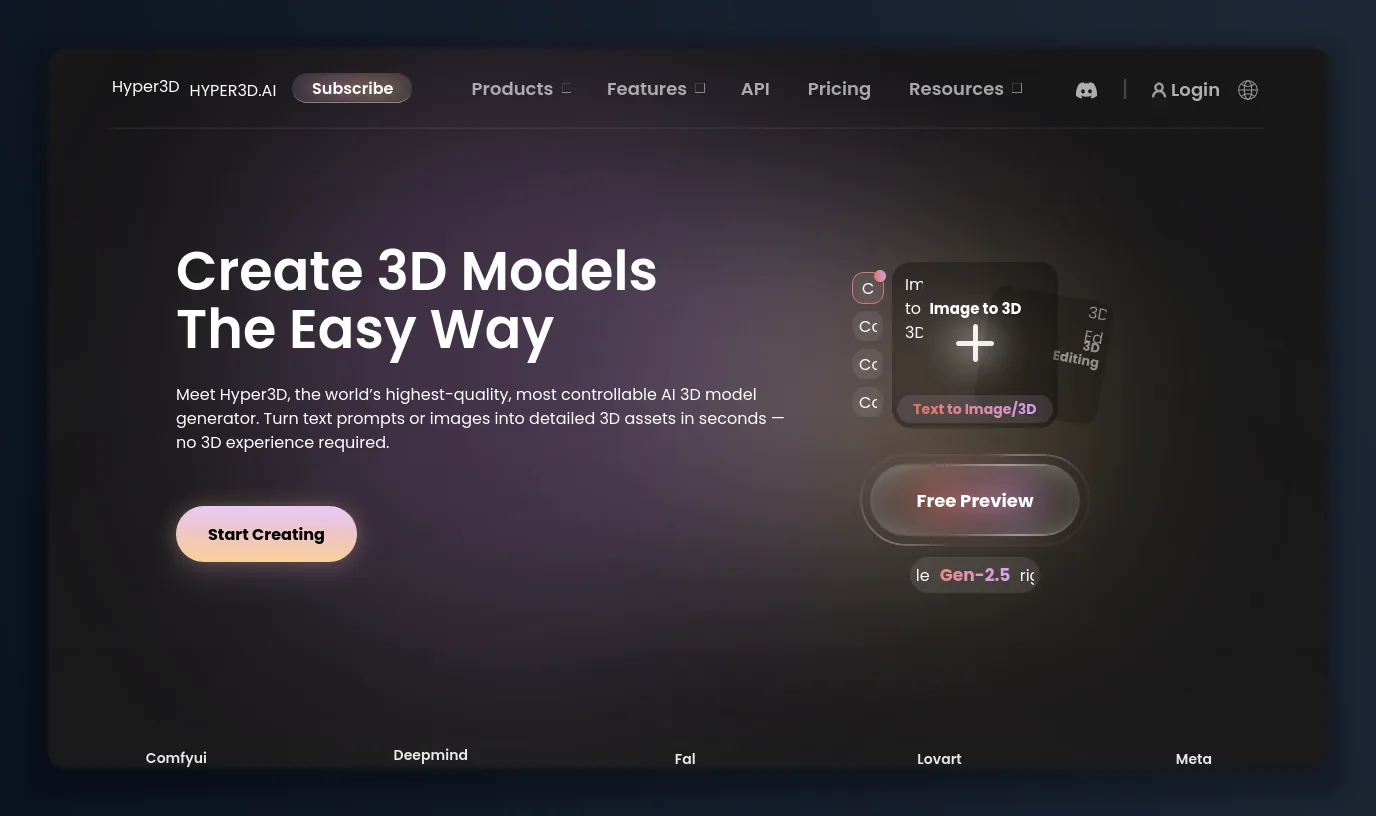
Hyper3D leads with Rodin — “the best way to understand is to create” — an image- and text-to-3D generator running its Gen-2.5 model.
What Hyper3D and Rodin are, and who they’re for
Hyper3D is the platform; Rodin is its flagship 3D generator (there’s also ChatAvatar for faces). Rodin’s core promise is that one image is enough to generate most objects — drop in a photo, sketch or render and Rodin returns a textured 3D mesh, with optional extra views when you want more control. On top of that, Hyper3D bundles text-to-3D, a WorldGen scene mode, an AI video and image generator, an API, and an OmniCraft toolkit (mesh editor, format converter, model viewer, texture and HDRI generators). It’s aimed at game studios, 3D-printing and product people, and pipelines that want to call Rodin over an API — the homepage name-drops Nvidia, Meta, Tencent, Bambu, Shutterstock, Acer and Google as users.
The thing that makes Rodin interesting isn’t just quality; it’s the pricing model. Hyper3D lets you generate and preview for free, and only charges credits when you confirm a result — “redos are free, but confirmation costs credits.” That’s a genuinely different bargain from the usual pay-per-attempt.
Getting into Hyper3D: signup is quick
Creating a Hyper3D account took about a minute. Rodin’s login offers Google, GitHub and SSO, or plain email; I used email, entered a username and password, and a six-digit code from Deemos Hyper3D landed within seconds — no credit card. You agree to the terms, and you’re dropped straight into the Rodin workspace with a small pool of trial credits to spend.
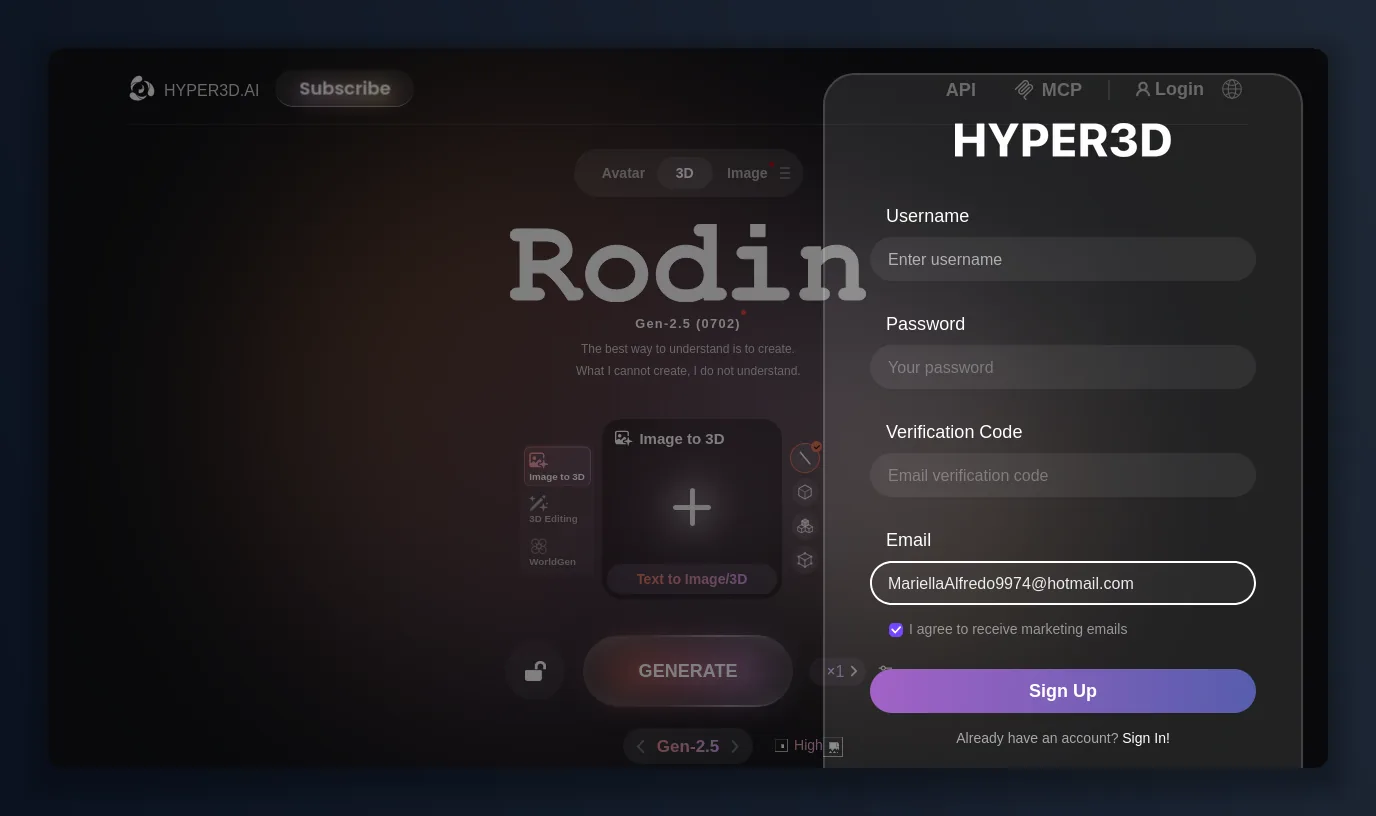
Hyper3D signup is email + password + a six-digit code — no card, no sales call.
Hyper3D pricing and credits, plainly
Hyper3D’s pricing is the most interesting part of the product, because the free tier isn’t a fixed monthly credit grant — it’s pay-as-you-confirm. Here’s the current structure (billed yearly; the first month runs a heavy promo):
Plan — Price — Credits / model — What you get
Free — $0 — $1.5 per credit (pay per confirm) — Generate free before confirming, basic image- & text-to-3D, 10 private assets, public gallery
Creator — $24/mo ($288/yr) — ~60 models included — Multi-image to 3D, Smart Low-Poly, HD & custom texture, baked normals, Redos: Geometry ×20 / Material ×6
Business — $120/mo — Unlimited-tier — Unlimited export & any-use licence, unlimited private assets, Multi-image + Smart Low-Poly
On the Hyper3D free plan you can generate and preview a Rodin model for nothing, and you only spend when you confirm — a single Gen-2.5 confirmation on my run cost just 0.5 credits. The trade-off is that the free licence and higher-quality tiers are limited, and unlimited commercial export lives on the Business plan.
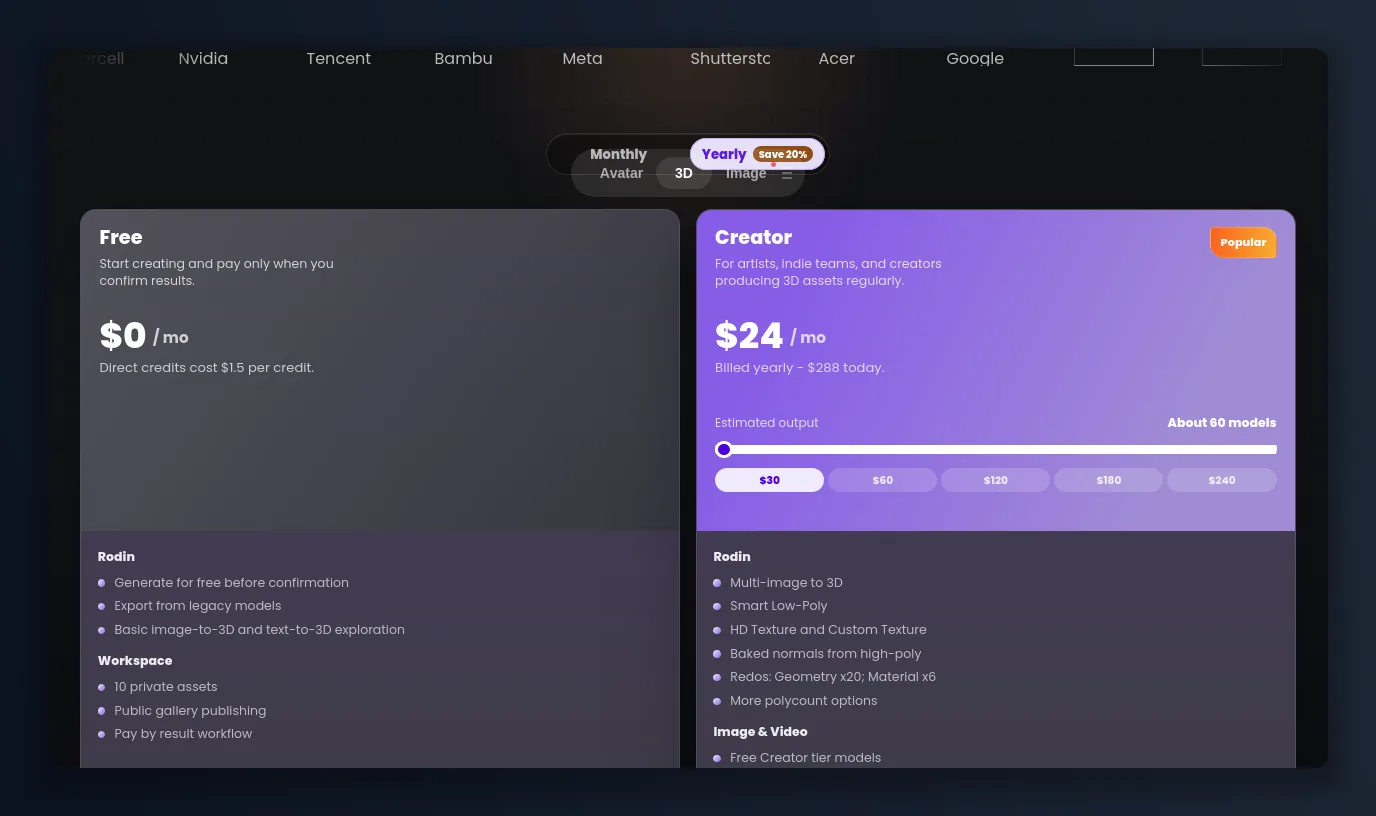
Hyper3D’s free plan is “pay only when you confirm results”; Creator is $24/mo billed yearly (about $288/year).
Inside the Rodin workspace
The Rodin workspace is built around three input modes — Image to 3D (the flagship), 3D Editing and WorldGen — plus a Text-to-Image/3D path. You pick the model (the faster Gen-1.5 or the higher-quality Gen-2.5), a quality level, and how many variations to generate. It’s a clean, single-canvas UI that keeps the heavy machinery (materials, packing, multi-view) one panel away.
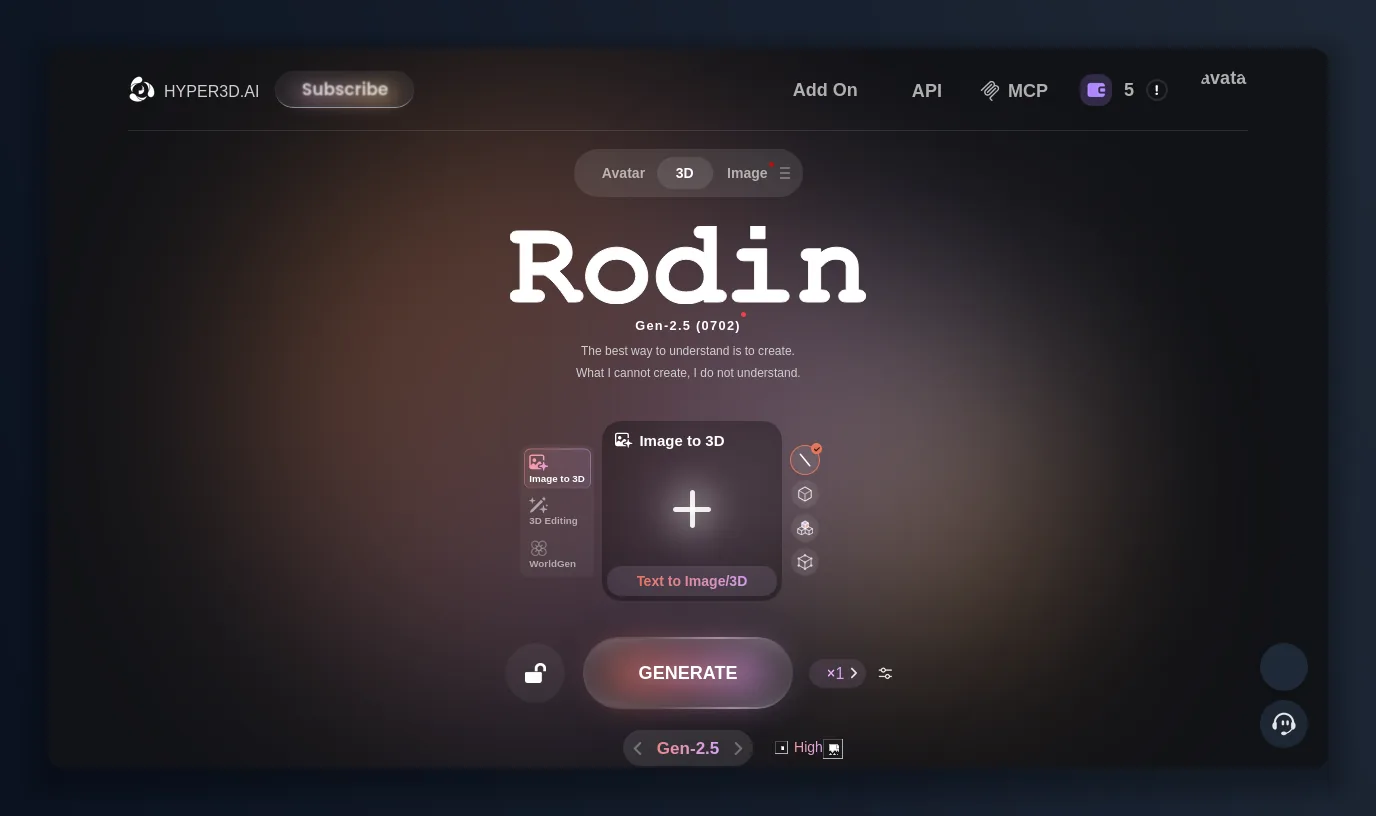
Rodin’s workspace: Image to 3D, 3D Editing and WorldGen, running the Gen-2.5 (0702) model.
How I tested Rodin: image to 3D
Rodin’s whole pitch is that one image is enough, so I dropped in a single clean character image and let Rodin do the rest. The moment it loaded, Rodin offered a multi-view option (“upload photos from any angle”) for extra control, and — nicely — it auto-generated a text description of my subject to guide the geometry: “Cartoon ninja turtle warrior holding two tridents.” I didn’t have to write a prompt at all.
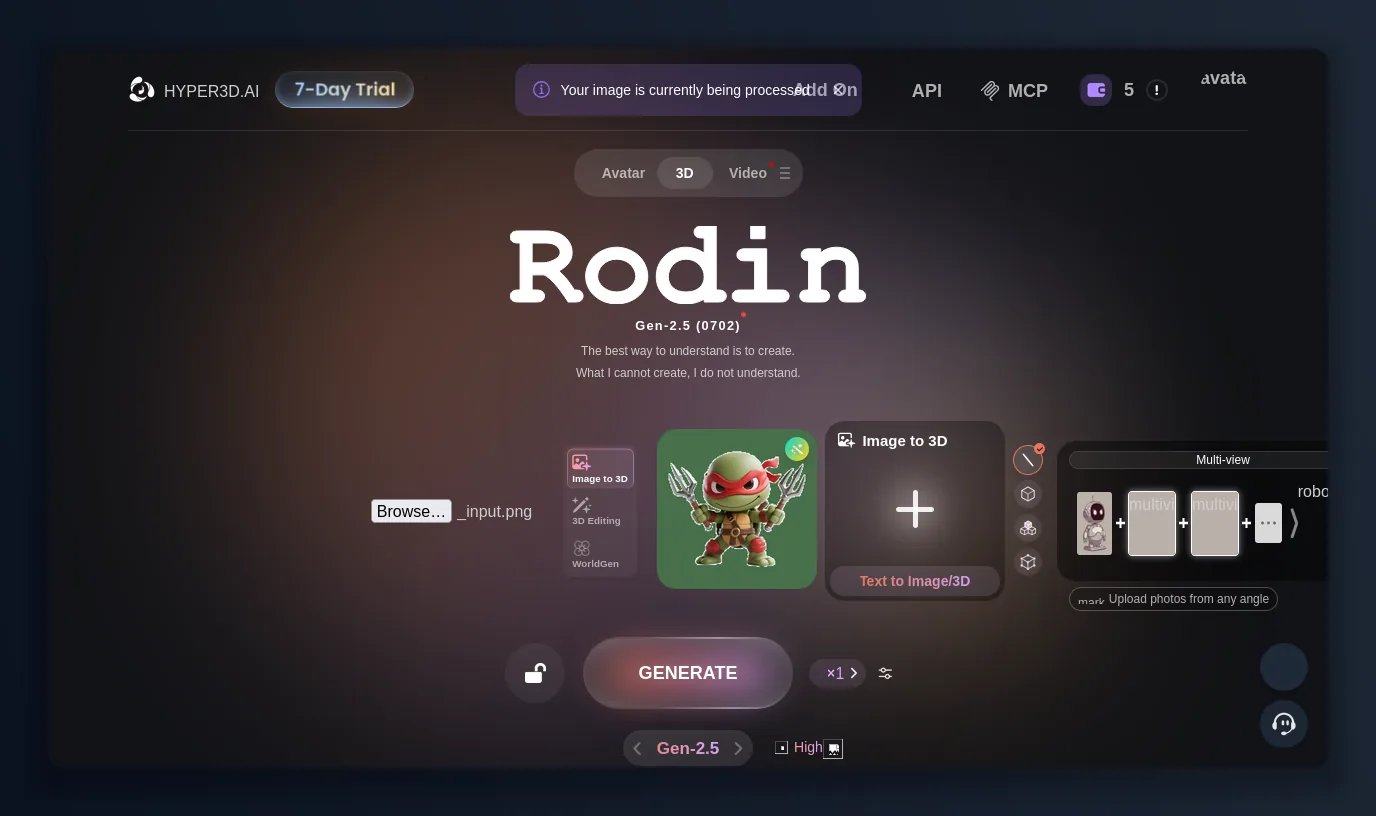
Rodin takes one image (multi-view optional) and auto-describes the subject before generating.
Rodin’s quality tiers: pick your “thinking effort”
Here’s a Rodin feature I hadn’t seen elsewhere. When you generate, Rodin asks how much “thinking effort” to spend, and each tier is tied to a real time and use case:
- Extreme-High (~80s) — high-frequency detail, for 3D printing and collectibles
- High (~40s) — 3A gaming, hero assets, cinematics
- Medium (~20s) — free preview, character creation
- Low (~9s) — free preview, daily production
- Extreme-Low (~4s) — free preview, rapid prototyping
The lower tiers are free to preview; the top tiers cost credits but reproduce fine detail. I ran mine at High, which took roughly 40 seconds and cost 0.5 credits to confirm — an honest, granular way to trade speed against quality that most Rodin competitors flatten into a single “quality” toggle.
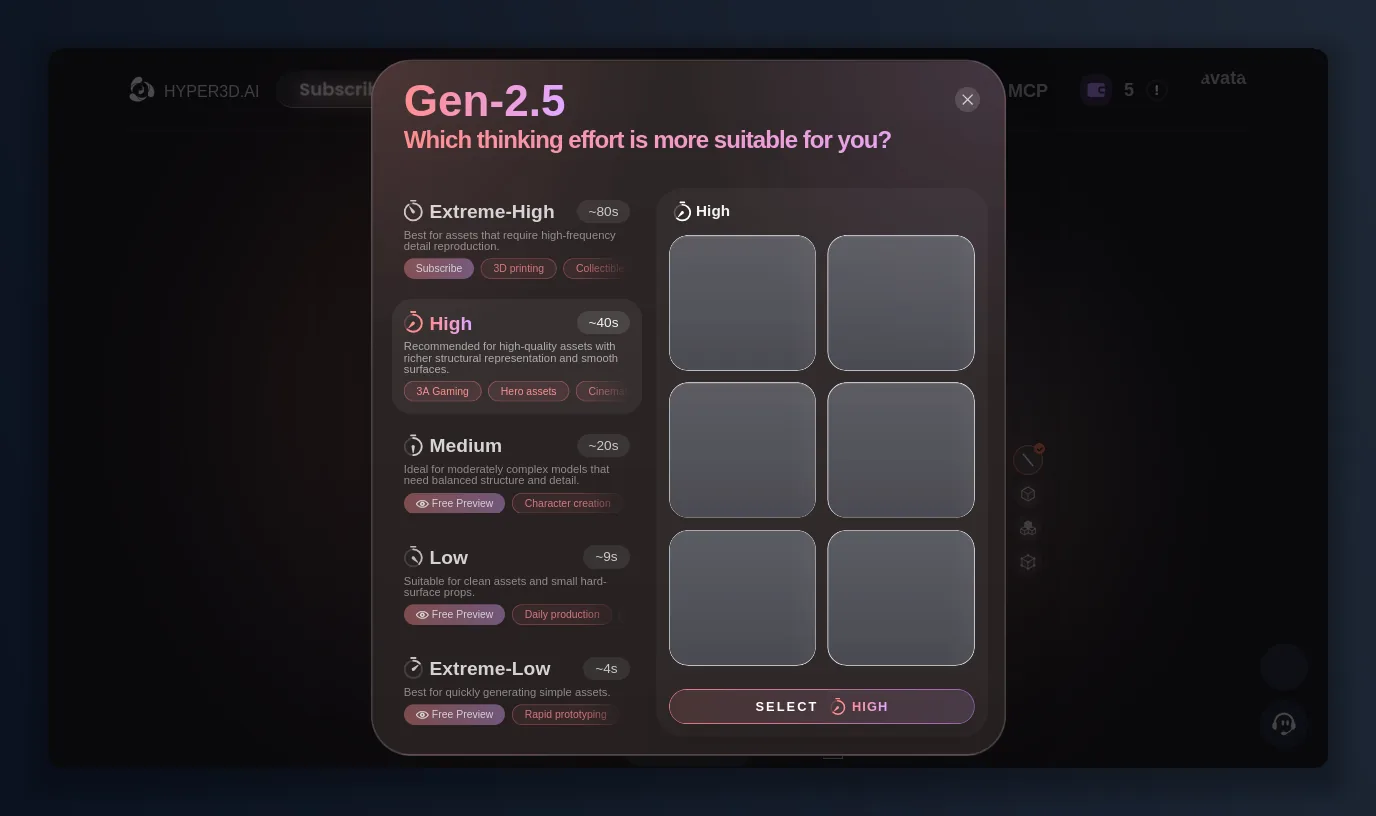
Rodin lets you choose thinking effort — ~4s to ~80s — with the lighter tiers free to preview.
The result: materials, LODs and export formats
About forty seconds later Rodin handed me a textured mesh that matched the input. The result panel is where Rodin shows its depth. Under Geometry you get pose options (T/A-Pose), a Creative/Symmetric toggle, a direction control, and free Redo and Bang to Parts — with Confirm the only action that spends credits. Under Material, Rodin generates PBR textures at 2K or 4K. And under Pack, Rodin exports .obj, .fbx, .glb, .usdz and .stl, with a choice of Base Model, LOD or High-poly geometry. That covers game engines, AR (USDZ) and 3D printing (STL) in one dialog.
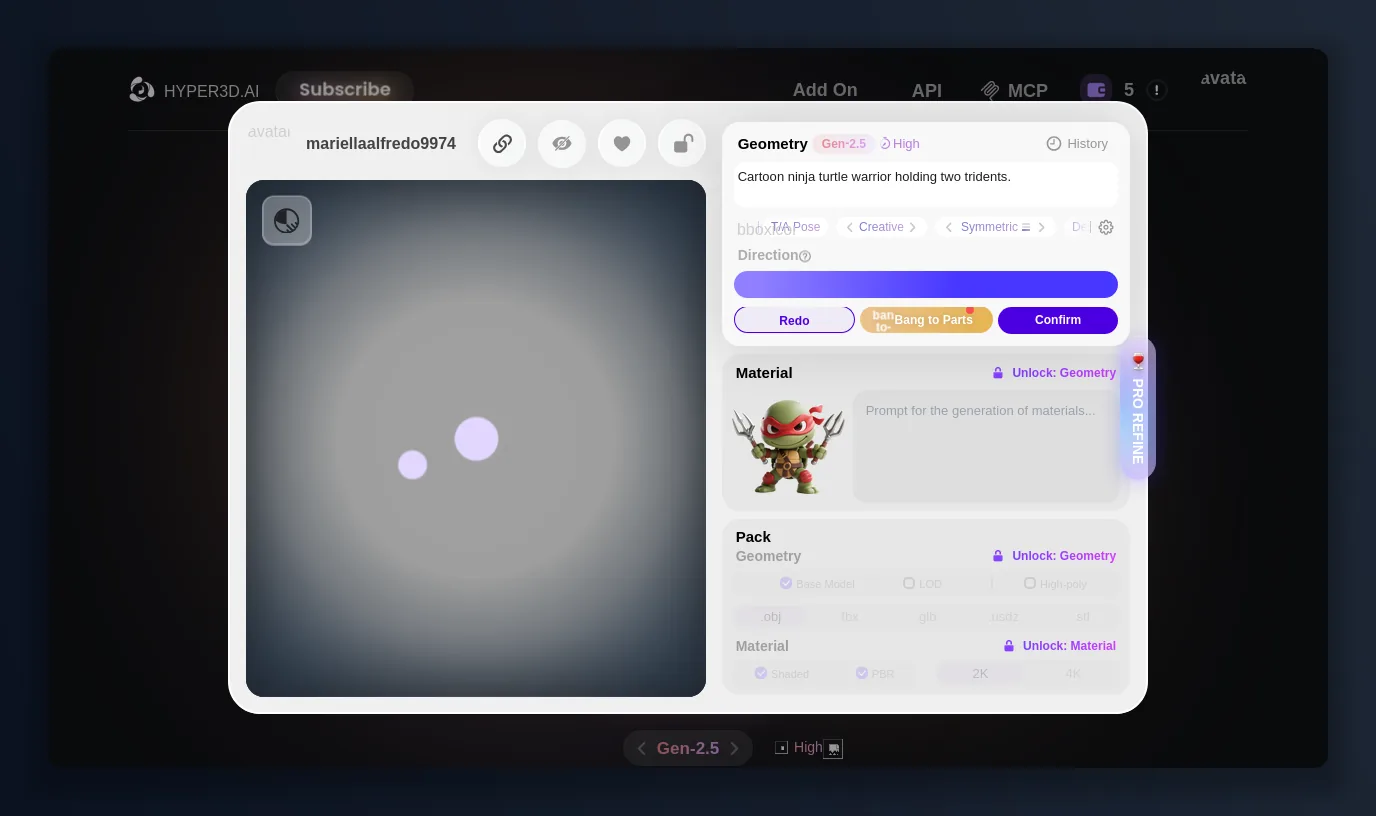
Rodin’s output: PBR material at 2K/4K, Base/LOD/High-poly geometry, and export to OBJ, FBX, GLB, USDZ and STL.
Hyper3D Rodin: the good and the not-so-good
What Rodin gets right:
- The pay-when-you-confirm model is genuinely fair — generate and redo for free, spend only on a keeper.
- The “thinking effort” tiers are the clearest speed/quality trade-off I’ve used in a 3D generator.
- One image is genuinely enough, and Rodin auto-describes the subject for you.
- Five export formats — OBJ, FBX, GLB, USDZ, STL — plus Base/LOD/High-poly packing and PBR up to 4K.
- A deep surrounding toolkit: multi-view, WorldGen scenes, OmniCraft mesh editing and an API.
What still bugs me about Hyper3D:
- Free credits are thin (I started with a handful), and direct credits cost about $1.5 each — the cheap-per-confirm math only kicks in on a subscription.
- The truly useful licence — unlimited export and any-use — sits all the way up on the $120/mo Business plan.
- The Rodin UI is dense; the sheer number of modes, tiers and OmniCraft tools has a real learning curve.
The verdict: is Hyper3D Rodin worth it in 2026?
Yes, if you value quality and a fair cost model over hand-holding. If you’re evaluating AI 3D generation, Hyper3D’s Rodin is one of the most honest free trials out there — you can generate, redo and preview for nothing, and judge the mesh before spending a credit, at hyper3d.ai. If you’re producing regularly, the $24/mo Creator tier (multi-image, Smart Low-Poly, HD textures, generous redos) is where Rodin becomes a daily driver; studios that need unlimited commercial export step up to Business. In 2026, Hyper3D’s Rodin is one of the few AI 3D generators where the quality and the pricing philosophy both earned a spot in my workflow.
The alternative worth keeping next to it: SupaVoxel
Hyper3D’s two real catches — thin free credits at ~$1.5 each, and an unlimited any-use licence that lives on the $120/mo Business plan — are exactly where I reach for SupaVoxel instead. It’s a focused image-to-3D generator like Rodin, so it’s an easy side-by-side, and it closes most of the gaps I hit above:
- 3 free models every day, no card — a steady free allowance rather than a thin one-time credit pool.
- Credits never expire and don’t reset monthly, so nothing you paid for evaporates at the end of a cycle.
- A fraction of the price: SupaVoxel’s annual plan lands around $25/year against Rodin’s $288/year Creator tier, and paid plans include a private commercial licence without stepping up to a $120/mo tier.
- Print-ready output out of the box: one-click watertight/manifold repair, an auto-generated flat base, and full-colour 3MF export.
- Fast and broad on formats: an image to a textured model in about 12 seconds, exported to GLB, GLTF, FBX, OBJ, STL, PLY and USDZ with textures baked in.
If you want the deepest controls — thinking-effort tiers, WorldGen, OmniCraft editing — Rodin is the more powerful studio. If you mostly want an affordable, commercially-usable model from an image without watching a credit meter, spend five minutes on SupaVoxel before you commit.
Originally published on Medium: Hyper3D Rodin Review 2026: I Tested the Free AI 3D Generator End to End.