For readers evaluating a 3d ai maker, this hands-on review compares Hyper3D and SupaVoxel using the same skeleton image, with attention to export access, mesh structure, and practical hosting size.
Disclosure: this is an independent hands-on test. Both tools were run on ordinary customer accounts; neither company supplied review access or saw this piece before publication.
For this test, I imagined a product page where shoppers could turn the little skeleton around. I wanted three things from the asset: its joints had to read as joints, the back had to survive a full spin, and the page had to carry the file without an absurd wait. I did not expect the most important byte number to change depending on whether I meant "download from the tool" or "host the model myself."
I sent the same picture through Hyper3D and SupaVoxel. The Hyper3D file I could actually inspect came from Gen-1.5; Gen-2.5 generated a preview but blocked a free-account download. Both final comparison GLBs are textured. I put them under the same offline lights and opened their internals rather than relying on each platform's viewer.
My verdict in 60 seconds — Hyper3D Gen-1.5 is the lighter tested file, but SupaVoxel is the more expressive joint-design reference in this skeleton. If I were hosting a simple static 3D thumbnail today, Hyper3D's smaller and cleaner solid would be my starting point. If my art director needs to mark elbows, knees and rear anatomy before a sculptor reworks them, I choose SupaVoxel's richer silhouette—with its 321 nonmanifold edges called out as a repair blocker, not buried below the fold. Neither export establishes working articulation. No numerical scores: the eight paired lines are editorial judgments about this one image, not measured quality grades.
- Front read — Hyper3D: complete skull and ribs · SupaVoxel: stronger visible joint segmentation and facial relief. Advantage SupaVoxel for the specified sculpt brief.
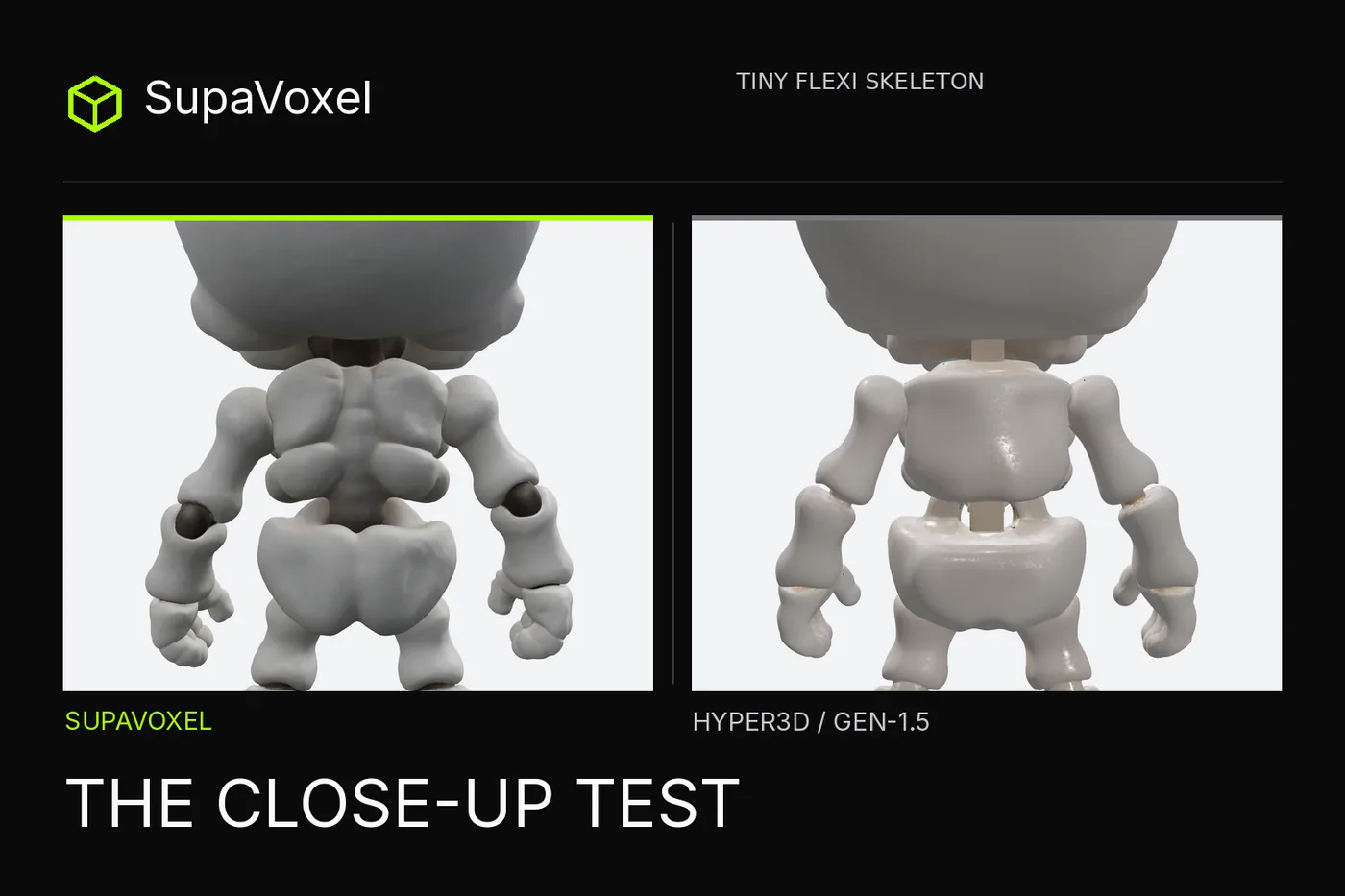
- Back read — Hyper3D: squared bars at neck and pelvis · SupaVoxel: distinct shoulder-blade/spine/pelvis forms. Both infer an unseen back; visual preference is not ground-truth accuracy.
- Textured GLB size — Hyper3D: 13.27 MB extracted PBR · SupaVoxel: 35.28 MB Original size. Hyper3D wins tested standalone payload.
- Real button transfer — Hyper3D: 21.05 MB ZIP holding two GLBs · SupaVoxel: 35.28 MB single GLB. Don't advertise the 13.27 MB member as the website download.
- Maps — Hyper3D: three 2048² PNGs · SupaVoxel: three 2048² PNGs. Tie in count and resolution, not in content or measured likeness.
- Triangles — Hyper3D: 120,000 · SupaVoxel: 972,094. The latter has more editing surface; counts alone do not establish recognizable joints or a better print.
- Topology — Hyper3D: watertight, 0 nonmanifold · SupaVoxel: non-watertight, 321 nonmanifold. A genuine SupaVoxel disadvantage for fabrication.
- Color precision — Hyper3D: no albedo ΔE measured · SupaVoxel: no albedo ΔE measured. Neither earns a numerical fidelity claim from lit renders.
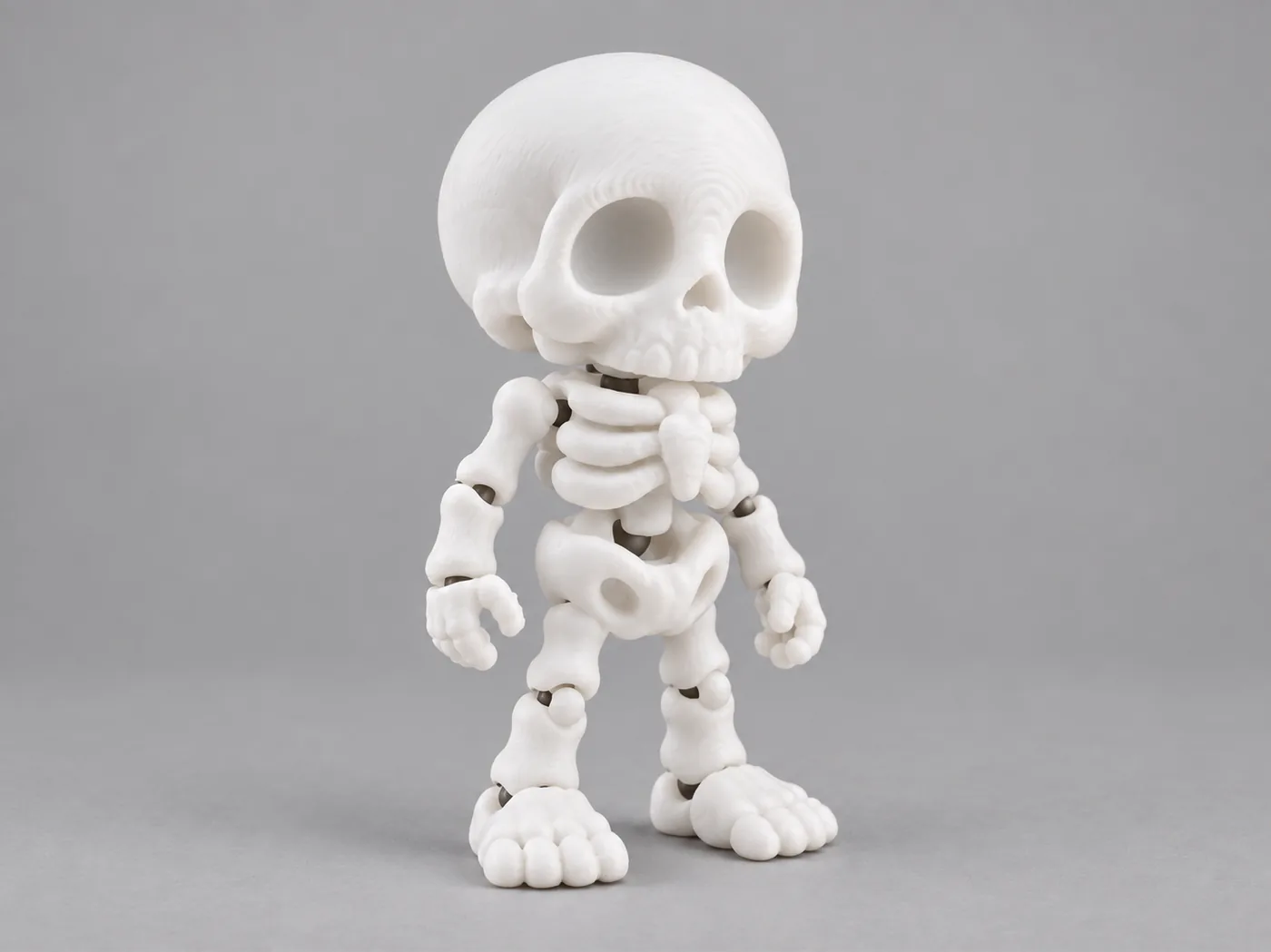
The one front-biased input both services received. There is no hidden rear or joint-clearance diagram in these pixels.
Does the complete figure look like the original?
At a three-quarter angle, yes in the broad sense: Hyper3D's oversized skull, sockets, ribs and chunky feet make the character unmistakable. SupaVoxel keeps that identity and gives more pronounced forehead, rib and elbow forms. I would not claim a measured likeness percentage. We had one 2D image, no 3D reference scan, no calibrated color target, and no surface-alignment metric.
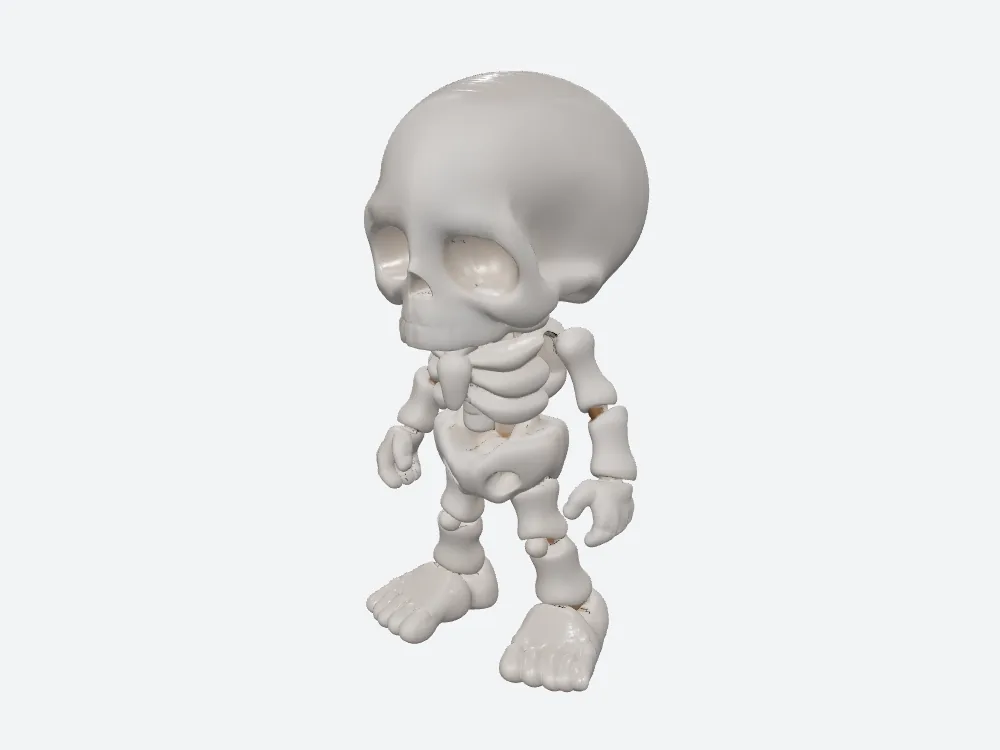
The downloaded Gen-1.5 PBR GLB, not the locked Gen-2.5 preview. It keeps the broad cartoon silhouette with a compact 120,000-triangle surface.
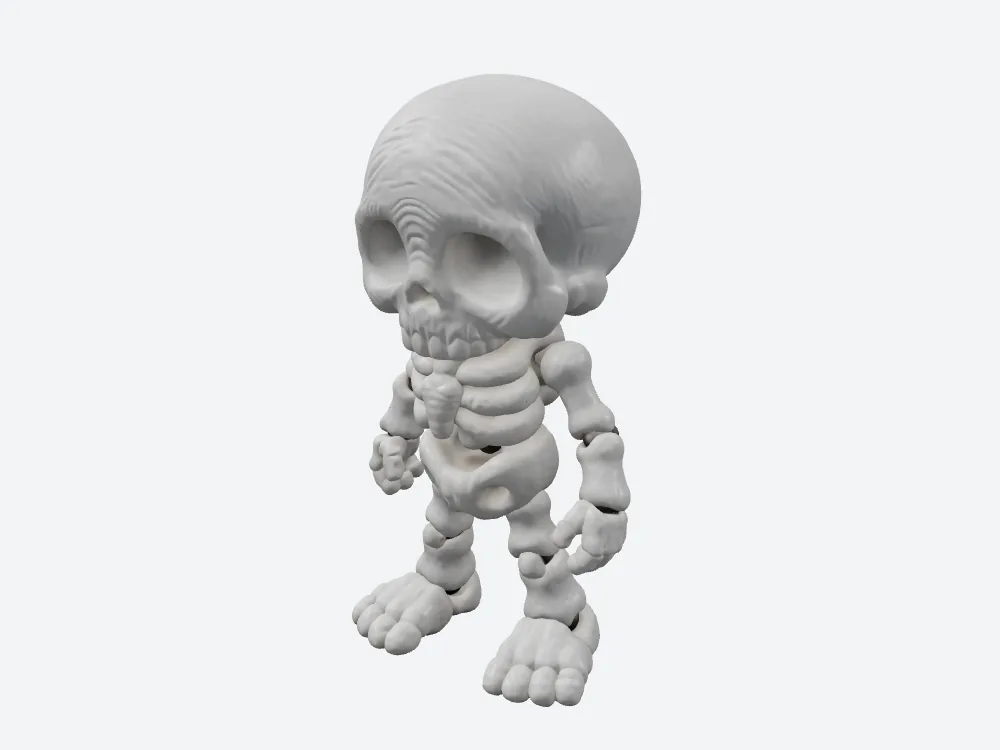
SupaVoxel's hero view presents stronger facial and joint relief. That is a visible distinction, not a calibrated fidelity percentage.
What does the front view hide about the back?
The source image doesn't show the rear. Hyper3D supplied two square connectors, below the skull and above the pelvis, over a comparatively smooth back. From the front, those bars are easy to overlook. Turn the product card and a buyer looking for a delicate skeletal chain sees scaffolding. SupaVoxel inferred shoulder blades, a spine contour and dark rounded elbow areas instead. I prefer its result as a sculpting reference for an articulated character.
Neither imagined back is verified as the "true" sculpture. Nor does the SupaVoxel elbow reveal what clearance lies beneath it. In topology analysis its 215 edge-connected shells become one vertex-connected cluster. The better rear picture is a design brief in 3D, not a sales certificate for a functioning toy. If the page sells a physically movable print, you need a physical test and a truthful description, not a rear beauty shot.
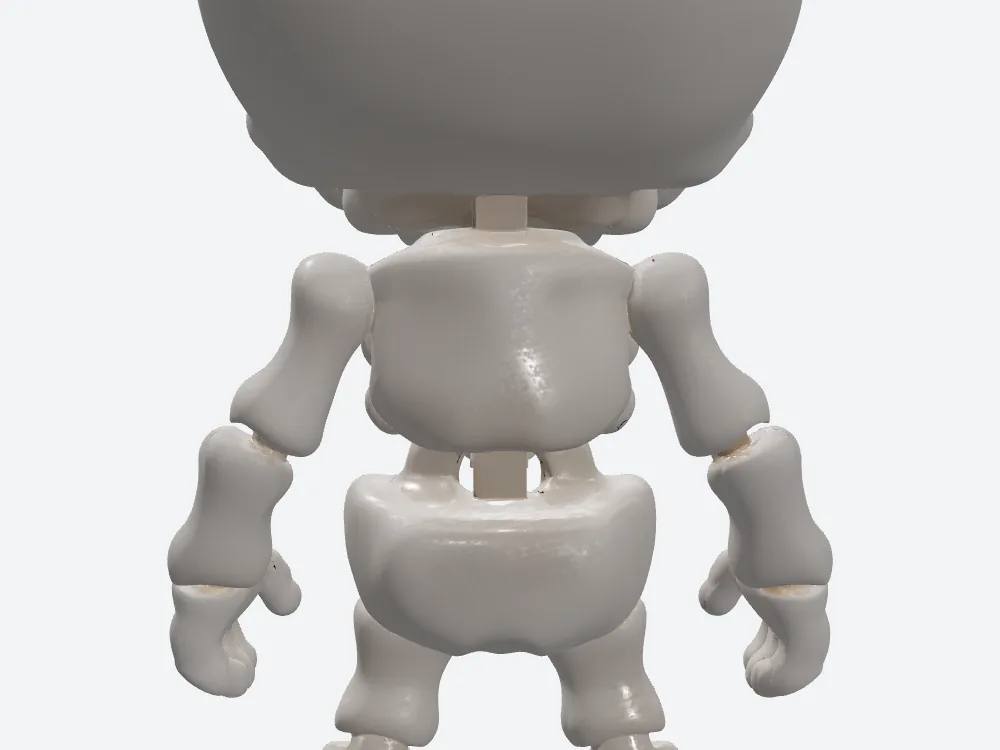
Two squared links on the invented Hyper3D back are easy to miss until a shopper rotates the model.
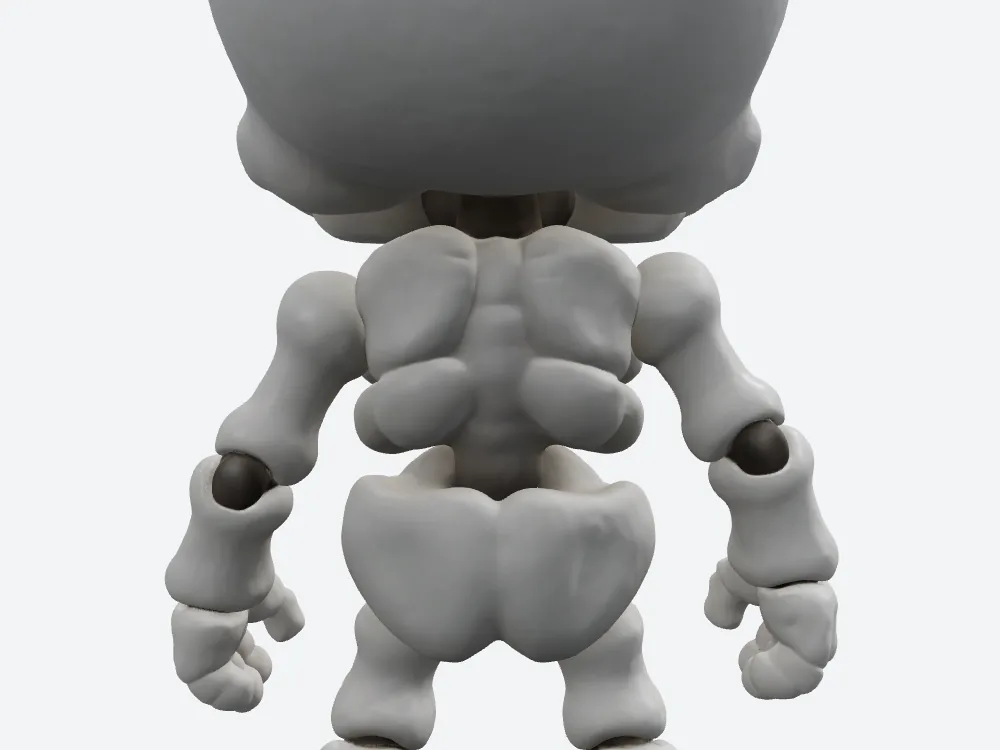
SupaVoxel builds a more legible inferred spine and elbow silhouette; shared-vertex connection still prevents calling the shells independent bones.
Is the top of the skull more faithful or just busier?
From overhead, Hyper3D reads almost smooth. SupaVoxel carries deeper layered forehead ridges. The input's drawn lines are shallower than the strongest ridges in the rendered sculpt. You might prefer the expressive look for a Halloween thumbnail or the cleaner dome for a minimalist toy. This is an editorial art-direction call; we did not measure 3D distance to an absent original or an albedo color error.
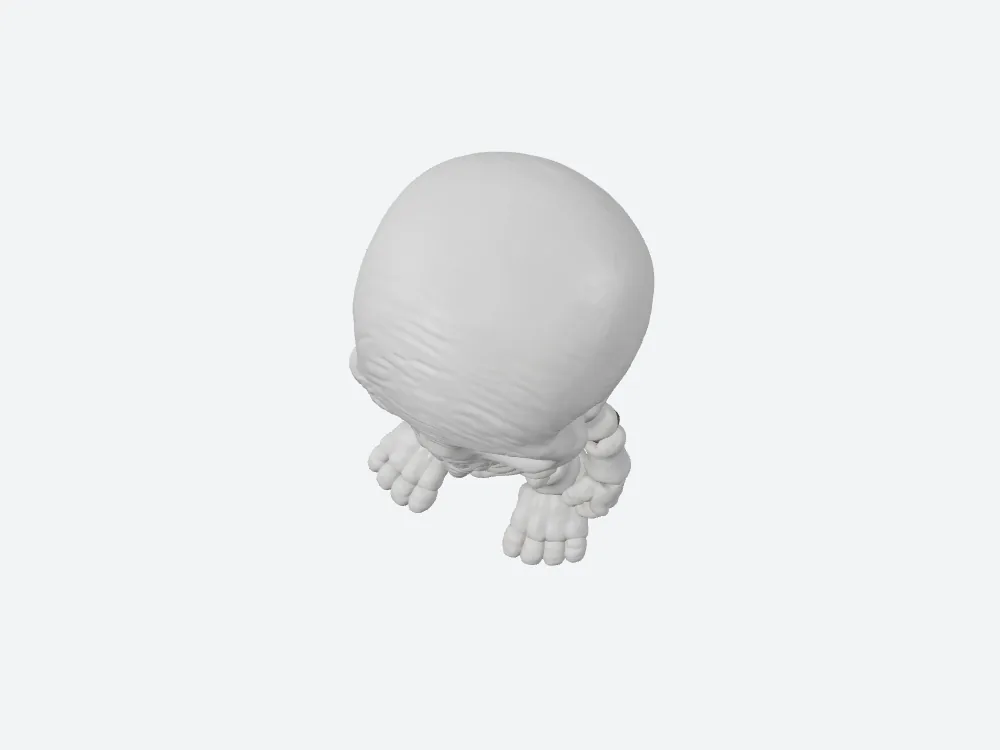
The more assertive top-of-skull ridges could be character or overstatement. No ground-truth mesh determines which.
Do three texture maps each make the result equivalent?
Both final GLBs include UV coordinates, one material and three PNG images at 2048 × 2048: baseColor, normal and metallicRoughness. That is genuine parity in map count and pixel dimensions, not proof of equal visual content. Hyper3D's baseColor bytes total 2,833,742; SupaVoxel's total 2,678,093. The remaining two maps consume 6,029,528 and 4,832,100 bytes respectively. Hyper3D actually carries 1,197,428 more bytes in non-color maps despite its smaller overall model.
If I am shipping a PBR gallery where highlights matter, those maps have a purpose. If I am preparing an unpainted resin piece, neither the normal nor metallicRoughness image tells the printer where to lay resin. Treating those bytes as downloadable overhead for that particular use is fair; saying a real slicer discarded them in this test is not. We did not run a slicer or measure UV occupancy.
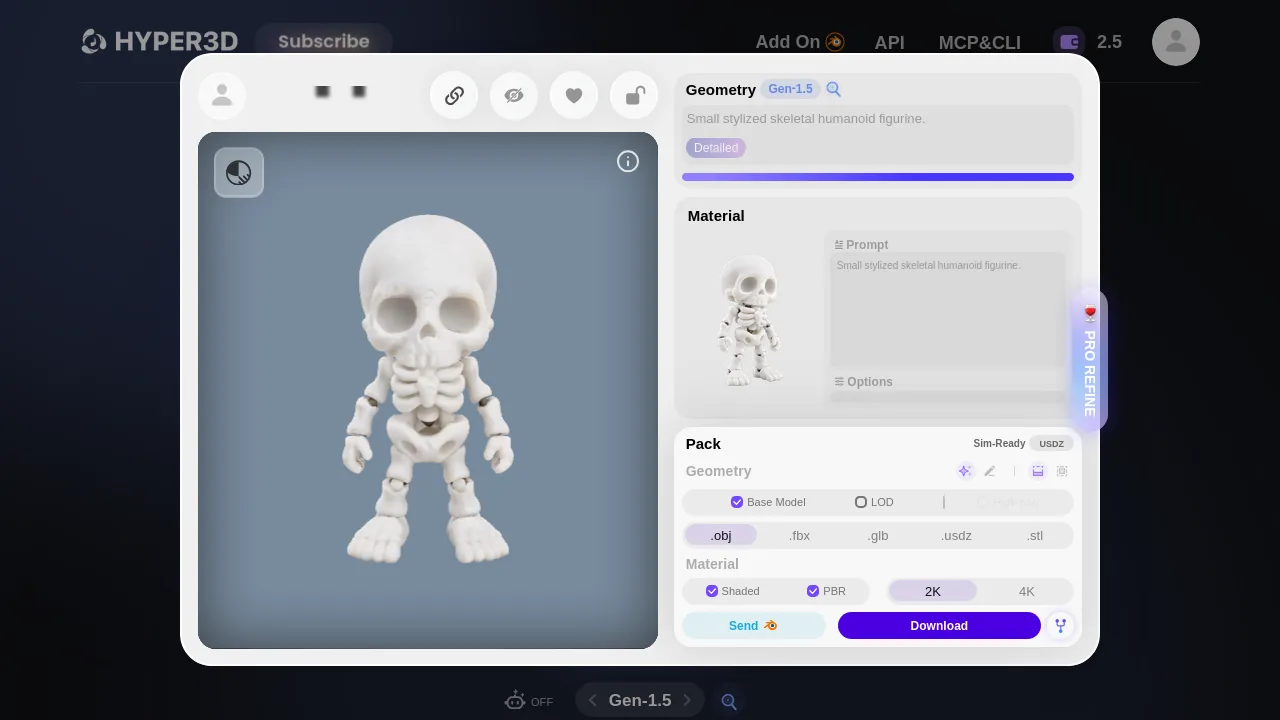
The measured Hyper3D PBR file followed a separate material workflow. Its earlier 4.41 MB geometry-only export had no embedded images.
How many bytes did my browser actually receive?
Here is the distinction most compressed product comparisons lose. The Hyper3D browser button sent a 21,048,356-byte ZIP with two files: the 13,269,360-byte PBR GLB I analyzed and a 7,778,744-byte Shaded GLB. SupaVoxel's tested Original size button sent a 35,283,096-byte GLB. Compare the button transfers and the difference is 14,234,740 bytes. Extract and host only the Hyper3D PBR and the gap grows to 22,013,736 bytes; that is a new delivery scenario, not what the original Download button did.
The small standalone PBR is a real strength. The two-file ZIP can also be useful if you want both render styles, but it costs you an extraction and moves bytes you may never serve. SupaVoxel avoids that extraction in the observed UI path. Its untested Compressed option may change its byte position substantially; anyone giving a definitive all-format size ranking from these two selections is guessing.
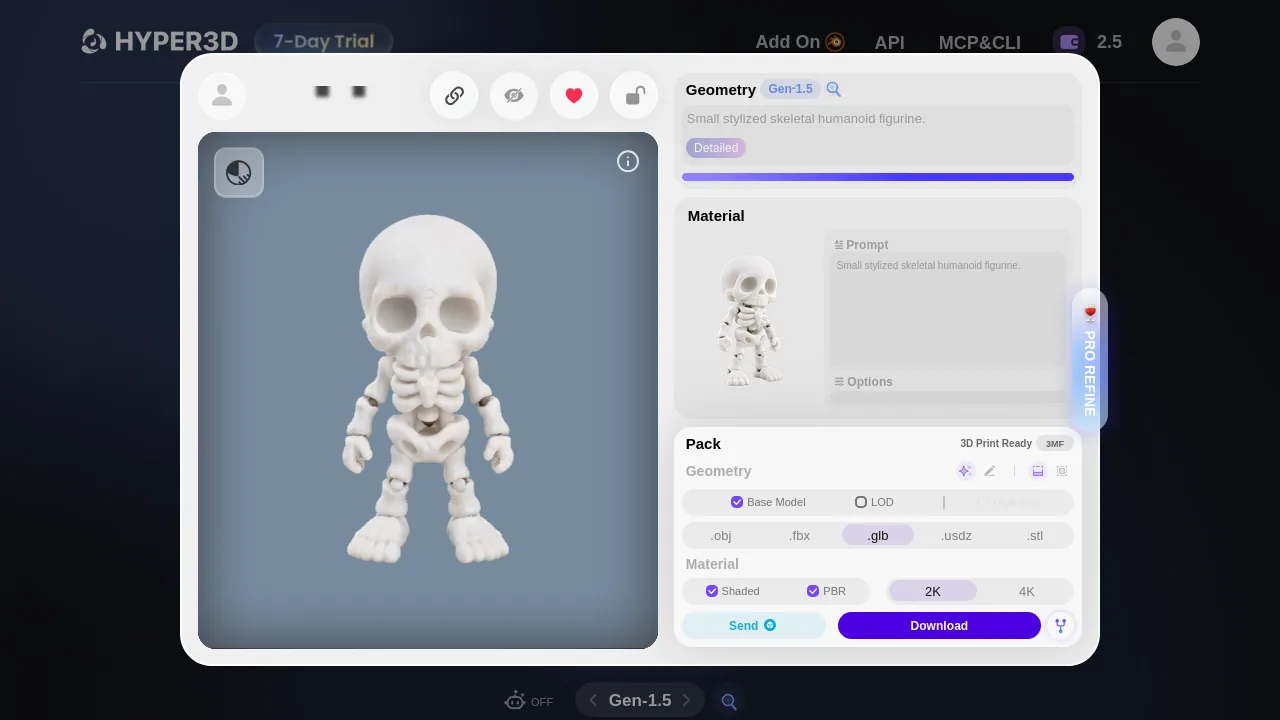
Hyper3D's 13.27 MB analysis file came from a 21.05 MB browser ZIP. These are deliberately different denominators.
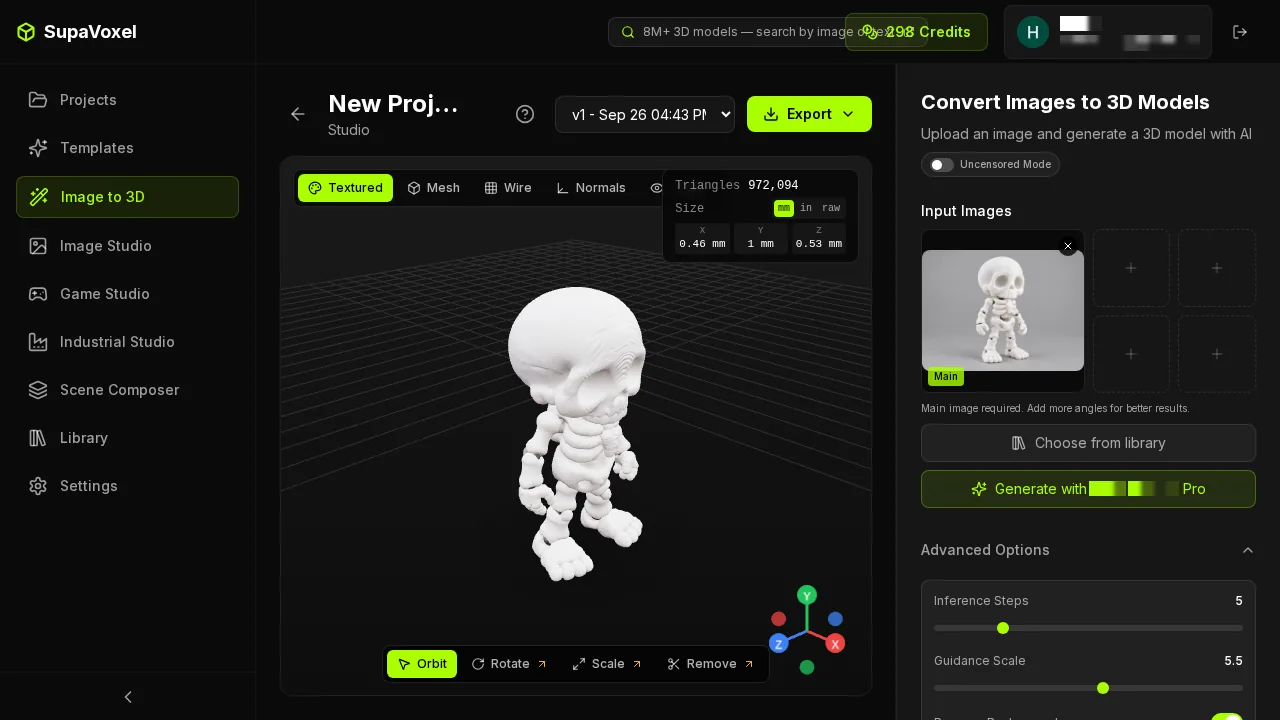
SupaVoxel's measured UI Original size output arrived as a single 35.28 MB GLB; the Compressed branch was visible but not weighed.
What would a shopper wait on a phone?
Use file bytes × eight ÷ a steady 12 Mbps. For the actual website downloads the pure-transfer floors are 14.03 seconds for Hyper3D's ZIP and 23.52 seconds for SupaVoxel's GLB—a 9.49-second gap if both are fully transferred. On 100 Mbps they become 1.68 and 2.82 seconds. These are lower bounds on bytes alone, not measured download time or time until a model viewer paints a frame.
For the hypothetical product page hosting only each analysis GLB, the phone floors are instead 8.85 versus 23.52 seconds. That is the scenario I would put in a gallery budget. Hyper3D has an approximately 2.66× lighter standalone PBR file under these exact selected exports. But a product page can cache, stream, optimize or substitute another export; the observed files do not tell us how either deployed viewer behaves. Do not promise a first-frame speedup based on a transfer division.
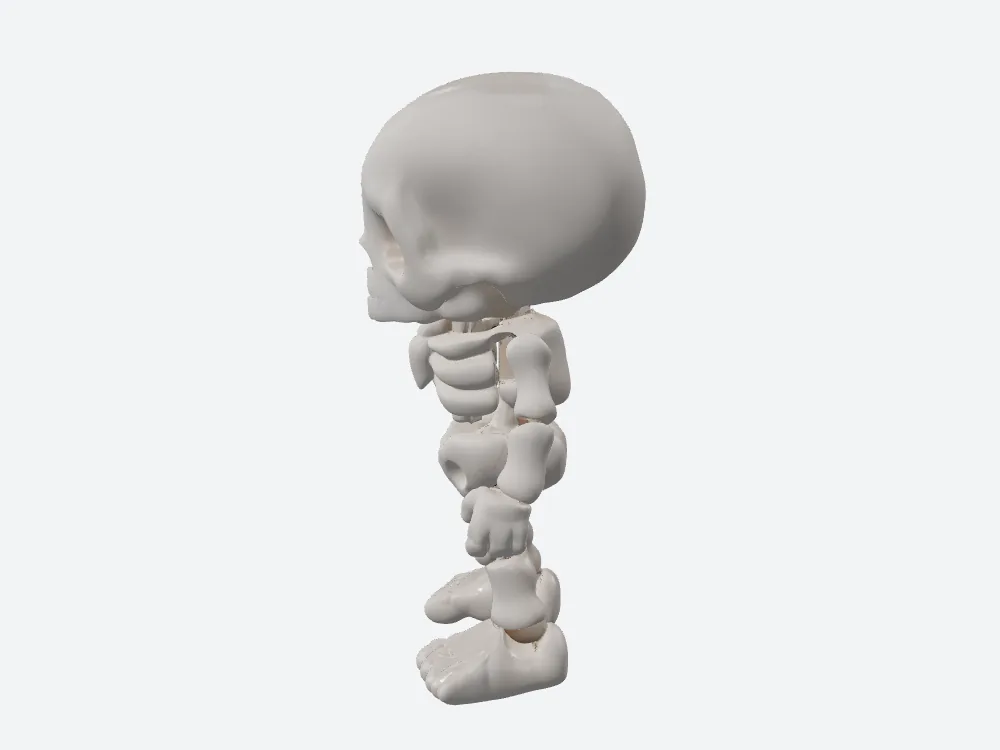
The smaller Hyper3D side is attractive for mobile hosting, although its fused joints remain wrong for a moving-product claim.
Does the CDN bill change the artistic decision?
If 10,000 full uncached loads a month each fetch the separately hosted analysis GLB and egress costs $0.085 per decimal GB, the arithmetic is 132.69 GB / $11.28 for Hyper3D's PBR and 352.83 GB / $29.99 for SupaVoxel's tested file. The $18.71 difference is a modeled bill under explicit assumptions, not a receipt. For 100 actual UI downloads, by contrast, the observed ZIP/GLB pair scales to 2.105 GB versus 3.528 GB. Neither exercise represents 100 successful new generations.
Would I sacrifice clearer joint locations to save $18.71 on this assumed gallery? If this is a static decoration, perhaps. If the customer is paying a sculptor to rework joint positions, the time spent reconstructing Hyper3D's smooth back could dominate—but no labor minutes were measured, so I cannot price that trade. A more useful decision is to separate the cheap preview use from the high-resolution editable sculpt, then measure your real traffic and editing time before deciding at scale.
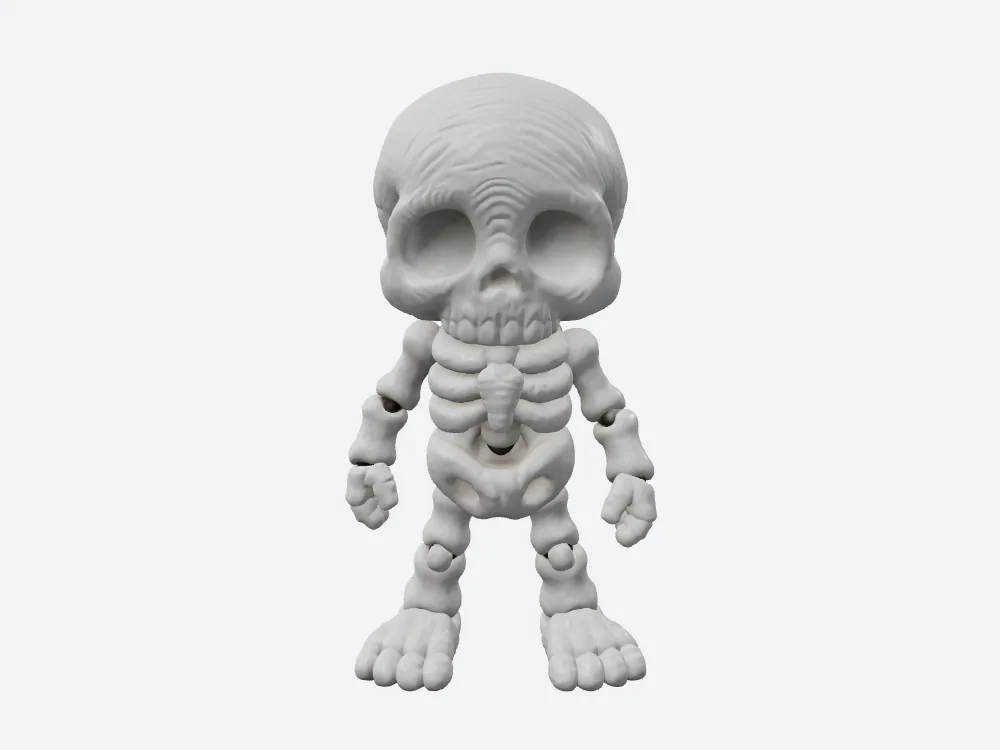
The larger SupaVoxel file buys conspicuous sculptural joint language, not a proven mobile-loading experience or printable mechanism.
Which file is lighter once it reaches a renderer?
An illustrative geometry-memory calculation of 32 bytes per vertex plus 4 bytes per triangle index gives about 4.40 MB for Hyper3D and 27.77 MB for SupaVoxel. It ignores texture decompression, renderer allocation, CPU duplication and browser behavior. The corresponding files have 92,636 versus 503,312 exported vertices. For a phone displaying a shelf of animated product tiles, that estimated 23.37 MB geometry gap per loaded instance deserves profiling. It is not a measured RAM benchmark.
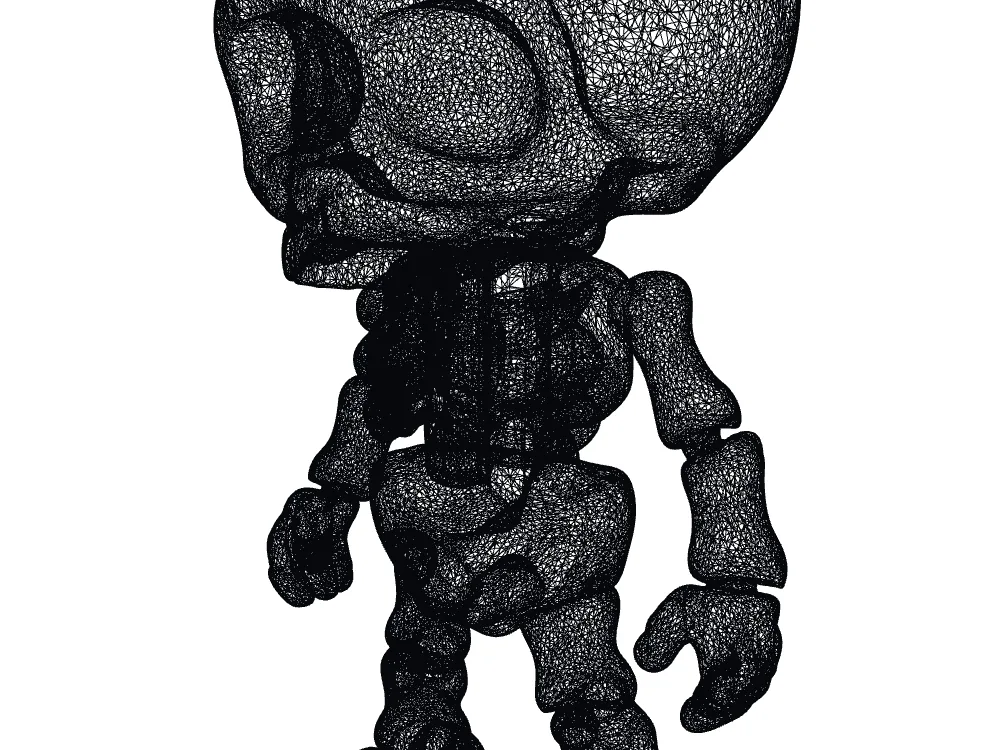
Hyper3D's lower-density wireframe is cheaper to carry but leaves the rear bars and one fused shell untouched.
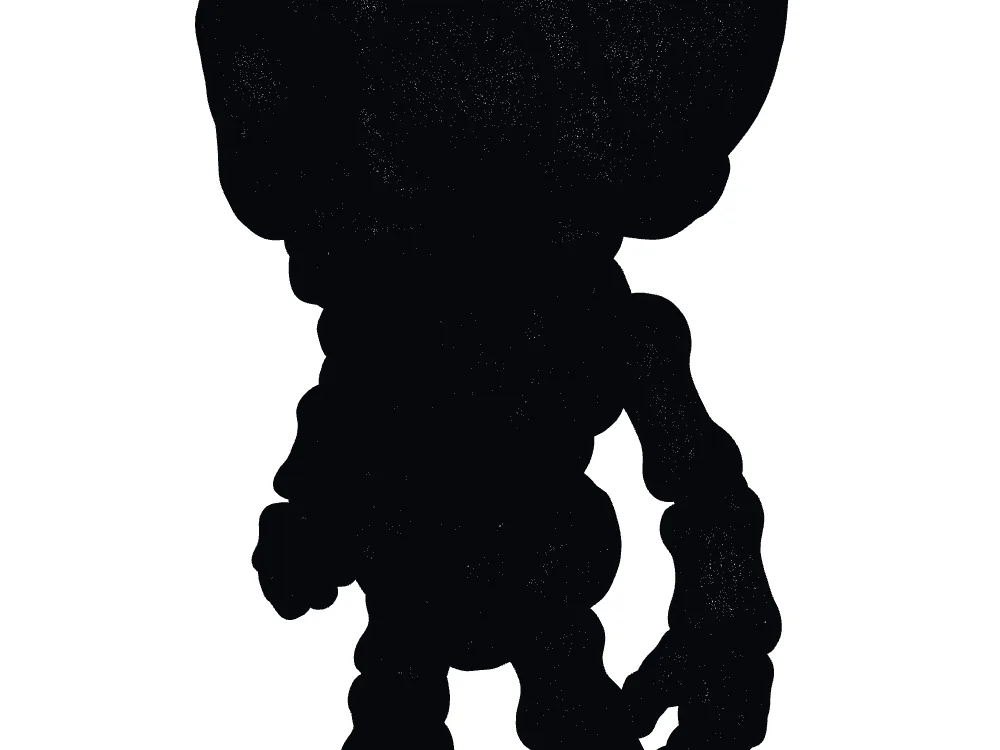
SupaVoxel's denser wireframe supplies many more points for editing, while its exported topology still has 321 nonmanifold edges.
Where does Hyper3D deserve the win?
On bytes and static-mesh health, plainly. Its PBR member is 13.27 MB against 35.28 MB, and its welded Gen-1.5 mesh is watertight with no nonmanifold edges. SupaVoxel's file is neither watertight nor small in the tested Original size branch. I will not spin those defects as charming quirks. The cost of preferring its stronger visual joints is a larger original-size download, an illustrative 27.77 MB geometry allocation instead of 4.40, and manual topology work before print.
The exchange for Hyper3D's light file is equally visible. The rear uses two square bridges and the entire figure is one face-connected solid; a customer who bought "articulated" would be buying the wrong object. For a static page ornament, Hyper3D wins this run. For a sculptor making an articulated design reference, SupaVoxel earns the recommendation only when repair and actual joint engineering are planned.
Final verdict: which job is the file for?
Hyper3D's 13.27 MB number is a hostable extracted file, not a browser download. Its tested 21.05 MB ZIP still beats the tested 35.28 MB SupaVoxel GLB on transfer, and the Hyper3D solid is cleaner. SupaVoxel's invented rear and elbow shapes are stronger concept material, but a 321-edge nonmanifold defect is a real production constraint. My decision is not "the most triangles win": Hyper3D for a lightweight static skeleton; SupaVoxel for joint-focused sculpting where the editing budget includes repair; neither for a verified moving toy.
Use SupaVoxel when the sculpt is the deliverable
If your viewer or modeler needs to understand the intended limb breaks from a rotatable file, try SupaVoxel on your own reference and inspect the downloaded Original size GLB yourself. Take its visibly clearer rear articulation as the starting point, not a guarantee of fidelity to unseen anatomy. Measure the separately offered Compressed export before choosing it for a public page, and repair topology before any print promise.
How I tested this—and what these numbers leave open
One independently generated 1,409,643-byte image, one downloaded Gen-1.5 Hyper3D PBR model from a ZIP, one downloaded SupaVoxel Original size GLB. The separate Hyper3D Gen-2.5 preview was blocked at the free-account Download stage and is excluded from file comparisons. I read bytes, vertices, triangles and texture slots from the actual files; for topology I welded coincident UV-split vertices. I rendered front, side, back, top and wireframe offline with fixed light/camera settings, adjusting for the files' different native front directions. These are matched views, not a pixel-perfect ground-truth alignment.
MB/GB are decimal. Transfer estimates assume uninterrupted 12 or 100 Mbps with no overhead; CDN arithmetic assumes 10,000 uncached complete downloads at $0.085/GB; geometry-memory estimates assume 32 B/vertex and 4 B/index. We did not measure first frame, albedo ΔE, UV occupancy, compressed-export bytes, slicer behavior, clearance, physical movement, repeat-run success or commercial publication rights to the input artwork. No claim about those outcomes is hidden in the eight editorial judgments.
Originally published on Medium: Hyper3D 3D Model Review 2026: 13.27 MB Is Not the Download.